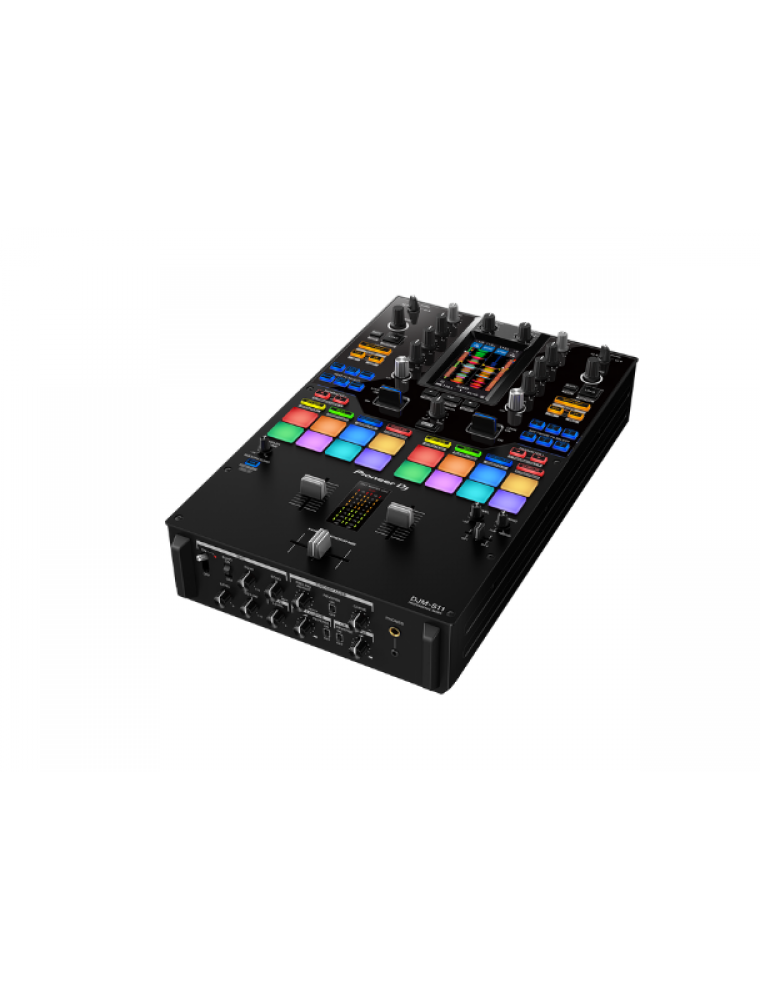
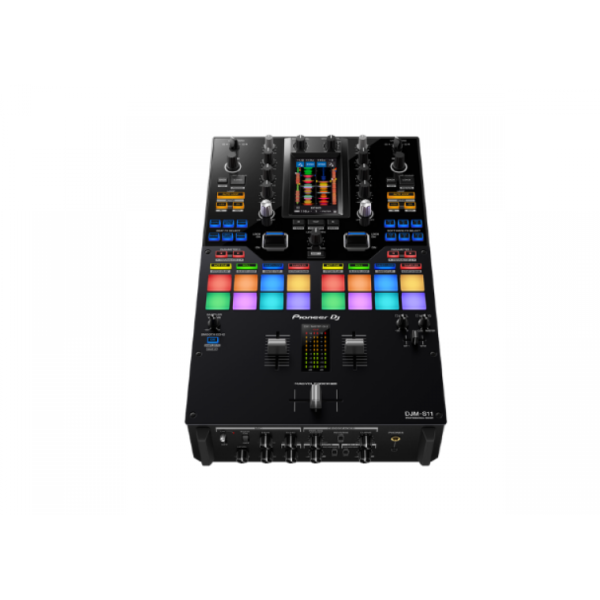
Raise your game with the DJM-S11. This new professional 2-channel, 4-deck control battle mixer enhances various elements from its predecessor, the DJM-S9, and offers a host of brand-new features to help you perform more freely with Serato DJ Pro or rekordbox.
KEY FEATURES
Customizable touch screen
A 4.3-inch customizable touch screen gives all the information you need. Browse tracks, check waveforms, and dynamically change the texture of the music with TOUCH FX. With Touch MIDI you can directly control functions in your DJ software without touching your laptop.
Waveform screen
Spend more time focusing on your mix thanks to the high-frame-rate color touch screen, which shows everything from waveforms to BPM so you can stay in the zone. You can even customize it with your preferred style of layout.
Browse screen
Rapidly select tracks by checking the information on the screen – there’s no need to look at your laptop – and instantly see their playback status.
DECK 3/4 Control screen
Want to pack more sounds into your sets? Play up to 4 tracks or samples simultaneously with Deck 3/4 Control, an innovative feature that adds two extra decks – accessible via the touch screen. These additional decks let you control EQs, Hot Cues, pitch bend, and more.
Deck Move
Access two extra Deck 3/4 features with Serato DJ Pro. With Deck Move, you can seamlessly move tracks from deck 1 to 4 and deck 2 to 3. Use it to free up your main decks when mixing and scratching. Use Dual Deck control to adjust volume and effects for two decks at once.
Touch FX screen
Express yourself in new ways. Switch to the Touch FX screen and you can control 2 effects at the same time by tracing a finger across the surface while the other hand is scratching with the crossfader or finger drumming on the Performance Pads.
FX Setting screen
In the FX Setting screen, you can save 4 banks of effect types and parameters, then instantly call them up in different scenarios, e.g. when you’re battling, mashing up tracks, or playing a club set.
Touch MIDI screen
Touch MIDI offers four pages of presets that enable you to control functions in your DJ software without touching your laptop. The controls can also be custom MIDI mapped, enabling you to set things up to suit your style.
Expanded effects section
Spice up your sets with 22 Beat FX, including the new Fader Pitch and Helix. Smooth Echo is a new effect that you can automatically engage when you move the faders or hit the pads you’ve assigned as triggers.
Improved Performance Pads
The 8 Performance Pads are bigger, making them easier to hit in energetic battles. In Serato DJ Pro, use Combo Pad mode to combine up to 4 different pad modes at once, and use Scratch Bank to call up assigned scratch samples by just tapping a pad.
Enhanced MAGVEL FADER PRO
We’ve enhanced the feeling of the MAGVEL FADER PRO and boosted its vertical rigidity by 30 percent. This means you can scratch with more confidence, while the tougher coating around the crossfader area reduces wear and tear.
Crystal-clear sound quality
The DJM-S11 inherits the raw and high-density sound from the DJM-900NXS2 thanks to studio-quality 64-bit mixing and dithering processing inside the DSP, and a low-jitter clock circuit and 32bit high-quality D/A converter in the master output section.
OTHER FEATURES
USB hub
Plug your DJ controllers and other devices – including selected units from other brands – into the dual USB-A ports to play with them.
MIDI controller
This device is fully MIDI assignable via USB. Send control information to external devices and use the mixer as a MIDI controller.
Serato DJ Pro
Connect your PC/Mac to use Serato DJ Pro. Use dedicated buttons for FX and advanced Serato features like Beat Jump, Slip mode, and Quantize.
Serato DVS
Use Serato DVS to control and scratch with CDJs or turntables.
Pitch ‘n Time DJ
Serato Pitch ‘n Time DJ Expansion Pack is included. Use Pitch Play, Flip, Key Shift and more features. The mixer is fully MIDI mappable too.
rekordbox
Connect your PC/Mac to unlock rekordbox Performance mode for free and use DVS mode with the dedicated control vinyl (available separately).
Reviews
There are no reviews yet.
Be the first to review “Pioneer DJ DJM-S11” Cancel reply
Professional scratch style 2-channel DJ mixer (Black)
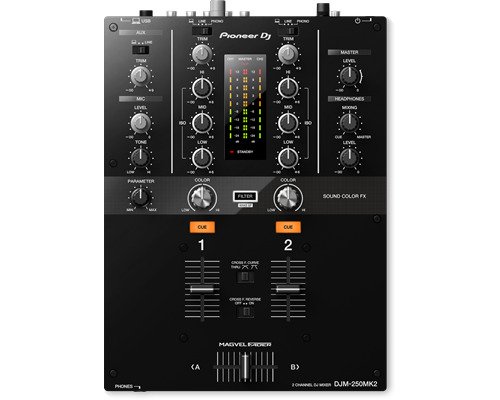
The DJM-250MK2 has inherited some of the professional features of the popular DJM-900NXS2, such as the Magvel crossfader and Sound Color FX filter. Straightforward controls, a clear layout, and dedicated 3-band isolators let you scratch and mix instinctively.
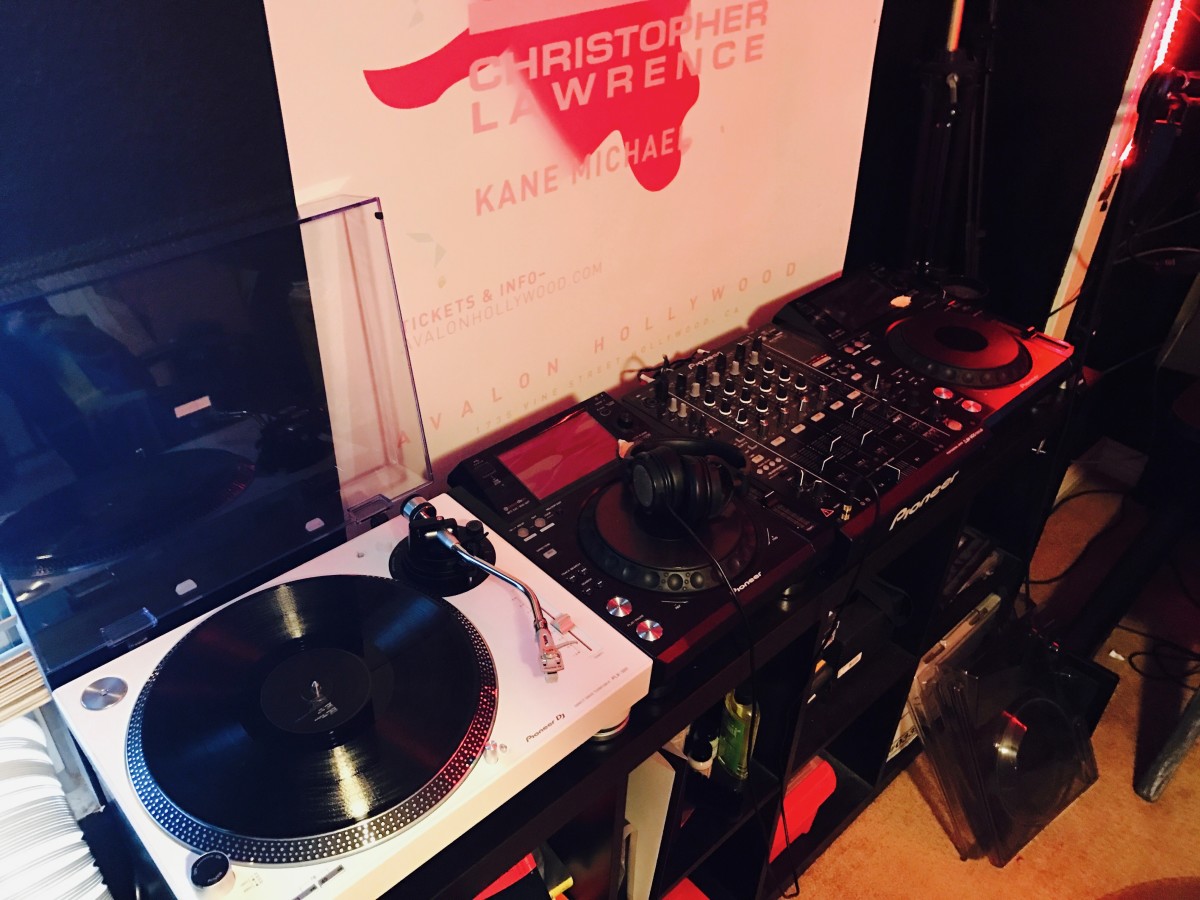
Spin, Digitize, and DJ with the Same Deck
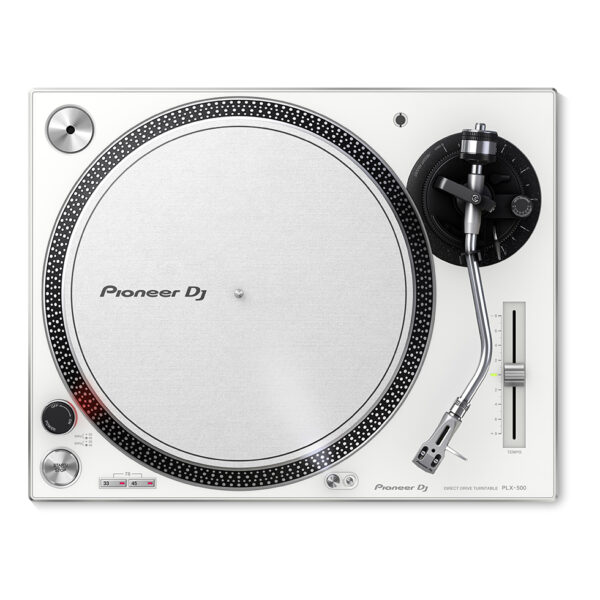
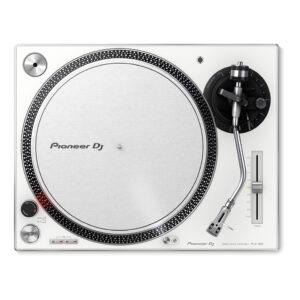
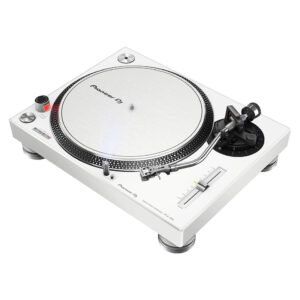
Get used to a great deck, and you'll want to use it everywhere. And with the PIONEER DJ PLX 500 W turntable, you can. Whether you're an analog enthusiast or a performer at heart, the PIONEER DJ PLX 500 W has features to take you from the living room to the booth. The keynote of this unit is its quality analog playback. This is thanks to a smooth and dependable direct-drive motor, short-excursion tone arm with headshell, cartridge, and stylus, and neutral onboard preamp. On top of that, a die-cast aluminum platter and switchable Phono (mixer)/Line (speaker) output make the PIONEER DJ PLX 500 W a winner for DJing. Performers will love parading their record sleeves on the dust cover's stand. And music lovers will enjoy digitizing their collection via USB while they jam.
Generate Light Shows for Your DJ Set Automatically
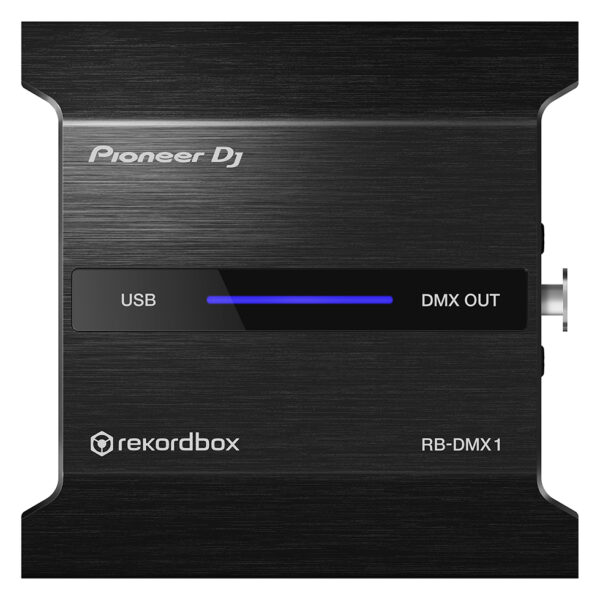
With the PIONEER DJ RB DMX1 converter and lighting controller, you'll be able to use rekordbox DJ's Lighting mode to automatically create light shows that sync with your music. Introduced in rekordbox DJ v5.2, Lighting mode makes setting up your lightshow an effortless automatic process, with the ability to quickly customize it to your preferences. Connect the PIONEER DJ RB DMX1 converter to your Mac or PC, add a set of DMX512-supported lighting fixtures, and Lighting mode will control your lights in sync with your music. In other words, you can eliminate hours of pre-show lighting setup with the PIONEER DJ RB DMX1 converter. Call your megs star technology Sales Engineer to learn more about how to add this to your DJ setup.
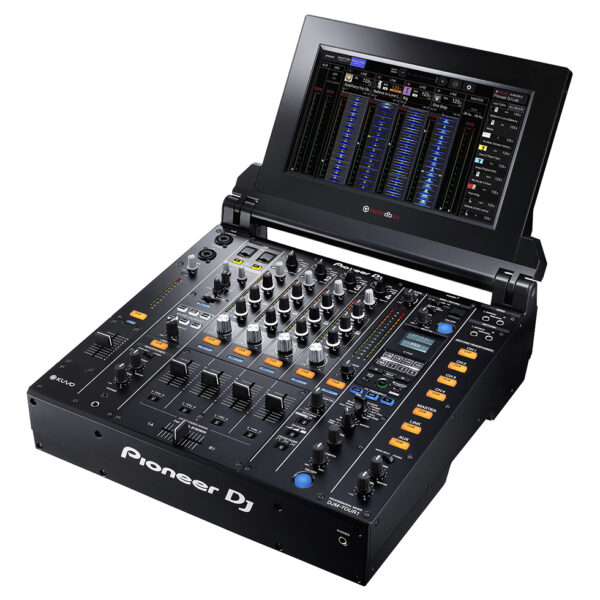
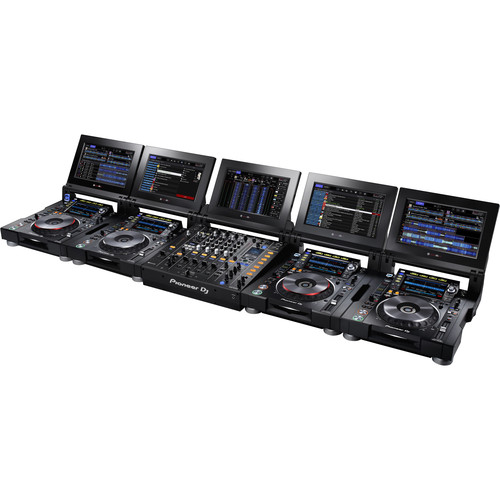
Pioneer DJM Series pro mixers are the industry standard centerpieces for pro-level DJ performances, and now they’ve upped the ante with the PIONEER DJ DJM TOUR1. Tour from festival to arena with the PIONEER DJ DJM TOUR1 and perform at the highest level. Connect up to 4 CDJ-TOUR1's via Pro DJ Link and enjoy a sturdy, reliable set-up every single performance.
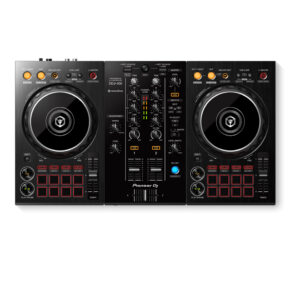
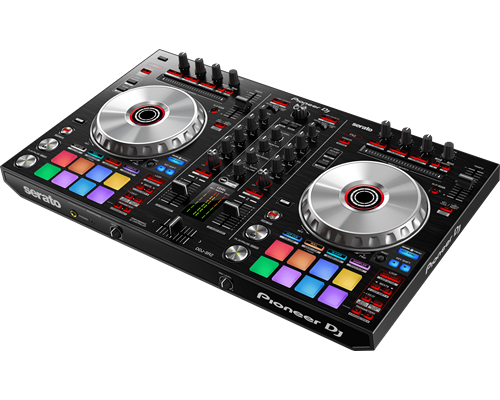
The DDJ-SR2 has dedicated key controls for Serato DJ, allowing you to control the software features with the push of a button. This 2-channel controller takes after our professional DJ gear with multicoloured Performance Pads and a spacious layout. Being compact and 18% lighter than the DDJ-SR, the DDJ-SR2 is easy to transport to any gig.Enjoy a full package including the latest version of Serato DJ as well as the Pitch ’n Time DJ expansion pack, which lets you get creative with your track’s key and BPM, even in extreme tempos.
Content
TURN IT UP TO 11
Raise your game with the DJM-S11. This new professional 2-channel, 4-deck control battle mixer enhances various elements from its predecessor, the DJM-S9, and offers a host of brand-new features to help you perform more freely with Serato DJ Pro or rekordbox.
KEY FEATURESCustomizable touch screen
A 4.3-inch customizable touch screen gives all the information you need. Browse tracks, check waveforms, and dynamically change the texture of the music with TOUCH FX. With Touch MIDI you can directly control functions in your DJ software without touching your laptop.
Waveform screen
Spend more time focusing on your mix thanks to the high-frame-rate color touch screen, which shows everything from waveforms to BPM so you can stay in the zone. You can even customize it with your preferred style of layout.
Browse screen
Rapidly select tracks by checking the information on the screen – there’s no need to look at your laptop – and instantly see their playback status.
DECK 3/4 Control screen
Want to pack more sounds into your sets? Play up to 4 tracks or samples simultaneously with Deck 3/4 Control, an innovative feature that adds two extra decks – accessible via the touch screen. These additional decks let you control EQs, Hot Cues, pitch bend, and more.
Deck Move
Access two extra Deck 3/4 features with Serato DJ Pro. With Deck Move, you can seamlessly move tracks from deck 1 to 4 and deck 2 to 3. Use it to free up your main decks when mixing and scratching. Use Dual Deck control to adjust volume and effects for two decks at once.
Touch FX screen
Express yourself in new ways. Switch to the Touch FX screen and you can control 2 effects at the same time by tracing a finger across the surface while the other hand is scratching with the crossfader or finger drumming on the Performance Pads.
FX Setting screen
In the FX Setting screen, you can save 4 banks of effect types and parameters, then instantly call them up in different scenarios, e.g. when you’re battling, mashing up tracks, or playing a club set.
Touch MIDI screen
Touch MIDI offers four pages of presets that enable you to control functions in your DJ software without touching your laptop. The controls can also be custom MIDI mapped, enabling you to set things up to suit your style.
Expanded effects section
Spice up your sets with 22 Beat FX, including the new Fader Pitch and Helix. Smooth Echo is a new effect that you can automatically engage when you move the faders or hit the pads you’ve assigned as triggers.
Improved Performance Pads
The 8 Performance Pads are bigger, making them easier to hit in energetic battles. In Serato DJ Pro, use Combo Pad mode to combine up to 4 different pad modes at once, and use Scratch Bank to call up assigned scratch samples by just tapping a pad.
Enhanced MAGVEL FADER PRO
We’ve enhanced the feeling of the MAGVEL FADER PRO and boosted its vertical rigidity by 30 percent. This means you can scratch with more confidence, while the tougher coating around the crossfader area reduces wear and tear.
Crystal-clear sound quality
The DJM-S11 inherits the raw and high-density sound from the DJM-900NXS2 thanks to studio-quality 64-bit mixing and dithering processing inside the DSP, and a low-jitter clock circuit and 32bit high-quality D/A converter in the master output section.
OTHER FEATURESUSB hub
Plug your DJ controllers and other devices – including selected units from other brands – into the dual USB-A ports to play with them.
MIDI controller
This device is fully MIDI assignable via USB. Send control information to external devices and use the mixer as a MIDI controller.
Serato DJ Pro
Connect your PC/Mac to use Serato DJ Pro. Use dedicated buttons for FX and advanced Serato features like Beat Jump, Slip mode, and Quantize.
Serato DVS
Use Serato DVS to control and scratch with CDJs or turntables.
Pitch 'n Time DJ
Serato Pitch ‘n Time DJ Expansion Pack is included. Use Pitch Play, Flip, Key Shift and more features. The mixer is fully MIDI mappable too.
rekordbox
Connect your PC/Mac to unlock rekordbox Performance mode for free and use DVS mode with the dedicated control vinyl (available separately).
BrandPioneerMIDIControlrekordbox dvsDVS Controlrekordbox dvs (not included)Included DJ Softwarerekordbox dj , rekordbox dvsIncluded Accessories
Power cord
Operating instructions
AC adaptor
USB cable
License key card
Software System RequirementsNoProDJ LinkP-LOCK Fader Caprekordbox LinkPlug and PlayAuto StandbyHeight108 mmwidth230 mmDepth320 mmWeightNoDimensions (with fold-out display)NoRack MountFrequency Range20 - 20000 HzSampling Rate48 kHzA/D, D/A ConverterNoD/A Converter24 bitA/D Converter24 bitS/N Ratio PhonoN/AS/N Ratio Line94 dBS/N Ratio MicNoS/N Ratio USBNoCrosstalk LineNoDistortion< 0.005 % (LINE)HeadroomNoPower Consumption600 mAPower SupplyAC adaptor DC 12 VMaster BalanceStereo/Mono SwitchMaster Out AttenuatorEQ/ISO3 bandEQ/ISO Range-∞ ~ +6 dBLevel Meter TypeNoLevel Meter SizeNoReverse ChannelsPeak LimiterChannels2Sound Color FXFilterBeat FXNoSerato DJ FX powered by iZotope3-Band IsolatorAuto BPM CounterBeat SamplerDirect Beat SelectEffect Level & Depth VolumeEffect MixInloop SamplerLive SamplerMIDI Global ClockRoll Sampler (Fwd)Roll Sampler (Reverse)Sidechain Remix EffectsSound ProcessorNoTouch PanelFX FrequencyX-PADrekordbox QuantizePerformance ModesNoCrossfader TypeNoCURVE AssignableField ReplaceableReverse CrossfaderTension AdjustmentFader CurveNoMic ConnectionNoMic EQNoMic EQ RangeNoTalkoverNoTalkover AttenuatorAssignable ControlsNoMIDI Out (DIN)NoMIDI On/OffMIDI Start/StopMIDI ClockConnectionNoStereo InputsNoStereo OutputsNoSample RateNoinputs2 PHONO (RCA)Send/ReturnNoLANNoUSB1 USB B portoutputs
2 HEADPHONE MONITOR (1/4 inch Jack
mini-jack)
1 MASTER (RCA)
1 MASTER (XLR)
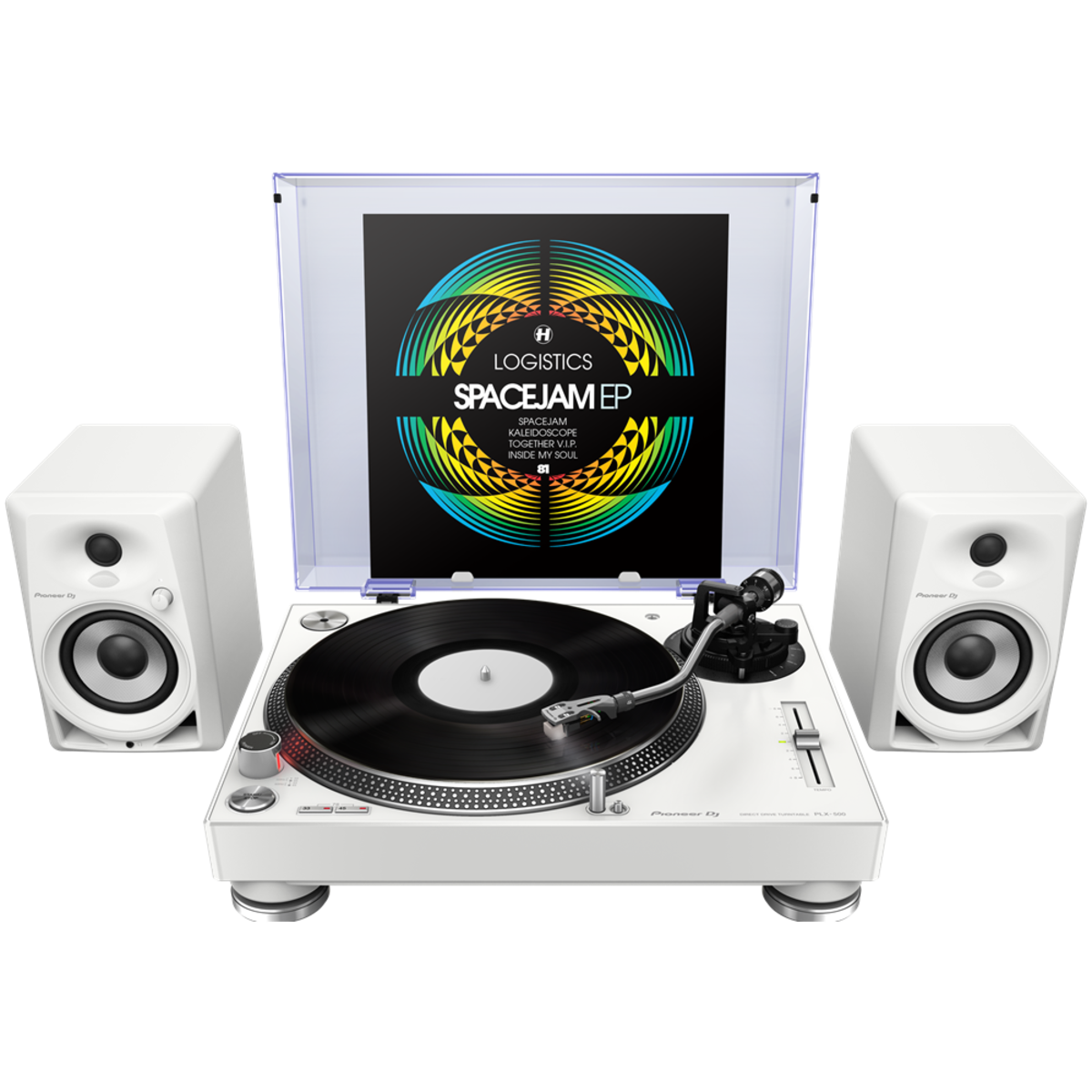
PIONEER DJ PLX 500 W
Get used to a great deck, and you'll want to use it everywhere. And with the PIONEER DJ PLX 500 W turntable, you can. Whether you're an analog enthusiast or a performer at heart, the PIONEER DJ PLX 500 W has features to take you from the living room to the booth. The keynote of this unit is its quality analog playback. This is thanks to a smooth and dependable direct-drive motor, short-excursion tone arm with headshell, cartridge, and stylus, and neutral onboard preamp. On top of that, a die-cast aluminum platter and switchable Phono (mixer)/Line (speaker) output make the PIONEER DJ PLX 500 W a winner for DJing. Performers will love parading their record sleeves on the dust cover's stand. And music lovers will enjoy digitizing their collection via USB while they jam.
https://youtu.be/_n5sfhBpr6k
Includes everything you need to get started
Taking a page from the PLX-1000's book, the Pioneer DJ PLX-500 includes all you need to start enjoying and working your vinyl collection. A dust cover to keep your environment clean. A slipmat for spinning. A quality headshell and cartridge for uncolored playback. And a USB cable and free download of rekordbox software to digitize and manage your records. These accessories are just part of the reason Sweetwater recommends the PLX-500 to first-time performers and analog enthusiasts both.
Pioneer DJ PLX-500 Direct Drive Turntable Features:
Built for spinning, digitizing, and DJing
Quality analog playback:
Smooth, dependable direct-drive motor
Built-in preamplifier
Short path from the stylus to the output
Includes headshell with cartridge and stylus
Switchable Phono/Line output:
Phono out connects to a mixer
Line out connects directly to speakers
USB output digitizes your vinyl while you enjoy
Dust cover with stand shows off your latest release or what's on deck
Includes all you need to get started: slipmat, balance weights, stereo audio cables, USB cord, and rekordbox digital download
With the PIONEER DJ RB DMX1 converter and lighting controller, you'll be able to use rekordbox DJ's Lighting mode to automatically create light shows that sync with your music. Introduced in rekordbox DJ v5.2, Lighting mode makes setting up your lightshow an effortless automatic process, with the ability to quickly customize it to your preferences. Connect the PIONEER DJ RB DMX1 converter to your Mac or PC, add a set of DMX512-supported lighting fixtures, and Lighting mode will control your lights in sync with your music. In other words, you can eliminate hours of pre-show lighting setup with the PIONEER DJ RB DMX1 converter. Call your megs star technology Sales Engineer to learn more about how to add this to your DJ setup.
https://youtu.be/2jJ-F2kbmHg
Pioneer DJ RB-DMX1 DMX Converter/Lighting Controller Features:
DMX converter for use with rekordbox DJ software (license included)
Converts rekordbox DJ's Lighting mode data to DMX to control DMX512-supported lighting fixtures
Supports 1 universe (512 channels) of DMX control
Aluminum casing for durability
Connects to your Mac or PC via USB (cable included)
Pioneer DJM Series pro mixers are the industry standard centerpieces for pro-level DJ performances, and now they’ve upped the ante with the PIONEER DJ DJM-TOUR1. Tour from festival to arena with the PIONEER DJ DJM TOUR1 and perform at the highest level. Connect up to 4 CDJ-TOUR1's via Pro DJ Link and enjoy a sturdy, reliable set-up every single performance.
https://youtu.be/82xt1r3IpP0
Warm Sound at Any Venue
A 32-bit D/A convertor, made by ESS Technologies, delivers incredibly low noise and distortion even at super-high volumes. Additionally the 96 kHz/24-bit soundcard, 64-bit floating point mixing processing, enhanced dithering technology and a low-jitter clock combine to provide an accurate, natural analogue sound.
Connect to Front of House
The AES/EBU digital output lets you connect directly to the PA, regardless of its positioning. Together with the word clock input it ensures high-grade digital audio signal transmission to front of house for precise synchronization and the best possible sound quality.
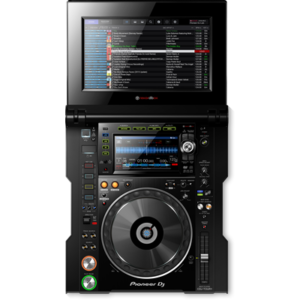
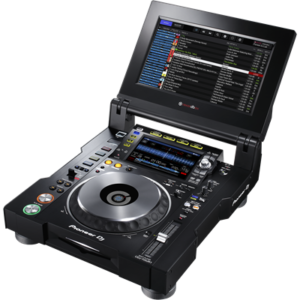
13-Inch Foldout Touchscreen
Use multicolored touch display to browse and select tracks from up to 4 CDJs connected via Pro DJ Link. Choose between a horizontal multi-wave view or a vertical view that also includes an RMS meter so you can monitor and control the volume for each channel.
5-Port LAN Hub
A 5-port LAN hub means you can connect up to 5 players or laptops to the DJM-TOUR1. Via Pro DJ Link you can share one source across up to 4 players – and if you're using rekordbox dj you get access to a host of advanced performance features on top.
Easy B2B Cueing
2 independent headphone sections let you and another DJ cue tracks at the same time without hearing each other's input. Each headphone also has its own volume control for ease and comfort.
Festival-proof design
The DJM-TOUR1's rigid design comes with isolator feet for stability on any surface and reinforced sides. What's more, the LAN ports have NEUTRIK etherCON® connectors with a latch lock, so compatible cables will stay in place whatever vibrations and knocks are thrown at them.
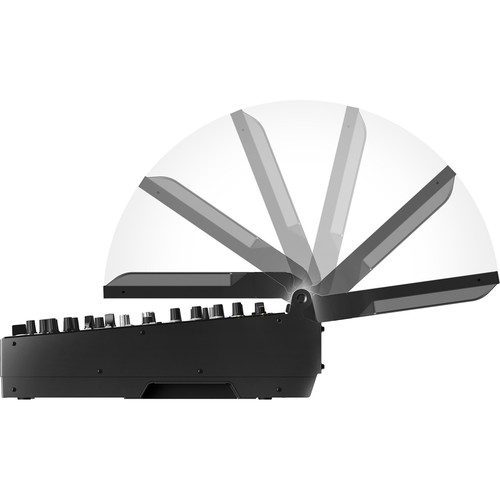
Screen adjustments
Tilt the screen to suit your preference, adjust the lighting or attach the display shad to protect the sun's glare when you're playing outside.
Built-in KUVO Gateway
The DJM-TOUR1 is Pioneer’s first mixer to have a KUVO Gateway on board so you can easily connect to KUVO and broadcast your set information, in real time, to fans around the world.
FEATURES
General
Channels: 4
MIDI Control: Full assignable MIDI controls
DVS Control: rekordbox dvs (not included)
ProDJ Link: Yes
P-LOCK Fader Caps: Yes
Auto Standby: Yes
Crossfader Type: Magvel Fader
CURVE Assignable: Yes
Fader Curve: 3
Performance
Frequency Range: 20Hz - 40kHz
Sampling Rate: 96 kHz
A/D Converter: 24-bit
D/A Converter: 32-bit
Inputs
4 Digital (Coaxial)
4 CD/LINE (RCA)
4 PHONO (RCA)
1 AUX (XLR, 1/4 inch TRS Jack)
2 MIC (XLR/TRS Jack Combo, 1/4 inch TRS Jack)
1 Word Clock (BNC)
Outputs
2 MASTER (XLR, RCA)
1 BOOTH (XLR)
4 HEADPHONE MONITOR (each section: 1/4 inch Jack, mini-jack)
1 REC (RCA)
1 Digital (Coaxial)
Other
Width: 15.16 in
Height: 7.01 in
Depth: 17.76 in
Weight: 24.69 lb
HARMONIC CONTROL
The DDJ-SR2 has dedicated key controls for Serato DJ Pro, allowing you to control the software features with the push of a button. This 2-channel controller takes after our professional DJ gear with multicoloured Performance Pads and a spacious layout. Being compact and 18% lighter than the DDJ-SR, the DDJ-SR2 is easy to transport to any gig.Enjoy a full package including the latest version of Serato DJ Pro as well as the Pitch ’n Time DJ expansion pack, which lets you get creative with your track’s key and BPM, even in extreme tempos.
KEY FEATURESSERATO PITCH ‘N TIME DJ CONTROLS
A series of dedicated buttons were created to trigger the key-related functions in Serato DJ Pro. Switch between the Key Shift, Key Sync and Key Reset to play with keys without ever changing your tempo.
MULTI-COLOURED PERFORMANCE PADS
Use the large, multi-coloured tactile Performance Pads to trigger the Hot Cues, Roll and Sampler features. Hit the pads and watch their colours change as they indicate the selected pad mode and playing status.
PORTABLE DESIGN
Take this controller with you wherever you go thanks to the easy grab handles and lightweight design. For simple plug-and-play connectivity you can choose between USB or AC power.
MULTIPLE CONNECTIONS
Balanced XLR outputs let you connect to a professional PA system, while a booth and 2 master outs allow you to monitor your mixes. Or use the DDJ-SR2 as a mixer with multiplayers or turntables using the line and phono inputs.
LARGE JOG WHEELS
It may be compact, but this controller features large, low-latency jog wheels to give you great scratch response and accuracy.
INTEGRAL CONTROL OF SERATO DJ PRO
Get involved with plug-and-play control of Serato DJ Pro with dedicated buttons for FX and advanced features such as Hot cue, Slip mode, Roll and slicer. Simply connect your PC/Mac and start playing.
Included DJ Software:
Serato DJ
Serato Pitch 'n Time DJ
Software System Requirements :
Windows® 10, 8.1, 7 (latest service pack)
macOS Sierra 10.12 (latest update)
OS X 10.11, 10.10 (latest update)
CPU: Intel® processor Core™ i7 and i5 1.07 GHz or higher
Memory: 4 GB or more of RAM
What's in the box :
DDJ-SR2
Power cord
USB cable
AC adaptor
Operating Instructions (Quick Start Guide)
Serato DJ Pro EXPANSION PACK VOUCHER
Specifications :
Width :553 mm
Height:65.1 mm
Depth :334.5 mm
Weight:3.7 kg
Soundcard :24 bit/44.1 kHz
Frequency Range :20 - 20000 Hz
Signal-to-Noise Ratio :105 dB
Distortion :< 0.003 % (USB)



 Pioneer DJ PLX-500 Direct Drive Turntable Features:

 5-Port LAN Hub
A 5-port LAN hub means you can connect up to 5 players or laptops to the DJM-TOUR1. Via Pro DJ Link you can share one source across up to 4 players – and if you're using rekordbox dj you get access to a host of advanced performance features on top.
Easy B2B Cueing
2 independent headphone sections let you and another DJ cue tracks at the same time without hearing each other's input. Each headphone also has its own volume control for ease and comfort.
Festival-proof design
The DJM-TOUR1's rigid design comes with isolator feet for stability on any surface and reinforced sides. What's more, the LAN ports have NEUTRIK etherCON® connectors with a latch lock, so compatible cables will stay in place whatever vibrations and knocks are thrown at them.
Screen adjustments
Tilt the screen to suit your preference, adjust the lighting or attach the display shad to protect the sun's glare when you're playing outside.
Built-in KUVO Gateway
The DJM-TOUR1 is Pioneer’s first mixer to have a KUVO Gateway on board so you can easily connect to KUVO and broadcast your set information, in real time, to fans around the world.
5-Port LAN Hub
A 5-port LAN hub means you can connect up to 5 players or laptops to the DJM-TOUR1. Via Pro DJ Link you can share one source across up to 4 players – and if you're using rekordbox dj you get access to a host of advanced performance features on top.
Easy B2B Cueing
2 independent headphone sections let you and another DJ cue tracks at the same time without hearing each other's input. Each headphone also has its own volume control for ease and comfort.
Festival-proof design
The DJM-TOUR1's rigid design comes with isolator feet for stability on any surface and reinforced sides. What's more, the LAN ports have NEUTRIK etherCON® connectors with a latch lock, so compatible cables will stay in place whatever vibrations and knocks are thrown at them.
Screen adjustments
Tilt the screen to suit your preference, adjust the lighting or attach the display shad to protect the sun's glare when you're playing outside.
Built-in KUVO Gateway
The DJM-TOUR1 is Pioneer’s first mixer to have a KUVO Gateway on board so you can easily connect to KUVO and broadcast your set information, in real time, to fans around the world.


Reviews
There are no reviews yet.