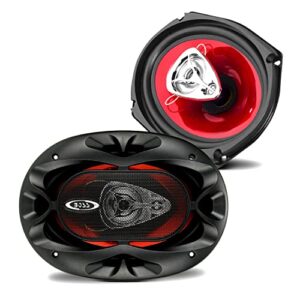
View cart “BOSS Audio Systems CH6930 Car Speakers – 400 Watts Of Power Per Pair, 200 Watts Each, 6 x 9 Inch, Full Range, 3 Way, Sold in Pairs” has been added to your cart.
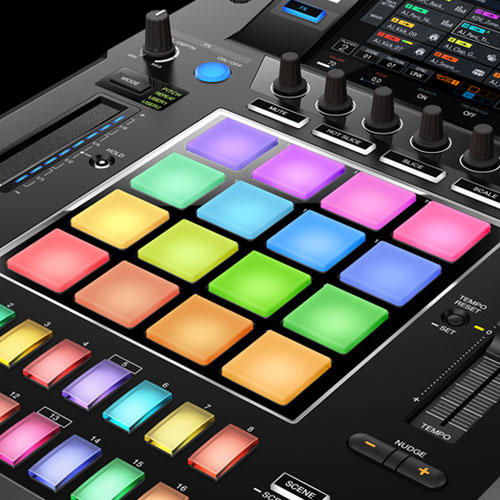
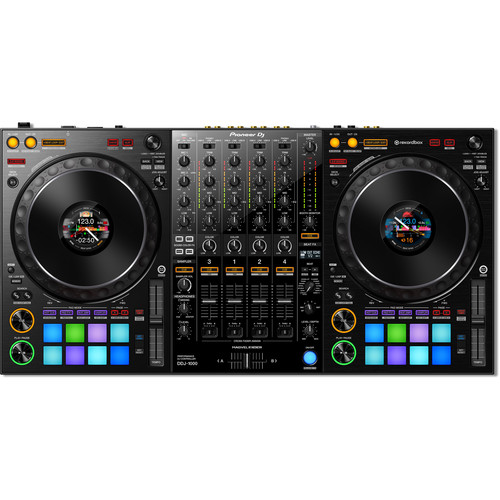
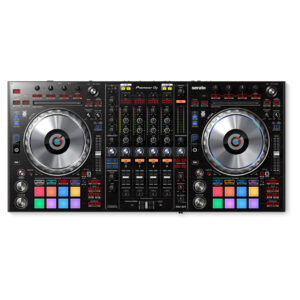
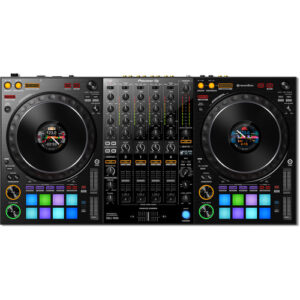
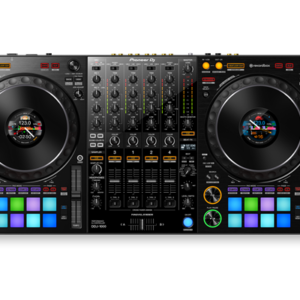
Make the most of rekordbox dj’s enhanced new features with our dedicated 4-channel DJ controller. Featuring the professional layout inherited from the flagship NXS2 models, it’s the portable, compact solution for performing at parties and events. The DDJ-1000 features all-new high definition LCD screens on each jog wheel, allowing you to keep your eyes intuitively on the deck.Fluidly select tracks you didn’t consider compatible thanks to rekordbox dj’s new Related Tracks feature. Bring creative flair to performances with 14 Beat FX – including four new versions – and instantly trigger Hot Cues, Loops and more with the 16 multicoloured Performance Pads.
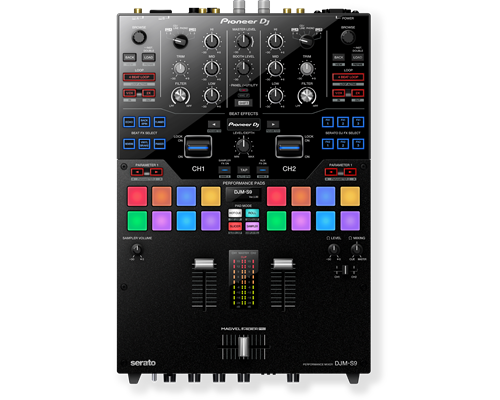
Meet the DJM-S9, our first two-channel battle mixer for Serato DJ. With a fully configurable Magvel Pro crossfader and customisable FX buttons and pads, you can tailor the mixer to suit your DJing style. The tough DJM-S9 is build to withstand the most energetic scratch performances, and it boasts high-quality audio circuitry inherited from our flagship 4-channel digital mixer, the DJM-2000NXS.
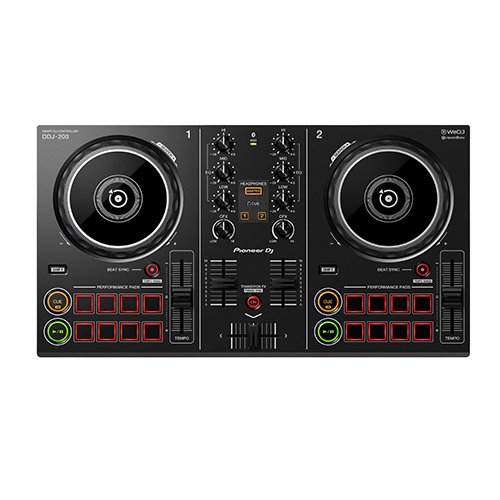
Start DJing with our easy-to-use DDJ-200 smart DJ controller. Lightweight and compact with a pro-style layout, it’ll help you learn to mix and, if you want to, develop DJing from a hobby into something more. Put your own twist on the music as you mix for friends at parties. Play tracks via your smartphone or PC/Mac using a variety of DJ apps and software including our dedicated, free app WeDJ for iPhone, as well as djay and edjing Mix. Depending on your device and the program you choose, you can mix music stored in your iTunes or rekordbox library, or stream songs from Beatport LINK, SoundCloud Go+, Deezer or even Spotify.
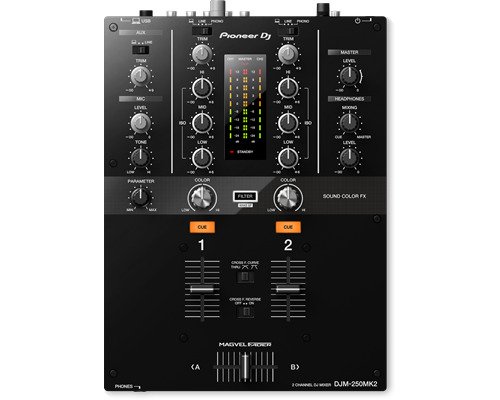
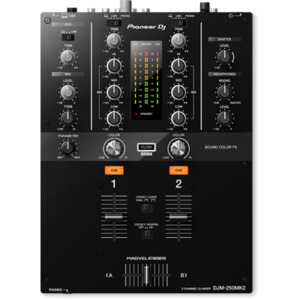
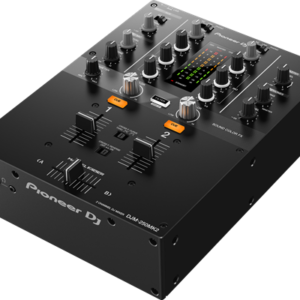
The DJM-250MK2 has inherited some of the professional features of the popular DJM-900NXS2, such as the Magvel crossfader and Sound Color FX filter. Straightforward controls, a clear layout, and dedicated 3-band isolators let you scratch and mix instinctively.
Spin, Digitize, and DJ with the Same Deck
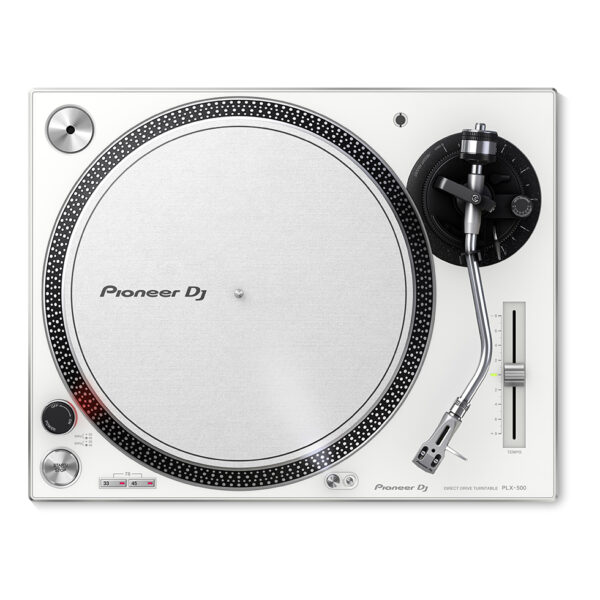
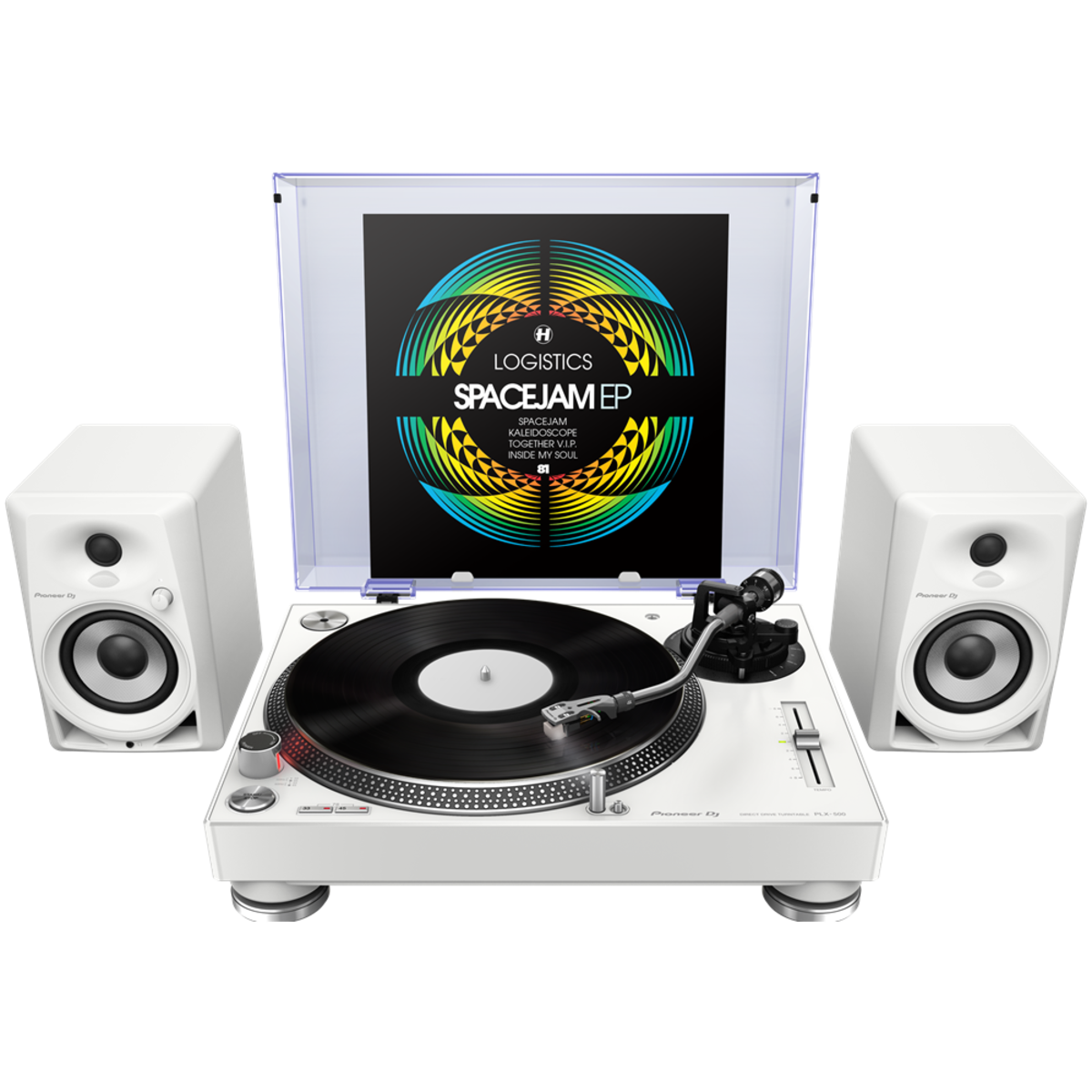
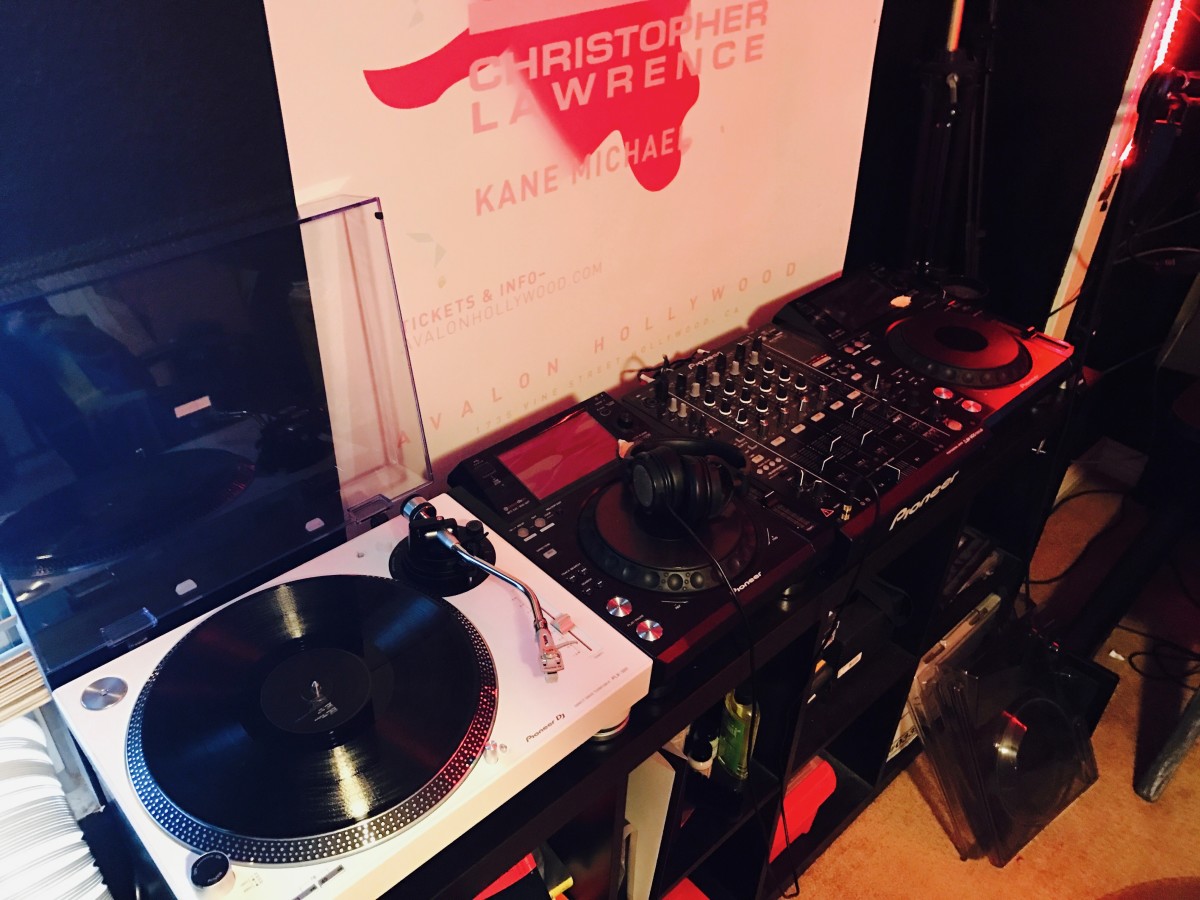
Get used to a great deck, and you'll want to use it everywhere. And with the PIONEER DJ PLX 500 W turntable, you can. Whether you're an analog enthusiast or a performer at heart, the PIONEER DJ PLX 500 W has features to take you from the living room to the booth. The keynote of this unit is its quality analog playback. This is thanks to a smooth and dependable direct-drive motor, short-excursion tone arm with headshell, cartridge, and stylus, and neutral onboard preamp. On top of that, a die-cast aluminum platter and switchable Phono (mixer)/Line (speaker) output make the PIONEER DJ PLX 500 W a winner for DJing. Performers will love parading their record sleeves on the dust cover's stand. And music lovers will enjoy digitizing their collection via USB while they jam.
Content
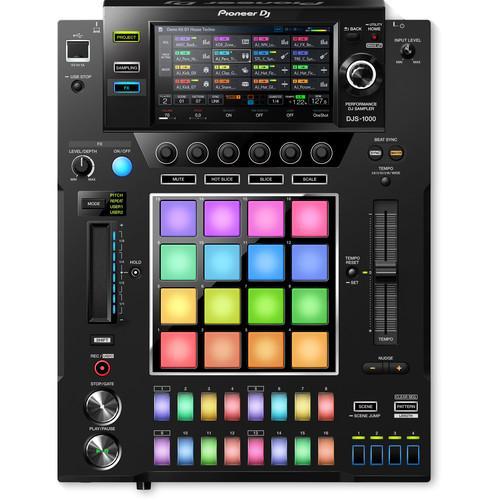
Add the djs-1000 to your DJ set-up to intuitively create unique sounds and phrases in advance of your set, or on the fly.
Use the dj-friendly interface to sequence and loop your samples as you wish
Specs: what's in the box: power Cord, LAN Cable, USB cable, RCA pin cable, Operating instructions
Color: Black
The Pioneer DJ DDJ-1000 controller is designed from the ground up to give you comprehensive control over rekordbox DJ software. It has everything you need to perform at events and parties, including two full-size jog wheels with On Jog Display, 14 Beat FX, and 16 multicolored performance pads. Using rekordbox DJ software's Related Tracks feature, you'll quickly be able to find tracks that flow well with the tune you're currently playing. Compact and portable, the Pioneer DJ DDJ-1000 controller combined with rekordbox DJ software is a sweet setup for mobile DJs.
Based on Pioneer's NXS2 systems
If you've ever gotten your hands on Pioneer DJ's CDJ-2000NXS2 or DJM-900NXS2 systems, you'll feel right at home with the DDJ-1000 controller. Its buttons and knobs are based on the same layout as the NXS2 systems — using the DDJ-1000 is the same as using an NXS2 setup to control music from an external USB drive.
Updated Magvel crossfader
DJs at Sweetwater love the feel of the Magvel crossfader, based on the Magvel Fader Pro from the DJM-S9 pro battle mixer. Pioneer DJ has updated the Magvel fader for the DDJ-1000, to offer even more durability and nuanced control. Also, the software processing for jog wheel and crossfader operation has been refined for greatly reduced latency, creating a faster and more intuitive feel than ever.
Multiple inputs/outputs for seamless DJ changeovers
DJs using rekordbox DJ software can hand off to each other faster and smoother with the DDJ-1000 controller. Two USB ports allow two DJs to connect their laptops simultaneously. Four analog inputs accommodate turntables, and there are two mic inputs as well. The DDJ-1000 can even operate as a standalone DJ mixer without connecting a laptop at all.
Pioneer DJ DDJ-1000 Controller Features:
DJ controller designed for comprehensive control over rekordbox DJ software (Mac/PC)
Based on Pioneer's NXS2 systems for a familiar layout and control scheme
LCD jog display shows you playback time, BPM, waveform, playback position and Hot Cue and Loop points
14 Beat FX for adding depth and excitement to your mixes
Improved Magvel fader for even more durability and lower latency
Two USB ports for seamless DJ handoffs
16 multicolor performance pads for triggering Hot Cues, Pad FX, Beat Jump, and much more
Lightweight and portable for mobile DJs
Brand
Pioneer
MIDIControl
Full assignable MIDI controls
DVS Control
Serato DVS
Included DJ Software
N/A
Included Accessories
No
Software System Requirements
Windows 8.1/7 (CPU) Core i3, i5 or i7 1.07 GHz, (Memory) 4GB Mac OS X 10.10/10.9/10.8 (CPU) Core i3, i5 or i7 1.07 GHz, (Memory) 4GB Display Resolution 1280 x 720 or higher
ProDJ Link
P-LOCK Fader Cap
rekordbox Link
Plug and Play
Auto Standby
Height
107.9 mm
width
267 mm
Depth
407.3 mm
Weight
4.6 kg
Dimensions (with fold-out display)
No
Rack Mount
Frequency Range
20 - 20000 Hz
Sampling Rate
N/A
A/D, D/A Converter
N/A
D/A Converter
N/A
A/D Converter
N/A
S/N Ratio Phono
N/A
S/N Ratio Line
N/A
S/N Ratio Mic
N/A
S/N Ratio USB
107 dB
Crosstalk Line
N/A
Distortion
< 0.005 % (USB)
Headroom
N/A
Power Consumption
N/A
Power Supply
N/A
Master Balance
Stereo/Mono Switch
Master Out Attenuator
EQ/ISO
3 band
EQ/ISO Range
-∞ ~ +6 dB
Level Meter Type
Individual
Level Meter Size
9 segment
Reverse Channels
Peak Limiter
Channels
2
Sound Color FX
Dub Echo
Filter
Noise
Wide Filter
Pitch
Beat FX
Delay
Echo
Phaser
Spiral
Reverb
Roll
Trans
Vinyl Brake
Flanger
Back Spin
Fader Synth Saw
Fader Synth Sine
Fader Synth Square
HP Filter
LP Filter
Serato DJ FX powered by iZotope
3-Band Isolator
Auto BPM Counter
Beat Sampler
Direct Beat Select
Effect Level & Depth Volume
Effect Mix
Inloop Sampler
Live Sampler
MIDI Global Clock
Roll Sampler (Fwd)
Roll Sampler (Reverse)
Sidechain Remix Effects
Sound Processor
No
Touch Panel
FX Frequency
X-PAD
rekordbox Quantize
Performance Modes
No
Crossfader Type
Magvel Fader Pro
CURVE Assignable
Field Replaceable
Reverse Crossfader
Tension Adjustment
Fader Curve
No
Mic Connection
XLR / 1/4-inch Jack Combo
Mic EQ
No
Mic EQ Range
No
Talkover
ON/OFF Button
Talkover Attenuator
Assignable Controls
No
MIDI Out (DIN)
No
MIDI On/Off
MIDI Start/Stop
MIDI Clock
Connection
USB
Stereo Inputs
No
Stereo Outputs
No
Sample Rate
24 bit
inputs
2 PHONO (RCA)
1 AUX (RCA)
1 MIC (XLR/Jack Combo)
2 CD/LINE (RCA)
Send/Return
No
LAN
No
USB
2 USB B ports
outputs
2 MASTER (XLR
RCA)
2 HEADPHONE MONITOR (1/4 inch Jack
mini-jack)
1 BOOTH (1/4 inch Jack)
COMPATIBLE APPS
Connect your smartphone, tablet, or PC/Mac to start mixing. A number of software programs and apps – including WeDJ, djay, edjing Mix and rekordbox dj – are compatible with selected devices. You’ll also have free use of all the features in WeDJ for iPhone that normally require in-app payments.
COMPATIBLE STREAMING SITES
Depending on your app and device combo, you can mix sounds via streaming services including Beatport LINK, SoundCloud Go+, Deezer, and even Spotify.
TUTORIAL & POP-HINT
Our updated WeDJ for iPhone app includes Tutorial and Pop-Hint features. They’ll help you learn how to operate the controller, discover the basics of DJing including common DJ terms, and have you mixing in no time.
TRANSITION FX
Just starting out behind the decks? Transition between tracks and make it sound professional with the Transition FX feature in WeDJ for iPhone. Choose from 11 effect styles and simply slide the crossfader to the other side to smoothly switch tunes.
COMPACT LIGHTWEIGHT BODY
The DDJ-200 is lightweight and portable. Leave the speakers at home and play sound from your smartphone, tablet, or PC/Mac’s audio outputs. No outlet handy? No problem. Power the controller via an external battery.
Switch tracks naturally
Our Phrase Sync feature will analyze and align the positions of 2 tracks. As a result, it will sound natural when you switch between tunes.
Split output
While everybody else hears the master sound through the speakers, you’ll be listening to and cueing the next track on your headphones. Simply plug in split cables to separate the audio.
rekordbox dj
Simply connect the DDJ-200 to your PC/Mac to enable rekordbox dj. You don’t need to enter a license key to use the software with the controller.
BrandPioneerMIDIControlrekordbox dvsDVS Controlrekordbox dvs (not included)Included DJ Softwarerekordbox dj , rekordbox dvsIncluded Accessories
Power cord
Operating instructions
AC adaptor
USB cable
License key card
Software System RequirementsNoProDJ LinkP-LOCK Fader Caprekordbox LinkPlug and PlayAuto StandbyHeight108 mmwidth230 mmDepth320 mmWeightNoDimensions (with fold-out display)NoRack MountFrequency Range20 - 20000 HzSampling Rate48 kHzA/D, D/A ConverterNoD/A Converter24 bitA/D Converter24 bitS/N Ratio PhonoN/AS/N Ratio Line94 dBS/N Ratio MicNoS/N Ratio USBNoCrosstalk LineNoDistortion< 0.005 % (LINE)HeadroomNoPower Consumption600 mAPower SupplyAC adaptor DC 12 VMaster BalanceStereo/Mono SwitchMaster Out AttenuatorEQ/ISO3 bandEQ/ISO Range-∞ ~ +6 dBLevel Meter TypeNoLevel Meter SizeNoReverse ChannelsPeak LimiterChannels2Sound Color FXFilterBeat FXNoSerato DJ FX powered by iZotope3-Band IsolatorAuto BPM CounterBeat SamplerDirect Beat SelectEffect Level & Depth VolumeEffect MixInloop SamplerLive SamplerMIDI Global ClockRoll Sampler (Fwd)Roll Sampler (Reverse)Sidechain Remix EffectsSound ProcessorNoTouch PanelFX FrequencyX-PADrekordbox QuantizePerformance ModesNoCrossfader TypeNoCURVE AssignableField ReplaceableReverse CrossfaderTension AdjustmentFader CurveNoMic ConnectionNoMic EQNoMic EQ RangeNoTalkoverNoTalkover AttenuatorAssignable ControlsNoMIDI Out (DIN)NoMIDI On/OffMIDI Start/StopMIDI ClockConnectionNoStereo InputsNoStereo OutputsNoSample RateNoinputs2 PHONO (RCA)Send/ReturnNoLANNoUSB1 USB B portoutputs
2 HEADPHONE MONITOR (1/4 inch Jack
mini-jack)
1 MASTER (RCA)
1 MASTER (XLR)
PIONEER DJ PLX 500 W
Get used to a great deck, and you'll want to use it everywhere. And with the PIONEER DJ PLX 500 W turntable, you can. Whether you're an analog enthusiast or a performer at heart, the PIONEER DJ PLX 500 W has features to take you from the living room to the booth. The keynote of this unit is its quality analog playback. This is thanks to a smooth and dependable direct-drive motor, short-excursion tone arm with headshell, cartridge, and stylus, and neutral onboard preamp. On top of that, a die-cast aluminum platter and switchable Phono (mixer)/Line (speaker) output make the PIONEER DJ PLX 500 W a winner for DJing. Performers will love parading their record sleeves on the dust cover's stand. And music lovers will enjoy digitizing their collection via USB while they jam.
https://youtu.be/_n5sfhBpr6k
Includes everything you need to get started
Taking a page from the PLX-1000's book, the Pioneer DJ PLX-500 includes all you need to start enjoying and working your vinyl collection. A dust cover to keep your environment clean. A slipmat for spinning. A quality headshell and cartridge for uncolored playback. And a USB cable and free download of rekordbox software to digitize and manage your records. These accessories are just part of the reason Sweetwater recommends the PLX-500 to first-time performers and analog enthusiasts both.
Pioneer DJ PLX-500 Direct Drive Turntable Features:
Built for spinning, digitizing, and DJing
Quality analog playback:
Smooth, dependable direct-drive motor
Built-in preamplifier
Short path from the stylus to the output
Includes headshell with cartridge and stylus
Switchable Phono/Line output:
Phono out connects to a mixer
Line out connects directly to speakers
USB output digitizes your vinyl while you enjoy
Dust cover with stand shows off your latest release or what's on deck
Includes all you need to get started: slipmat, balance weights, stereo audio cables, USB cord, and rekordbox digital download

 Pioneer DJ PLX-500 Direct Drive Turntable Features:

Reviews
There are no reviews yet.