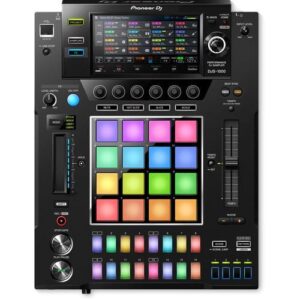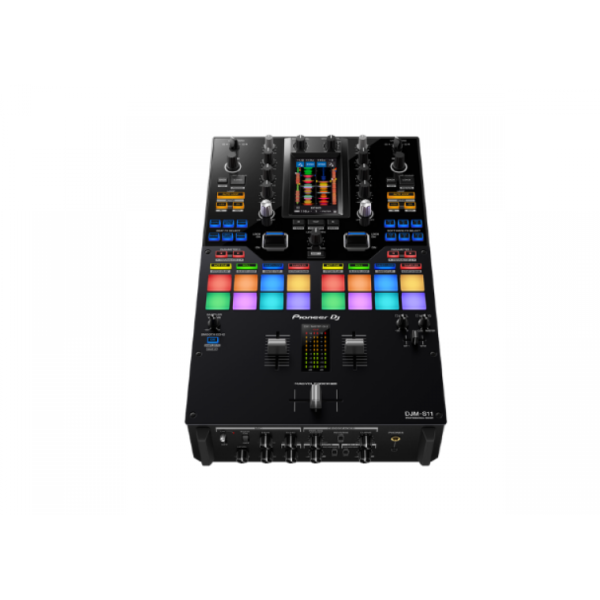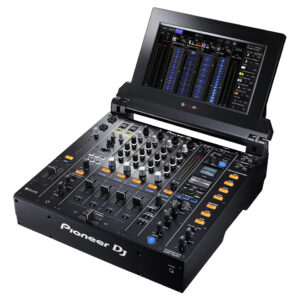
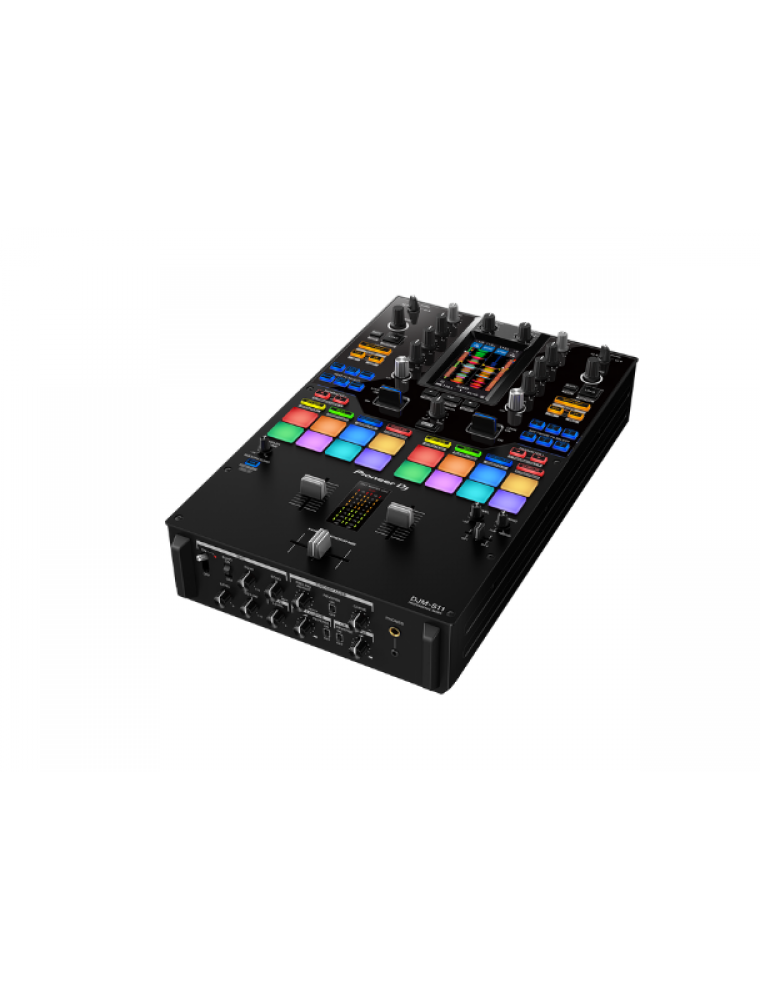
Raise your game with the DJM-S11. This new professional 2-channel, 4-deck control battle mixer enhances various elements from its predecessor, the DJM-S9, and offers a host of brand-new features to help you perform more freely with Serato DJ Pro or rekordbox.
KEY FEATURES
Customizable touch screen
A 4.3-inch customizable touch screen gives all the information you need. Browse tracks, check waveforms, and dynamically change the texture of the music with TOUCH FX. With Touch MIDI you can directly control functions in your DJ software without touching your laptop.
Waveform screen
Spend more time focusing on your mix thanks to the high-frame-rate color touch screen, which shows everything from waveforms to BPM so you can stay in the zone. You can even customize it with your preferred style of layout.
Browse screen
Rapidly select tracks by checking the information on the screen – there’s no need to look at your laptop – and instantly see their playback status.
DECK 3/4 Control screen
Want to pack more sounds into your sets? Play up to 4 tracks or samples simultaneously with Deck 3/4 Control, an innovative feature that adds two extra decks – accessible via the touch screen. These additional decks let you control EQs, Hot Cues, pitch bend, and more.
Deck Move
Access two extra Deck 3/4 features with Serato DJ Pro. With Deck Move, you can seamlessly move tracks from deck 1 to 4 and deck 2 to 3. Use it to free up your main decks when mixing and scratching. Use Dual Deck control to adjust volume and effects for two decks at once.
Touch FX screen
Express yourself in new ways. Switch to the Touch FX screen and you can control 2 effects at the same time by tracing a finger across the surface while the other hand is scratching with the crossfader or finger drumming on the Performance Pads.
FX Setting screen
In the FX Setting screen, you can save 4 banks of effect types and parameters, then instantly call them up in different scenarios, e.g. when you’re battling, mashing up tracks, or playing a club set.
Touch MIDI screen
Touch MIDI offers four pages of presets that enable you to control functions in your DJ software without touching your laptop. The controls can also be custom MIDI mapped, enabling you to set things up to suit your style.
Expanded effects section
Spice up your sets with 22 Beat FX, including the new Fader Pitch and Helix. Smooth Echo is a new effect that you can automatically engage when you move the faders or hit the pads you’ve assigned as triggers.
Improved Performance Pads
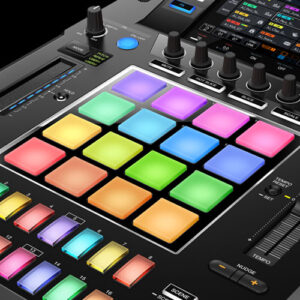
The 8 Performance Pads are bigger, making them easier to hit in energetic battles. In Serato DJ Pro, use Combo Pad mode to combine up to 4 different pad modes at once, and use Scratch Bank to call up assigned scratch samples by just tapping a pad.
Enhanced MAGVEL FADER PRO
We’ve enhanced the feeling of the MAGVEL FADER PRO and boosted its vertical rigidity by 30 percent. This means you can scratch with more confidence, while the tougher coating around the crossfader area reduces wear and tear.
Crystal-clear sound quality
The DJM-S11 inherits the raw and high-density sound from the DJM-900NXS2 thanks to studio-quality 64-bit mixing and dithering processing inside the DSP, and a low-jitter clock circuit and 32bit high-quality D/A converter in the master output section.
OTHER FEATURES
USB hub
Plug your DJ controllers and other devices – including selected units from other brands – into the dual USB-A ports to play with them.
MIDI controller
This device is fully MIDI assignable via USB. Send control information to external devices and use the mixer as a MIDI controller.
Serato DJ Pro
Connect your PC/Mac to use Serato DJ Pro. Use dedicated buttons for FX and advanced Serato features like Beat Jump, Slip mode, and Quantize.
Serato DVS
Use Serato DVS to control and scratch with CDJs or turntables.
Pitch ‘n Time DJ
Serato Pitch ‘n Time DJ Expansion Pack is included. Use Pitch Play, Flip, Key Shift and more features. The mixer is fully MIDI mappable too.
rekordbox
Connect your PC/Mac to unlock rekordbox Performance mode for free and use DVS mode with the dedicated control vinyl (available separately).
Reviews
There are no reviews yet.
Be the first to review “Pioneer DJ DJM-S11” Cancel reply
Professional scratch style 2-channel DJ mixer (Black)
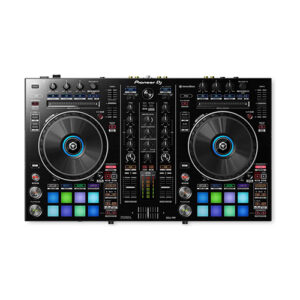
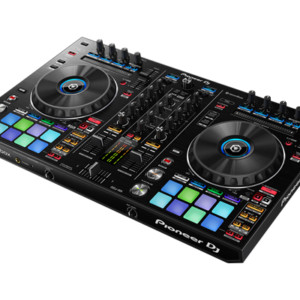
The DDJ-RR is the little brother of our professional controllers for rekordbox dj, the DDJ-RZ and DDJ-RX. It has a compact design and intuitive layout with large jog wheels, illuminated on-jog indicators and tactile Performance Pads.This 2-channel controller comes with dedicated controls for rekordbox dj, such as Slip Mode, Release FX, Sequence Load, and Deck Select so you can switch between all 4 rekordbox dj decks by the touch of a button.
Generate Light Shows for Your DJ Set Automatically
With the PIONEER DJ RB DMX1 converter and lighting controller, you'll be able to use rekordbox DJ's Lighting mode to automatically create light shows that sync with your music. Introduced in rekordbox DJ v5.2, Lighting mode makes setting up your lightshow an effortless automatic process, with the ability to quickly customize it to your preferences. Connect the PIONEER DJ RB DMX1 converter to your Mac or PC, add a set of DMX512-supported lighting fixtures, and Lighting mode will control your lights in sync with your music. In other words, you can eliminate hours of pre-show lighting setup with the PIONEER DJ RB DMX1 converter. Call your megs star technology Sales Engineer to learn more about how to add this to your DJ setup.
The DJM-450 also comes bundled with licence keys for rekordbox dj and rekordbox dvs, so you can DJ with tracks stored on your PC/Mac when using turntables and our control vinyl (available separately).
Create a more versatile sound by turning the knob to overlay your track with Noise, Drop, Laser or Siren. Modulate using the dial to add texture as well as tension to your tracks.
Meet the DJM-S9, our first two-channel battle mixer for Serato DJ. With a fully configurable Magvel Pro crossfader and customisable FX buttons and pads, you can tailor the mixer to suit your DJing style. The tough DJM-S9 is build to withstand the most energetic scratch performances, and it boasts high-quality audio circuitry inherited from our flagship 4-channel digital mixer, the DJM-2000NXS.
Content
TURN IT UP TO 11
Raise your game with the DJM-S11. This new professional 2-channel, 4-deck control battle mixer enhances various elements from its predecessor, the DJM-S9, and offers a host of brand-new features to help you perform more freely with Serato DJ Pro or rekordbox.
KEY FEATURESCustomizable touch screen
A 4.3-inch customizable touch screen gives all the information you need. Browse tracks, check waveforms, and dynamically change the texture of the music with TOUCH FX. With Touch MIDI you can directly control functions in your DJ software without touching your laptop.
Waveform screen
Spend more time focusing on your mix thanks to the high-frame-rate color touch screen, which shows everything from waveforms to BPM so you can stay in the zone. You can even customize it with your preferred style of layout.
Browse screen
Rapidly select tracks by checking the information on the screen – there’s no need to look at your laptop – and instantly see their playback status.
DECK 3/4 Control screen
Want to pack more sounds into your sets? Play up to 4 tracks or samples simultaneously with Deck 3/4 Control, an innovative feature that adds two extra decks – accessible via the touch screen. These additional decks let you control EQs, Hot Cues, pitch bend, and more.
Deck Move
Access two extra Deck 3/4 features with Serato DJ Pro. With Deck Move, you can seamlessly move tracks from deck 1 to 4 and deck 2 to 3. Use it to free up your main decks when mixing and scratching. Use Dual Deck control to adjust volume and effects for two decks at once.
Touch FX screen
Express yourself in new ways. Switch to the Touch FX screen and you can control 2 effects at the same time by tracing a finger across the surface while the other hand is scratching with the crossfader or finger drumming on the Performance Pads.
FX Setting screen
In the FX Setting screen, you can save 4 banks of effect types and parameters, then instantly call them up in different scenarios, e.g. when you’re battling, mashing up tracks, or playing a club set.
Touch MIDI screen
Touch MIDI offers four pages of presets that enable you to control functions in your DJ software without touching your laptop. The controls can also be custom MIDI mapped, enabling you to set things up to suit your style.
Expanded effects section
Spice up your sets with 22 Beat FX, including the new Fader Pitch and Helix. Smooth Echo is a new effect that you can automatically engage when you move the faders or hit the pads you’ve assigned as triggers.
Improved Performance Pads
The 8 Performance Pads are bigger, making them easier to hit in energetic battles. In Serato DJ Pro, use Combo Pad mode to combine up to 4 different pad modes at once, and use Scratch Bank to call up assigned scratch samples by just tapping a pad.
Enhanced MAGVEL FADER PRO
We’ve enhanced the feeling of the MAGVEL FADER PRO and boosted its vertical rigidity by 30 percent. This means you can scratch with more confidence, while the tougher coating around the crossfader area reduces wear and tear.
Crystal-clear sound quality
The DJM-S11 inherits the raw and high-density sound from the DJM-900NXS2 thanks to studio-quality 64-bit mixing and dithering processing inside the DSP, and a low-jitter clock circuit and 32bit high-quality D/A converter in the master output section.
OTHER FEATURESUSB hub
Plug your DJ controllers and other devices – including selected units from other brands – into the dual USB-A ports to play with them.
MIDI controller
This device is fully MIDI assignable via USB. Send control information to external devices and use the mixer as a MIDI controller.
Serato DJ Pro
Connect your PC/Mac to use Serato DJ Pro. Use dedicated buttons for FX and advanced Serato features like Beat Jump, Slip mode, and Quantize.
Serato DVS
Use Serato DVS to control and scratch with CDJs or turntables.
Pitch 'n Time DJ
Serato Pitch ‘n Time DJ Expansion Pack is included. Use Pitch Play, Flip, Key Shift and more features. The mixer is fully MIDI mappable too.
rekordbox
Connect your PC/Mac to unlock rekordbox Performance mode for free and use DVS mode with the dedicated control vinyl (available separately).

The Pioneer DJ DDJ-RR feels slightly lighter than the DDJ-SR, though both have metal faceplates. It’s got a new black colour scheme that’s consistent with other DDJ-R series controllers. The rest of the enclosure is hard plastic, as is the case with most Pioneer DJ gear.
It ships with a power brick which increases the brightness of the lights, but you can power it with just a USB cable. You can also use it as a standalone mixer for connecting line / phono level devices to it like CDJs and turntables if you want to spin with actual CDs and vinyl.
There are two Needle Search touchstrips here and controls for Rekordbox DJ’s sequencer, which we’ll get to in a minute. The pads are also backlit RGB now, as is the case with more recent controllers.
JogwheelsThe most notable change in the DDJ-RR are the jogwheels: they’re slightly larger than the ones on the DDJ-SR, and have a spiffy (if muted) black colour. I’m digging the look, especially when you plug it in and the formerly red lights are now a mix of blue and yellow.
The centre ring has an LED that lights up in different colours depending on what you’ve got it set to, for example when you’re controlling deck one or two the ring’s blue, and when you’re controlling decks three or four it turns light blue.
I love the jogwheels on the DDJ-RR, I think these are close to perfect as far as controller jogs go, plus they integrate so tightly with Rekordbox DJ (version 4.12 at the time of this writing) that you won’t skip a beat. Kudos to Pioneer DJ for versioning Rekordbox DJ quickly too as a lot of the bugs that plagued earlier versions of the software have been squashed.
Needle Search
The DDJ-RR comes with a touchstrip for Needle Search, which lets you jump around a track directly from the controller itself: in the past you had to hold the Shift button and spin the jog to quickly move around a track, or you could bring your mouse pointer to the point that you want to jump to. It’s a minor tweak, but a welcome one especially for those who would prefer to keep their hands on the controller.
Rekordbox DJ
Just like the rest of Pioneer DJ’s DDJ-R series, the DDJ-RR works specifically with Rekordbox DJ. While mappings for Traktor and Virtual DJ 8 will probably crop up, the DDJ-RR is meant to work tightly with Rekordbox DJ, and the good news is that it works well with it. I’m particularly impressed with the Pad Effects that let you do momentary FX by using the performance pads in the Pad FX 1 setting. Rekordbox DJ has got much more stable since its first outing, and I’ve done a few gigs with it without issue.
There are also controls here for the Rekordbox DJ Sequencer, which let you record, save, and playback audio patterns that you perform via the Sampler. Once stored, you can trigger these Sampler patterns using the Sequence Call feature of the performance pads.
Rekordbox DVS
Another big addition that isn’t readily apparent here is Rekordbox DVS: both channels can be switched to control any of Rekordbox DJ’s four decks or two lines/phono sources, meaning you can hook up a pair of CDJs or turntables for timecode control.This is an important consideration for many who want to take the DVS route but found the DDJ-RX too big (let’s not even talk about the DDJ-RZ). With the DDJ-RR, you’ve got a considerably smaller, decently specified controller that you can spin timecode on at home. You can even take it to the gig and plug the venue’s CDJs / turntables if that’s what you want to do. Again, flexibility is a core strength of the DDJ-RR, and probably its biggest advantage in the market right now.
The mixer
The DDJ-RR can also function as a standalone two-channel mixer with hardware EQs and filters, useful for DJing with actual CDs and vinyl without the need for a computer.
The crossfader is loose and capable of quick cuts but it doesn’t feel as sturdy as the DDJ-SR, and this is probably my only gripe with this unit. The same goes for the channel faders – there’s just something that feels “cheap” about them, but they’re still quite good. Pioneer DJ has also removed the crossfader curve knob and reverse switch from the front of the unit, so if you want to make those adjustments you’ll have to go to the settings menu.
PIONEER DJ RB DMX1
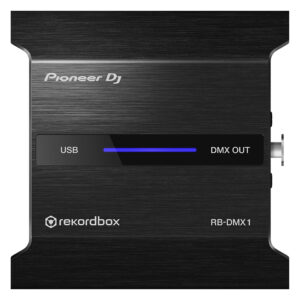
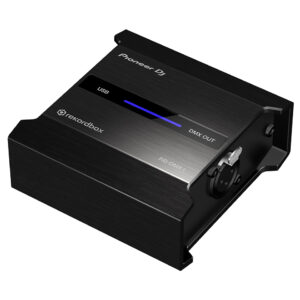
With the PIONEER DJ RB DMX1 converter and lighting controller, you'll be able to use rekordbox DJ's Lighting mode to automatically create light shows that sync with your music. Introduced in rekordbox DJ v5.2, Lighting mode makes setting up your lightshow an effortless automatic process, with the ability to quickly customize it to your preferences. Connect the PIONEER DJ RB DMX1 converter to your Mac or PC, add a set of DMX512-supported lighting fixtures, and Lighting mode will control your lights in sync with your music. In other words, you can eliminate hours of pre-show lighting setup with the PIONEER DJ RB DMX1 converter. Call your megs star technology Sales Engineer to learn more about how to add this to your DJ setup.
https://youtu.be/2jJ-F2kbmHg
Pioneer DJ RB-DMX1 DMX Converter/Lighting Controller Features:
DMX converter for use with rekordbox DJ software (license included)
Converts rekordbox DJ's Lighting mode data to DMX to control DMX512-supported lighting fixtures
Supports 1 universe (512 channels) of DMX control
Aluminum casing for durability
Connects to your Mac or PC via USB (cable included)
Built-in, switchable 3-band equaliser: -26 dB ~ +6 dB / 3-band isolator: -∞ ~ +6 dB
Level Meter Type
No
Level Meter Size
No
Reverse Channels
Peak Limiter
Channels
2
Sound Color FX
Dub Echo
Filter
Noise
Sweep
Beat FX
Delay
Echo
Pitch
Spiral
Reverb
Roll
Trans
Flanger
Serato DJ FX powered by iZotope
3-Band Isolator
Auto BPM Counter
Beat Sampler
Direct Beat Select
Effect Level & Depth Volume
Effect Mix
Inloop Sampler
Live Sampler
MIDI Global Clock
Roll Sampler (Fwd)
Roll Sampler (Reverse)
Sidechain Remix Effects
Sound Processor
No
Touch Panel
FX Frequency
X-PAD
rekordbox Quantize
Performance Modes
No
Crossfader Type
Magvel Fader
CURVE Assignable
Field Replaceable
Reverse Crossfader
Tension Adjustment
Fader Curve
N/A
Mic Connection
1/4-inch TRS Jack
Mic EQ
N/A
Mic EQ Range
N/A
Talkover
N/A
Talkover Attenuator
Assignable Controls
No
MIDI Out (DIN)
N/A
MIDI On/Off
MIDI Start/Stop
MIDI Clock
Connection
N/A
Stereo Inputs
N/A
Stereo Outputs
N/A
Sample Rate
N/A
inputs
1 MIC (1/4 inch Jack)
2 PHONO (RCA)
3 LINE (RCA)
Send/Return
No
LAN
N/A
USB
1 USB A port
1 USB B port
outputs
2 HEADPHONE MONITOR (1/4 inch Jack
mini-jack)
1 MASTER (RCA)
1 MASTER (XLR)
https://youtu.be/ZFUTN47Jyms
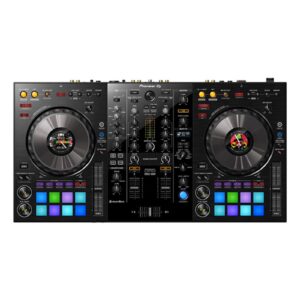
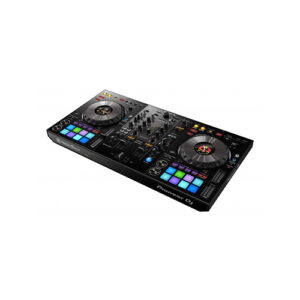
Pioneer DDJ SZ2 DJ Controller builds on the strong foundations of its predecessor, The flagship DDJ-SZ controller. This upgrade to flagship Serato DJ Pro controller allows you to get hands on with the latest additions to Serato DJ Pro, including key shift, key sync, pitch play and Serato Flip. We’ve improved the jog wheel latency to make scratching more responsive and precise and the multi-coloured performance pads give you instant feedback on playing status and pad modes.
The DDJ-SZ2 DJ Controller comes bundled with the latest version of Serato DJ Pro, the Pitch n’ Time and Serato Flip expansion packs are also included so you can use the new features straight out the box.
Play with your keys and pitch, adjusting them while mixing with 3 new Serato DJ Pro functions embedded in your controller. Key shift, key sync and pitch play give you the power to play it by ear. Pioneer DDJ SZ2 DJ Controller Instantly trigger Hot Cues, Roll, Slicer, Sampler, Cue Loop, Saved Loop, Slicer Loop and Pitch Play. The multi-coloured backlit LEDs give a visual reference to which modes are in play, and will reflect cue points you’ve pre-set in Serato DJ Pro.
Pitch Play grants you the freedom to hit your cues across a range of different keys. Use the Performance Pads to assign your Hot Cues and broaden the scope of your creativity at the touch of a button.
Brand
Pioneer
MIDIControl
Full assignable MIDI controls
DVS Control
Serato DVS
Included DJ Software
N/A
Included Accessories
No
Software System Requirements
Windows 8.1/7 (CPU) Core i3, i5 or i7 1.07 GHz, (Memory) 4GB Mac OS X 10.10/10.9/10.8 (CPU) Core i3, i5 or i7 1.07 GHz, (Memory) 4GB Display Resolution 1280 x 720 or higher
Reviews
There are no reviews yet.