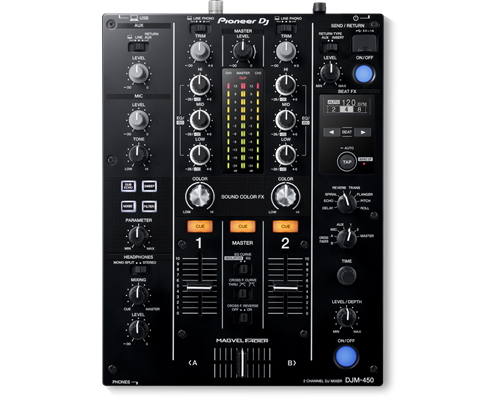
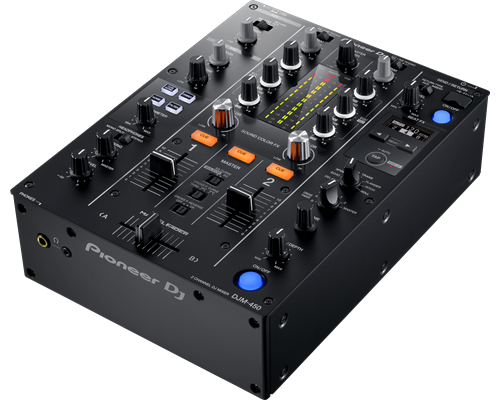
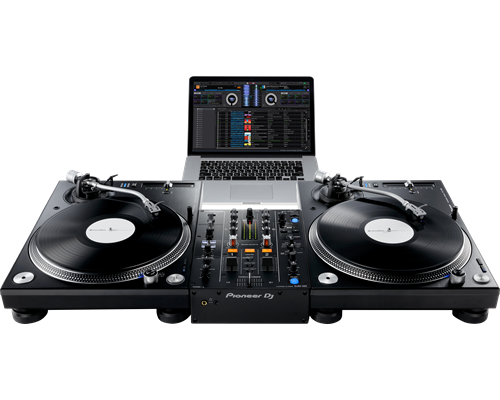
The DJM-450 also comes bundled with licence keys for rekordbox dj and rekordbox dvs, so you can DJ with tracks stored on your PC/Mac when using turntables and our control vinyl (available separately).
The DJM-450 also comes bundled with licence keys for rekordbox dj and rekordbox dvs, so you can DJ with tracks stored on your PC/Mac when using turntables and our control vinyl (available separately).
Spin, Digitize, and DJ with the Same Deck
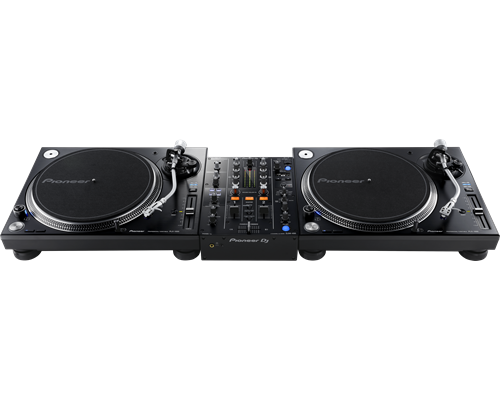
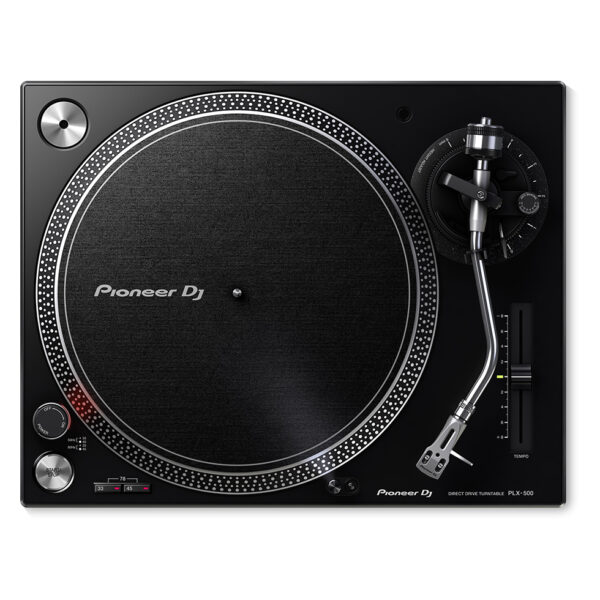
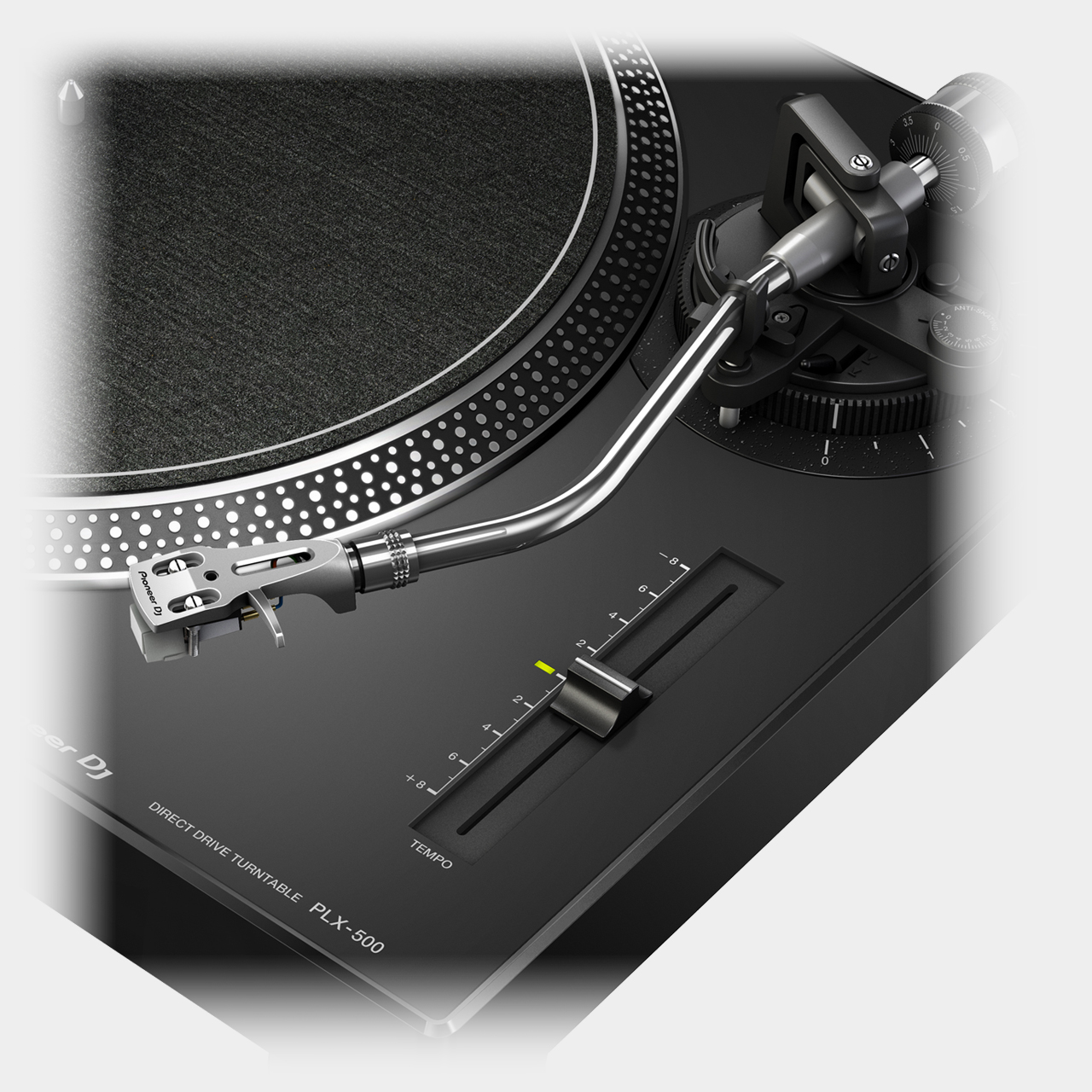
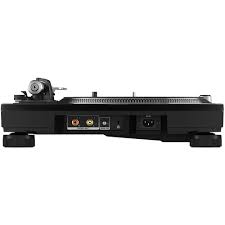
Get used to a great deck, and you'll want to use it everywhere. And with the PIONEER DJ PLX 500 K turntable, you can. Whether you're an analog enthusiast or a performer at heart, the PIONEER DJ PLX 500 K has features to take you from the living room to the booth. The keynote of this unit is its quality analog playback. This is thanks to a smooth and dependable direct-drive motor, short-excursion tone arm with headshell, cartridge, and stylus, and neutral onboard preamp. On top of that, a die-cast aluminum platter and switchable Phono (mixer)/Line (speaker) output make the PIONEER DJ PLX 500 K a winner for DJing. Performers will love parading their record sleeves on the dust cover's stand. And music lovers will enjoy digitizing their collection via USB while they jam.
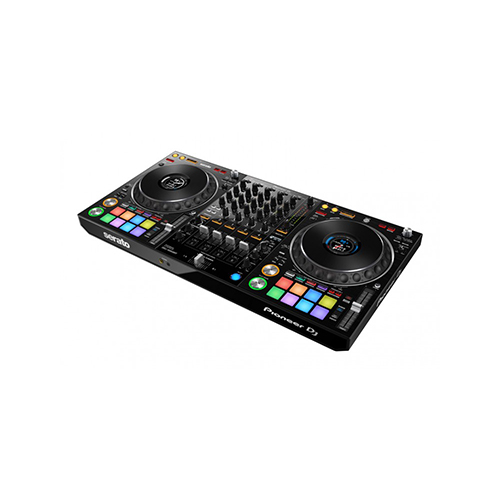
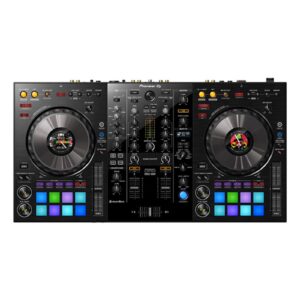
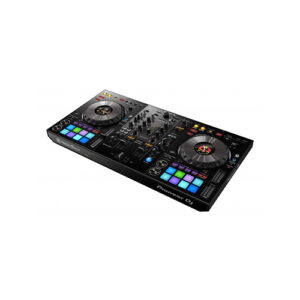
The Serato-compatible version of our popular DDJ-1000 is here – meet the DDJ-1000SRT. This 4-channel DJ controller for Serato DJ Pro is designed to feel just like our club-standard CDJ+DJM setup. You’ll enjoy low-latency, full-size jog wheels and a slick MAGVEL FADER for tight scratching. And with On Jog Display, which shows you important track information in the center of each jog wheel, you can concentrate on the crowd, not your laptop.
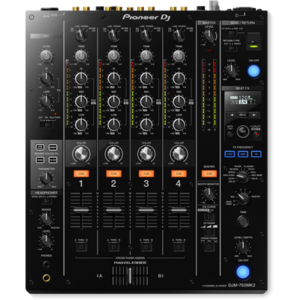
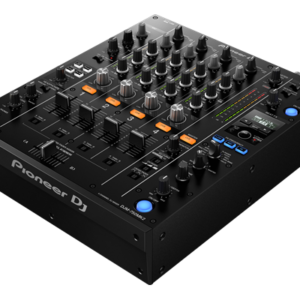
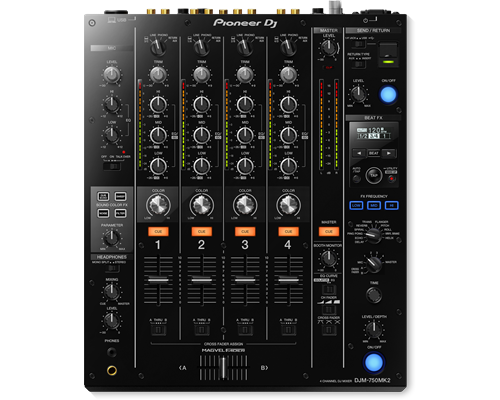
Take the step to the DJ booth seamlessly with the DJM-750MK2, a 4-channel mixer which inherits key features and design elements from the DJM-900NXS2, creating a club-style setup when combined with our professional CDJ or XDJ multi players.
You can perform seamless mixes on the DJM-750MK2 thanks to the smooth curves on the EQs and channel faders. The Magvel crossfader, inherited from the DJM-900NXS2, gives a precise response and assured feel during even the most complicated scratch techniques.
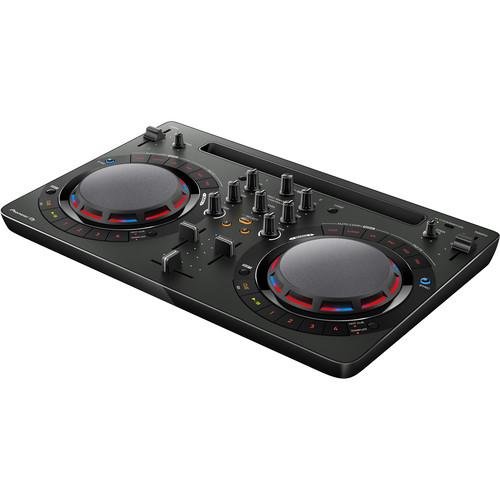
Take your first steps in the world of DJ-ing with the compact DDJ-WeGO4. Learn to mix seamlessly with tactile controls and jog wheels for scratching. And use the sampler, Hot Cues and Pad FX inherited from professional hardware to bring more creativity to your sets. Just plug in your laptop, tablet or smartphone and start to play.
Generate Light Shows for Your DJ Set Automatically
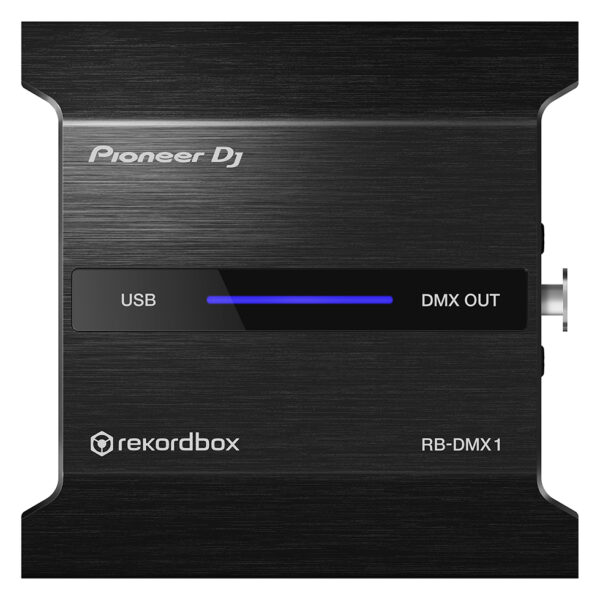
With the PIONEER DJ RB DMX1 converter and lighting controller, you'll be able to use rekordbox DJ's Lighting mode to automatically create light shows that sync with your music. Introduced in rekordbox DJ v5.2, Lighting mode makes setting up your lightshow an effortless automatic process, with the ability to quickly customize it to your preferences. Connect the PIONEER DJ RB DMX1 converter to your Mac or PC, add a set of DMX512-supported lighting fixtures, and Lighting mode will control your lights in sync with your music. In other words, you can eliminate hours of pre-show lighting setup with the PIONEER DJ RB DMX1 converter. Call your megs star technology Sales Engineer to learn more about how to add this to your DJ setup.
Content
Brand
Pioneer
MIDIControl
N/A
DVS Control
rekordbox dvs
Included DJ Software
rekordbox dj , rekordbox dvs
Included Accessories
No
Software System Requirements
No
ProDJ Link
P-LOCK Fader Cap
rekordbox Link
Plug and Play
Auto Standby
Height
108 mm
width
230 mm
Depth
320 mm
Weight
N/A
Dimensions (with fold-out display)
No
Rack Mount
Frequency Range
20 - 20000 Hz
Sampling Rate
48 kHz
A/D, D/A Converter
N/A
D/A Converter
24 bit
A/D Converter
24 bit
S/N Ratio Phono
N/A
S/N Ratio Line
94 dB
S/N Ratio Mic
N/A
S/N Ratio USB
No
Crosstalk Line
No
Distortion
< 0.005 % (LINE)
Headroom
No
Power Consumption
N/A
Power Supply
N/A
Master Balance
Stereo/Mono Switch
Master Out Attenuator
EQ/ISO
3 band
EQ/ISO Range
Built-in, switchable 3-band equaliser: -26 dB ~ +6 dB / 3-band isolator: -∞ ~ +6 dB
Level Meter Type
No
Level Meter Size
No
Reverse Channels
Peak Limiter
Channels
2
Sound Color FX
Dub Echo
Filter
Noise
Sweep
Beat FX
Delay
Echo
Pitch
Spiral
Reverb
Roll
Trans
Flanger
Serato DJ FX powered by iZotope
3-Band Isolator
Auto BPM Counter
Beat Sampler
Direct Beat Select
Effect Level & Depth Volume
Effect Mix
Inloop Sampler
Live Sampler
MIDI Global Clock
Roll Sampler (Fwd)
Roll Sampler (Reverse)
Sidechain Remix Effects
Sound Processor
No
Touch Panel
FX Frequency
X-PAD
rekordbox Quantize
Performance Modes
No
Crossfader Type
Magvel Fader
CURVE Assignable
Field Replaceable
Reverse Crossfader
Tension Adjustment
Fader Curve
N/A
Mic Connection
1/4-inch TRS Jack
Mic EQ
N/A
Mic EQ Range
N/A
Talkover
N/A
Talkover Attenuator
Assignable Controls
No
MIDI Out (DIN)
N/A
MIDI On/Off
MIDI Start/Stop
MIDI Clock
Connection
N/A
Stereo Inputs
N/A
Stereo Outputs
N/A
Sample Rate
N/A
inputs
1 MIC (1/4 inch Jack)
2 PHONO (RCA)
3 LINE (RCA)
Send/Return
No
LAN
N/A
USB
1 USB A port
1 USB B port
outputs
2 HEADPHONE MONITOR (1/4 inch Jack
mini-jack)
1 MASTER (RCA)
1 MASTER (XLR)
PIONEER DJ PLX 500 K
Get used to a great deck, and you'll want to use it everywhere. And with the PIONEER DJ PLX 500 K turntable, you can. Whether you're an analog enthusiast or a performer at heart, the PIONEER DJ PLX 500 K has features to take you from the living room to the booth. The keynote of this unit is its quality analog playback. This is thanks to a smooth and dependable direct-drive motor, short-excursion tone arm with headshell, cartridge, and stylus, and neutral onboard preamp. On top of that, a die-cast aluminum platter and switchable Phono (mixer)/Line (speaker) output make the PIONEER DJ PLX 500 K a winner for DJing. Performers will love parading their record sleeves on the dust cover's stand. And music lovers will enjoy digitizing their collection via USB while they jam.
https://youtu.be/_n5sfhBpr6k
Includes everything you need to get started
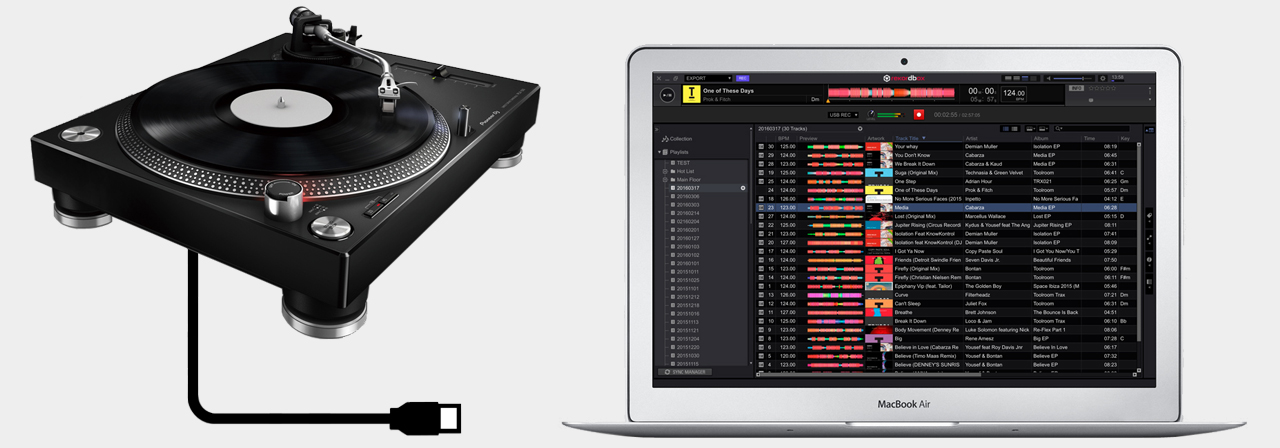
Taking a page from the PLX-1000's book, the Pioneer DJ PLX-500 includes all you need to start enjoying and working your vinyl collection. A dust cover to keep your environment clean. A slipmat for spinning. A quality headshell and cartridge for uncolored playback. And a USB cable and free download of rekordbox software to digitize and manage your records. These accessories are just part of the reason Sweetwater recommends the PLX-500 to first-time performers and analog enthusiasts both.
Pioneer DJ PLX-500 K Direct Drive Turntable Features:
Built for spinning, digitizing, and DJing
Quality analog playback:
Smooth, dependable direct-drive motor
Built-in preamplifier
Short path from the stylus to the output
Includes headshell with cartridge and stylus
Switchable Phono/Line output:
Phono out connects to a mixer
Line out connects directly to speakers
USB output digitizes your vinyl while you enjoy
Dust cover with stand shows off your latest release or what's on deck
Includes all you need to get started: slipmat, balance weights, stereo audio cables, USB cord, and rekordbox digital download
Scratching feels intuitive thanks to the full-size jog wheels, which you can set to your preferred resistance using Jog Adjust, and a MAGVEL FADER. Highly durable for more than 10 million movements, the MAGVEL FADER makes intricate performances feel easy.
CLUB-STYLE LAYOUT
The buttons and knobs on this Serato DJ Pro controller are arranged in the same way as those on our club-standard NXS2 DJ equipment. As a result, transitioning between this setup and gear you find in DJ booths is a breeze.
ON JOG DISPLAY
See all the information you need via the full-color, high-definition LCD screen in the center of each jog. Monitor playback time, BPM, playback position, and more. This feature’s easy to use, with the display matching the Serato DJ Pro GUI.
PROFESSIONAL FX
Enhance tracks using 4 popular Sound Color FX – Pitch, Filter, Dub Echo, and Noise – from our DJM-series DJ mixers, and get creative with 14 Beat FX. You can instantly reference BPM and the name of the selected FX thanks to the dedicated Beat FX screen.
WELL CONNECTED
The DDJ-1000SRT has 4 inputs so you can connect to CDJs or analog turntables, and use it as a stand-alone DJ mixer. You can also connect directly to PA speakers and microphones thanks to a Booth, 2 Master, and 2 Mic inputs.
BrandPioneerMIDIControlN/ADVS ControlNoIncluded DJ Softwarerekordbox dj , rekordbox dvsIncluded AccessoriesNoSoftware System RequirementsNoProDJ LinkP-LOCK Fader Caprekordbox LinkPlug and PlayAuto StandbyHeight107.9 mmwidth320 mmDepth387.9 mmWeight6.6 kgDimensions (with fold-out display)NoRack MountFrequency Range20 - 20000 HzSampling Rate48 kHzA/D, D/A ConverterN/AD/A Converter32 bitA/D Converter32 bitS/N Ratio PhonoN/AS/N Ratio Line105 dBS/N Ratio MicN/AS/N Ratio USBNoCrosstalk LineNoDistortion< 0.005 % (LINE)HeadroomNoPower ConsumptionN/APower SupplyN/AMaster BalanceStereo/Mono SwitchMaster Out AttenuatorEQ/ISO3 bandEQ/ISO RangeBuilt-in, switchable 3-band equaliser: -26 dB ~ +6 dB / 3-band isolator: -∞ ~ +6 dBLevel Meter TypeNoLevel Meter SizeNoReverse ChannelsPeak LimiterChannels4Sound Color FX
JOIN THE WORLD OF MIXING Take your first steps in the world of DJ-ing with the compact DDJ-WeGO4. Learn to mix seamlessly with tactile controls and jog wheels for scratching. And use the sampler, Hot Cues and Pad FX inherited from professional hardware to bring more creativity to your sets. Just plug in your laptop, tablet or smartphone and start to play. Ready to take things a step further? Simply use the bundled licence key for our rekordbox dj software to perform straight out of the box. Or use WeDJ, our DJ performance app for iPad, to mix tracks directly from your Itunes library. KEY FEATURES EASY TO CONNECT Simply plug the DDJ-WeGO4 into your PC, Mac, tablet or smartphone with a USB cable, or connect to your iPad or iPhone with a Lightning cable and start mixing your music using the compatible DJ software or app of your choice. SUPPORTS WEDJ This controller is compatible with WeDJ, our easy-to-use DJ performance app for iPad. When connected, the app’s intuitive display makes it a breeze to mix tracks from your music. REKORDBOX DJ You get a free rekordbox dj licence key bundled with this controller. Simply activate your licence key for our DJ software, connect the controller and start DJing. SIMPLE LAYOUT, ADVANCED CONTROL A host of professional features – including Hot Cues, samplers, Pad FX and loops – are packed in a compact, lightweight design. Learn to DJ on the straightforward layout and step up easily to a pro-DJ setup, including CDJ multiplayers and DJM mixers. PC MASTER OUT For flexibility you can choose to hear your mix through your computer’s internal speakers, connected desktop speakers, or play through a wireless speaker. At the same time, you can use your headphones to cue independently of the master out. Built-in soundcard No more hassle with external soundcards. Connect the DDJ-WeGO4 straight to your speakers or amplifier. Customisable EQs Switch between 3-band EQ, 2-band EQ and filter mode in rekordbox dj or WeDJ for clear and balanced sounds. Algoriddim djay Algoriddim djay 2 lets you prepare, perform and record mixes on-the-go. Simply connect the controller to your iPhone, iPod touch or iPad and mash up songs straight from iTunes or Spotify. Become a Virtual DJ Virtual DJ lets you mix and match your tracks, set loops and cues, a
PIONEER DJ RB DMX1
With the PIONEER DJ RB DMX1 converter and lighting controller, you'll be able to use rekordbox DJ's Lighting mode to automatically create light shows that sync with your music. Introduced in rekordbox DJ v5.2, Lighting mode makes setting up your lightshow an effortless automatic process, with the ability to quickly customize it to your preferences. Connect the PIONEER DJ RB DMX1 converter to your Mac or PC, add a set of DMX512-supported lighting fixtures, and Lighting mode will control your lights in sync with your music. In other words, you can eliminate hours of pre-show lighting setup with the PIONEER DJ RB DMX1 converter. Call your megs star technology Sales Engineer to learn more about how to add this to your DJ setup.
https://youtu.be/2jJ-F2kbmHg
Pioneer DJ RB-DMX1 DMX Converter/Lighting Controller Features:
DMX converter for use with rekordbox DJ software (license included)
Converts rekordbox DJ's Lighting mode data to DMX to control DMX512-supported lighting fixtures
Supports 1 universe (512 channels) of DMX control
Aluminum casing for durability
Connects to your Mac or PC via USB (cable included)






 Pioneer DJ PLX-500 K Direct Drive Turntable Features:


Reviews
There are no reviews yet.