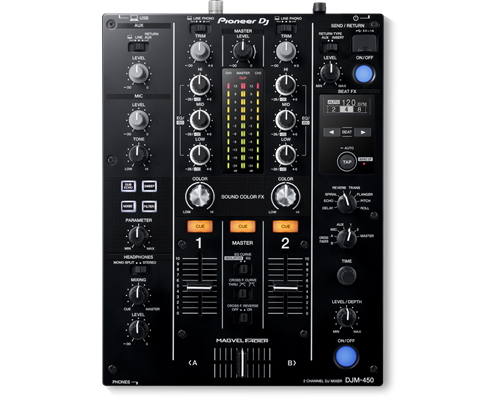
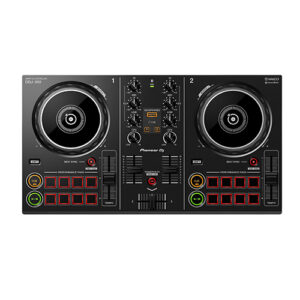
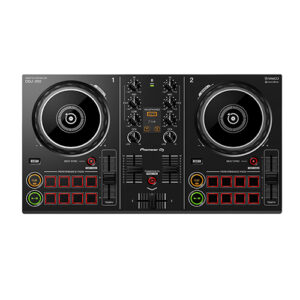
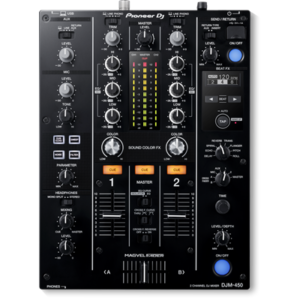
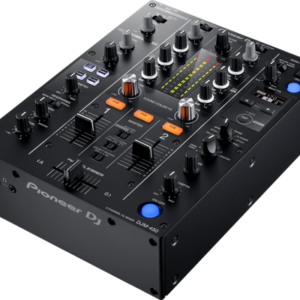
| Description | Professional scratch style 2-channel DJ mixer (Black) | Make the most of rekordbox dj’s enhanced new features with our dedicated 4-channel DJ controller. Featuring the professional layout inherited from the flagship NXS2 models, it’s the portable, compact solution for performing at parties and events. The DDJ-1000 features all-new high definition LCD screens on each jog wheel, allowing you to keep your eyes intuitively on the deck.Fluidly select tracks you didn’t consider compatible thanks to rekordbox dj’s new Related Tracks feature. Bring creative flair to performances with 14 Beat FX – including four new versions – and instantly trigger Hot Cues, Loops and more with the 16 multicoloured Performance Pads. | The XDJ-RX2 is an upgrade of the popular XDJ-RX, combined with features and traits from the flagship NXS2 series. The 2-deck, 2-channel all-in-one system delivers a professional DJ experience whether you connect it to rekordbox dj via your laptop or music stored on a USB device.The XDJ-RX2 boasts a large, 7-inch touch screen with QWERTY search, plus features inherited from the CDJ-2000NXS2 and DJM-9000NXS2, including rotary selector, track filter, short cuts, Sound Colour FX and Beat FX. The 8 large, multi-coloured Performance Pads give you smooth control over Hot Cues, Beat Loop, Slip Loop and Beat Jump. Take your performance to the next level as you enjoy the ease and portability offered by an all-in-one solution. | With the Pioneer DDJ-400, you'll learn the intricacies of the profession as a starting DJ. Thanks to the internal sound card, you don't need to connect an audio interface. This means that you can connect the DJ controller directly to your speakers. Thanks to the velocity-sensitive and multifunctional drum pads, you can get the most out of the included Rekordbox software. Use the drum pads to activate the sampler, and personalize your set by adding sound clips. You can also use the drum pads to easily jump to a hot cue. | The 7-channel VMX1000USB DJ Mixer is designed to connect directly to your computer and take your music straight into the digital realm. In an instant, the VMX1000USB allows you to record and play any digital music file from your PC or Mac* computer – with no setup drivers required!Dual intelligent, built-in BPM (Beats per Minute) counters with Sync Lock and Beat Assist help keep your tracks in sync – plus our VCA-controlled faders and crossfader ensure flawless performance.The VMX1000USB also features our proprietary XPQ 3D Surround effect, which allows you to expand the stereo image to create an awesome experience for your audience. We’ve also included a free download for a massive software bundle that will transform your computer into a full-fledged music production and editing studio! | The DJM-450 also comes bundled with licence keys for rekordbox dj and rekordbox dvs, so you can DJ with tracks stored on your PC/Mac when using turntables and our control vinyl (available separately). |
| Content |
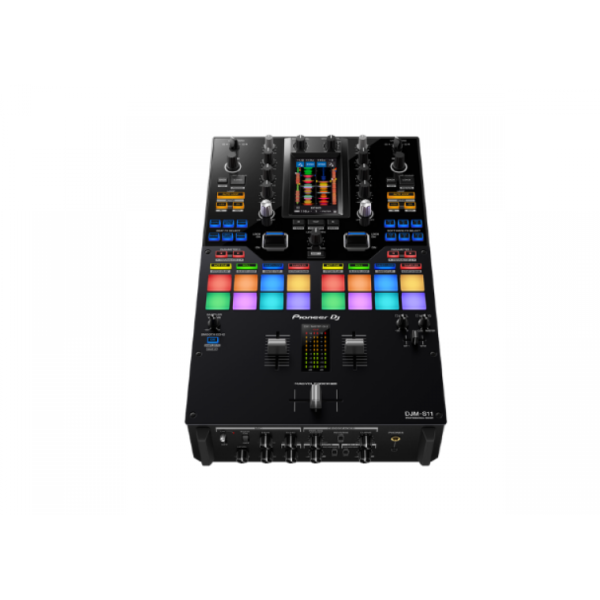
TURN IT UP TO 11
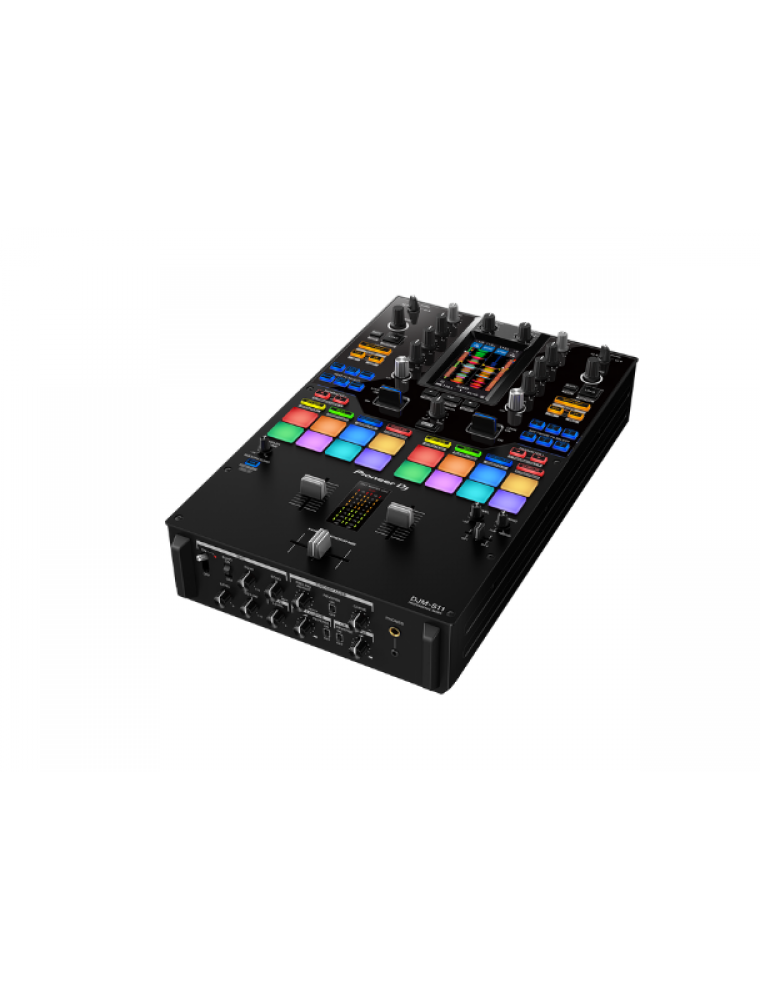
Raise your game with the DJM-S11. This new professional 2-channel, 4-deck control battle mixer enhances various elements from its predecessor, the DJM-S9, and offers a host of brand-new features to help you perform more freely with Serato DJ Pro or rekordbox.
KEY FEATURES
Customizable touch screen
A 4.3-inch customizable touch screen gives all the information you need. Browse tracks, check waveforms, and dynamically change the texture of the music with TOUCH FX. With Touch MIDI you can directly control functions in your DJ software without touching your laptop.
Waveform screen
Spend more time focusing on your mix thanks to the high-frame-rate color touch screen, which shows everything from waveforms to BPM so you can stay in the zone. You can even customize it with your preferred style of layout.
Browse screen
Rapidly select tracks by checking the information on the screen – there’s no need to look at your laptop – and instantly see their playback status.
DECK 3/4 Control screen
Want to pack more sounds into your sets? Play up to 4 tracks or samples simultaneously with Deck 3/4 Control, an innovative feature that adds two extra decks – accessible via the touch screen. These additional decks let you control EQs, Hot Cues, pitch bend, and more.
Deck Move
Access two extra Deck 3/4 features with Serato DJ Pro. With Deck Move, you can seamlessly move tracks from deck 1 to 4 and deck 2 to 3. Use it to free up your main decks when mixing and scratching. Use Dual Deck control to adjust volume and effects for two decks at once.
Touch FX screen
Express yourself in new ways. Switch to the Touch FX screen and you can control 2 effects at the same time by tracing a finger across the surface while the other hand is scratching with the crossfader or finger drumming on the Performance Pads.
FX Setting screen
In the FX Setting screen, you can save 4 banks of effect types and parameters, then instantly call them up in different scenarios, e.g. when you’re battling, mashing up tracks, or playing a club set.
Touch MIDI screen
Touch MIDI offers four pages of presets that enable you to control functions in your DJ software without touching your laptop. The controls can also be custom MIDI mapped, enabling you to set things up to suit your style.
Expanded effects section
Spice up your sets with 22 Beat FX, including the new Fader Pitch and Helix. Smooth Echo is a new effect that you can automatically engage when you move the faders or hit the pads you’ve assigned as triggers.
Improved Performance Pads
The 8 Performance Pads are bigger, making them easier to hit in energetic battles. In Serato DJ Pro, use Combo Pad mode to combine up to 4 different pad modes at once, and use Scratch Bank to call up assigned scratch samples by just tapping a pad.
Enhanced MAGVEL FADER PRO
We’ve enhanced the feeling of the MAGVEL FADER PRO and boosted its vertical rigidity by 30 percent. This means you can scratch with more confidence, while the tougher coating around the crossfader area reduces wear and tear.
Crystal-clear sound quality
The DJM-S11 inherits the raw and high-density sound from the DJM-900NXS2 thanks to studio-quality 64-bit mixing and dithering processing inside the DSP, and a low-jitter clock circuit and 32bit high-quality D/A converter in the master output section.
OTHER FEATURES
USB hub
Plug your DJ controllers and other devices – including selected units from other brands – into the dual USB-A ports to play with them.
MIDI controller
This device is fully MIDI assignable via USB. Send control information to external devices and use the mixer as a MIDI controller.
Serato DJ Pro
Connect your PC/Mac to use Serato DJ Pro. Use dedicated buttons for FX and advanced Serato features like Beat Jump, Slip mode, and Quantize.
Serato DVS
Use Serato DVS to control and scratch with CDJs or turntables.
Pitch 'n Time DJ
Serato Pitch ‘n Time DJ Expansion Pack is included. Use Pitch Play, Flip, Key Shift and more features. The mixer is fully MIDI mappable too.
rekordbox
Connect your PC/Mac to unlock rekordbox Performance mode for free and use DVS mode with the dedicated control vinyl (available separately). |
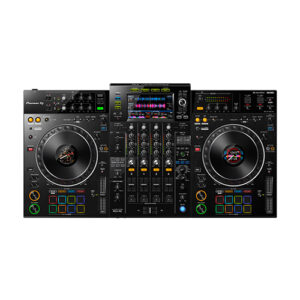
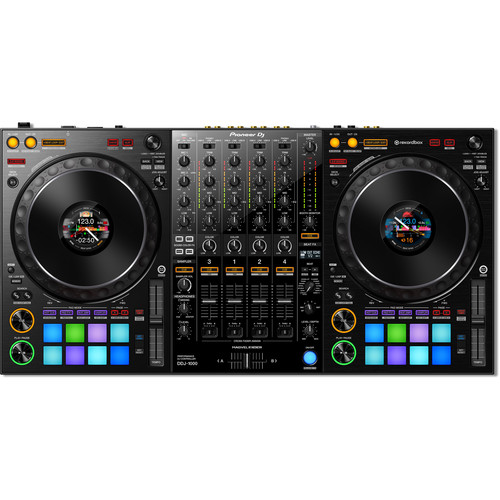
The Pioneer DJ DDJ-1000 controller is designed from the ground up to give you comprehensive control over rekordbox DJ software. It has everything you need to perform at events and parties, including two full-size jog wheels with On Jog Display, 14 Beat FX, and 16 multicolored performance pads. Using rekordbox DJ software's Related Tracks feature, you'll quickly be able to find tracks that flow well with the tune you're currently playing. Compact and portable, the Pioneer DJ DDJ-1000 controller combined with rekordbox DJ software is a sweet setup for mobile DJs.
Based on Pioneer's NXS2 systems
If you've ever gotten your hands on Pioneer DJ's CDJ-2000NXS2 or DJM-900NXS2 systems, you'll feel right at home with the DDJ-1000 controller. Its buttons and knobs are based on the same layout as the NXS2 systems — using the DDJ-1000 is the same as using an NXS2 setup to control music from an external USB drive.
Updated Magvel crossfader
DJs at Sweetwater love the feel of the Magvel crossfader, based on the Magvel Fader Pro from the DJM-S9 pro battle mixer. Pioneer DJ has updated the Magvel fader for the DDJ-1000, to offer even more durability and nuanced control. Also, the software processing for jog wheel and crossfader operation has been refined for greatly reduced latency, creating a faster and more intuitive feel than ever.
Multiple inputs/outputs for seamless DJ changeovers
DJs using rekordbox DJ software can hand off to each other faster and smoother with the DDJ-1000 controller. Two USB ports allow two DJs to connect their laptops simultaneously. Four analog inputs accommodate turntables, and there are two mic inputs as well. The DDJ-1000 can even operate as a standalone DJ mixer without connecting a laptop at all.
Pioneer DJ DDJ-1000 Controller Features:
- DJ controller designed for comprehensive control over rekordbox DJ software (Mac/PC)
- Based on Pioneer's NXS2 systems for a familiar layout and control scheme
- LCD jog display shows you playback time, BPM, waveform, playback position and Hot Cue and Loop points
- 14 Beat FX for adding depth and excitement to your mixes
- Improved Magvel fader for even more durability and lower latency
- Two USB ports for seamless DJ handoffs
- 16 multicolor performance pads for triggering Hot Cues, Pad FX, Beat Jump, and much more
- Lightweight and portable for mobile DJs
|
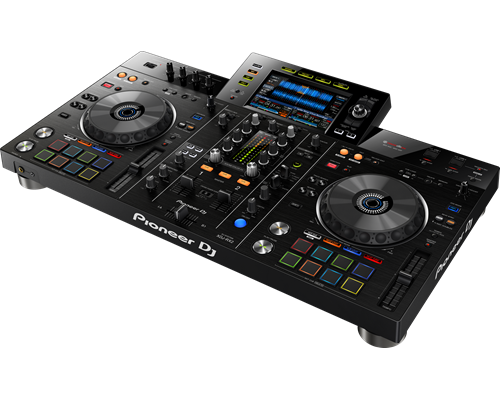
INHERIT THE BOOTH
The XDJ-RX2 is an upgrade of the popular XDJ-RX, combined with features and traits from the flagship NXS2 series. The 2-deck, 2-channel all-in-one system delivers a professional DJ experience whether you connect it to rekordbox dj via your laptop or music stored on a USB device.The XDJ-RX2 boasts a large, 7-inch touch screen with QWERTY search, plus features inherited from the CDJ-2000NXS2 and DJM-9000NXS2, including rotary selector, track filter, short cuts, Sound Colour FX and Beat FX. The 8 large, multi-coloured Performance Pads give you smooth control over Hot Cues, Beat Loop, Slip Loop and Beat Jump. Take your performance to the next level as you enjoy the ease and portability offered by an all-in-one solution.
KEY FEATURES
The 7-inch, full-colour touch screen gives you a quick visual reference during mixes, including Wave Zoom for detail on track peaks and breakdowns. Browse with the QWERTY keyboard, large rotary selector, Needle Search, Track Filter and Short Cut features.
Perform precise, smooth mixes with EQs and channel faders that feature curves equivalent to those on the DJM-900NXS2 professional club mixer. Also inherited are the Sound Colour FX and Beat FX giving you scope for creative flair.
MULTI-COLOURED PERFORMANCE PADS
Unleash your creativity with 8 large, multi-coloured tactile Performance Pads on each deck for instant access to professional performance features such as Hot Cues, Beat Loop, Slip Loop and Beat Jump (singular or continuous).
LINK EXPORT FOR REKORDBOX
With the USB connection (Link Export), you can connect your laptop directly to the XDJ-RX2 and import your tracks to rekordbox. Play your prepared tracks without needing to export them to a USB device.
You get a rekordbox dj licence key bundled with the XDJ-RX2. Simply activate your licence key for our DJ software, connect the device and start DJing.
|
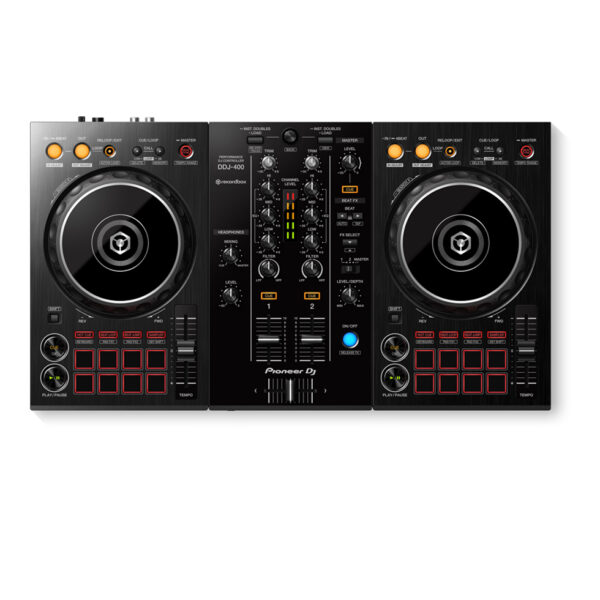
Pioneer DDJ 400
KEY FEATURES Of Pioneer DDJ 400
- TUTORIALS of Pioneer DDJ 400
You'll have access to rekordbox dj's Tutorial feature. Follow along via your computer screen to learn how to use the gear and master DJ techniques on Pioneer DDJ 400.
The DDJ-400's buttons and knobs are arranged in the same way as those on our professional NXS2 set-up. Develop your skills using an interface similar to that of our club-standard player, and enhance your mixes with Sound Color FX and Beat FX featuring curves taken from our DJM-900NXS2 mixer. You'll soon feel comfortable performing in DJ booths.
Apply professional FX that match the tempo of the track that’s currently playing by using the Beat FX feature. This will help you craft unique sets even if you’re just starting out.
You get a rekordbox dj licence key bundled with this controller. Simply activate your licence key for our DJ software, connect the controller and start DJing.
For flexibility you can choose to hear your mix through your computer’s internal speakers or connected desktop speakers. At the same time, you can use your headphones to cue independently of the master out.
With a built-in sound card, simply connect the controller to your computer using the provided USB cable to power up and begin playing.
Offer Note: Free Hercules Club LED Wristband
|
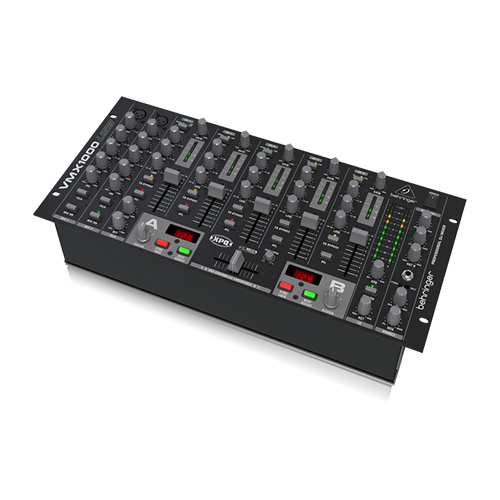
The 7-channel VMX1000USB DJ Mixer is designed to connect directly to your computer and take your music straight into the digital realm. In an instant, the VMX1000USB allows you to record and play any digital music file from your PC or Mac* computer – with no setup drivers required!Dual intelligent, built-in BPM (Beats per Minute) counters with Sync Lock and Beat Assist help keep your tracks in sync – plus our VCA-controlled faders and crossfader ensure flawless performance.The VMX1000USB also features our proprietary XPQ 3D Surround effect, which allows you to expand the stereo image to create an awesome experience for your audience. We’ve also included a free download for a massive software bundle that will transform your computer into a full-fledged music production and editing studio!
Live Large With More Mediums!
Like the trusty DJ mixers of yore, the VMX1000USB features RCA inputs for mixing up your favorite vinyl cuts via your turntables, as well as tape, CD and mp3 players. But the VMX1000USB’s state-of-the-art USB connectivity enables you to also access your computer’s mp3 library, or digitize your own creative mix using your PC or Mac* computer. The VMX1000USB also features 2 dedicated Mic channels for announcements, an impromptu rap – or any other vocal nuance. Talkback functionality is automatically enabled when you speak into the microphone, just set the Sensitivity knob for your voice, and the Depth knob for the amount of volume reduction of the music (“ducking”). If it can be clicked, spun or spoken, the VMX1000USB can mix it!
DJ’s Dream Machine
Whether you’re a stunt DJ, who’s adding multiple elements into the mix, or just keeping it simple – the USB-ready VMX1000USB is the ideal mixer for you. Featuring 7 channels equipped with our super-smooth ULTRAGLIDE faders with a lifespan of up to 500,000 cycles, and a VCA-controlled crossfader with adjustable curve – you can set up the VMX1000USB quickly to accommodate your personal mixing style. VMX1000USB’s crossover also has a Reverse switch which allows rapid source changes, and it even has a Hold function. The easy-to-use VMX1000USB also gives you individual 3-band channel kill EQs (-32 dB) and Gain controls per channel, plus a 10-segment LED ladder Level Meter for the Main Outputs, which feature balanced XLR connectors. Add in our mind-blowing XPQ 3D Surround effect for a larger-than-life stereo soundscape, and the VMX1000USB provides outstanding functionality, along with the utmost comfort, reliability and smooth performance that will last for many years to come!
VMX1000USB Special Features
Being the largest DJ mixer in the series, we loaded the VMX1000USB with loads of extra features – features and experienced artist is sure to enjoy, such as a Mic Aux Send with stereo Returns for access to an FX processor for use solely with the 2 microphone channels. We also gave the VMX1000USB EQ Bypass switches on all stereo channels and a built-in Subwoofer Out section with adjustable Crossover frequency (30 - 200 Hz) and Level controls. And because you can never ignore those waiting in-line to join the party, we also included Main 2 RCA Outputs with its own separate volume control so you can send the program signal to a secondary zone, such as the lobby, patio or waiting area.
Value
When you hook up to a VMX1000USB mixer with USB connectivity, you’re adding the ultimate modern touches to your rig – at a price that will leave you with cash to spare! The superior build quality and rugged components mean this mixer will serve you well for years and years to come. Drop in at your nearest BEHRINGER dealer, or get yours online today – and fi nd out why so many DJs are making musical magic with the VMX1000USB!
|
| Brand |
Pioneer |
| MIDIControl |
N/A |
| DVS Control |
rekordbox dvs |
| Included DJ Software |
rekordbox dj , rekordbox dvs |
| Included Accessories |
No |
| Software System Requirements |
No |
| ProDJ Link |
|
| P-LOCK Fader Cap |
|
| rekordbox Link |
|
| Plug and Play |
|
| Auto Standby |
|
| Height |
108 mm |
| width |
230 mm |
| Depth |
320 mm |
| Weight |
N/A |
| Dimensions (with fold-out display) |
No |
| Rack Mount |
|
| Frequency Range |
20 - 20000 Hz |
| Sampling Rate |
48 kHz |
| A/D, D/A Converter |
N/A |
| D/A Converter |
24 bit |
| A/D Converter |
24 bit |
| S/N Ratio Phono |
N/A |
| S/N Ratio Line |
94 dB |
| S/N Ratio Mic |
N/A |
| S/N Ratio USB |
No |
| Crosstalk Line |
No |
| Distortion |
< 0.005 % (LINE) |
| Headroom |
No |
| Power Consumption |
N/A |
| Power Supply |
N/A |
| Master Balance |
|
| Stereo/Mono Switch |
|
| Master Out Attenuator |
|
| EQ/ISO |
3 band |
| EQ/ISO Range |
Built-in, switchable 3-band equaliser: -26 dB ~ +6 dB / 3-band isolator: -∞ ~ +6 dB |
| Level Meter Type |
No |
| Level Meter Size |
No |
| Reverse Channels |
|
| Peak Limiter |
|
| Channels |
2 |
| Sound Color FX |
- Dub Echo
- Filter
- Noise
- Sweep
|
| Beat FX |
- Delay
- Echo
- Pitch
- Spiral
- Reverb
- Roll
- Trans
- Flanger
|
| Serato DJ FX powered by iZotope |
|
| 3-Band Isolator |
|
| Auto BPM Counter |
|
| Beat Sampler |
|
| Direct Beat Select |
|
| Effect Level & Depth Volume |
|
| Effect Mix |
|
| Inloop Sampler |
|
| Live Sampler |
|
| MIDI Global Clock |
|
| Roll Sampler (Fwd) |
|
| Roll Sampler (Reverse) |
|
| Sidechain Remix Effects |
|
| Sound Processor |
No |
| Touch Panel |
|
| FX Frequency |
|
| X-PAD |
|
| rekordbox Quantize |
|
| Performance Modes |
No |
| Crossfader Type |
Magvel Fader |
| CURVE Assignable |
|
| Field Replaceable |
|
| Reverse Crossfader |
|
| Tension Adjustment |
|
| Fader Curve |
N/A |
| Mic Connection |
1/4-inch TRS Jack |
| Mic EQ |
N/A |
| Mic EQ Range |
N/A |
| Talkover |
N/A |
| Talkover Attenuator |
|
| Assignable Controls |
No |
| MIDI Out (DIN) |
N/A |
| MIDI On/Off |
|
| MIDI Start/Stop |
|
| MIDI Clock |
|
| Connection |
N/A |
| Stereo Inputs |
N/A |
| Stereo Outputs |
N/A |
| Sample Rate |
N/A |
| inputs |
- 1 MIC (1/4 inch Jack)
- 2 PHONO (RCA)
- 3 LINE (RCA)
|
| Send/Return |
No |
| LAN |
N/A |
| USB |
- 1 USB A port
- 1 USB B port
|
| outputs |
- 2 HEADPHONE MONITOR (1/4 inch Jack
- mini-jack)
- 1 MASTER (RCA)
- 1 MASTER (XLR)
|
|



Reviews
There are no reviews yet.