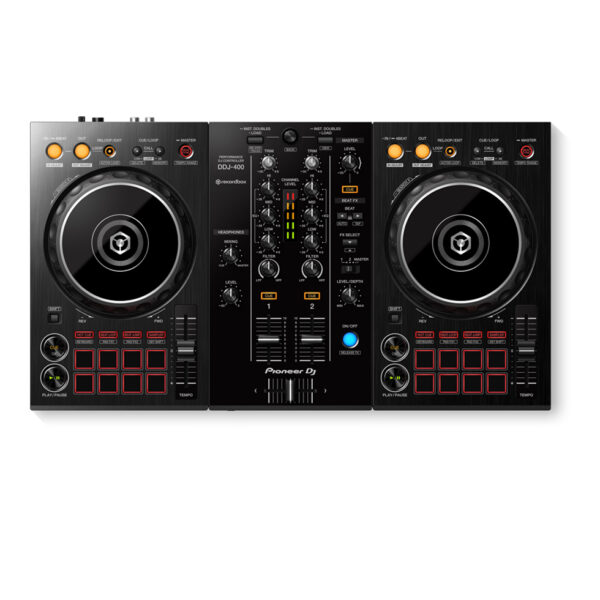
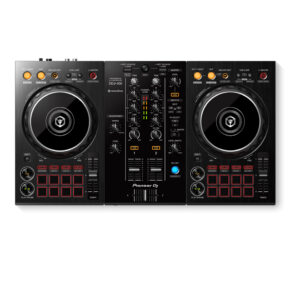
| Description | | With the Pioneer DDJ-400, you'll learn the intricacies of the profession as a starting DJ. Thanks to the internal sound card, you don't need to connect an audio interface. This means that you can connect the DJ controller directly to your speakers. Thanks to the velocity-sensitive and multifunctional drum pads, you can get the most out of the included Rekordbox software. Use the drum pads to activate the sampler, and personalize your set by adding sound clips. You can also use the drum pads to easily jump to a hot cue. |
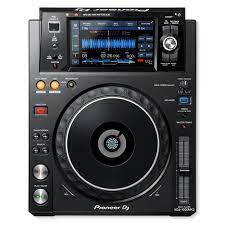
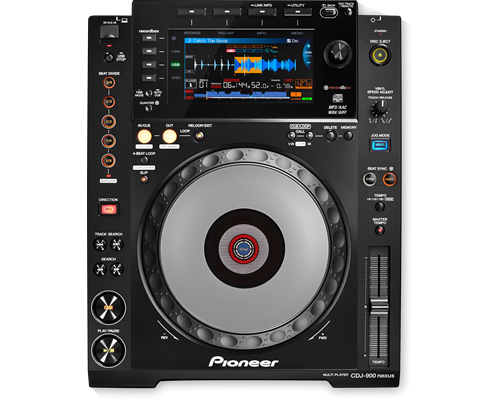
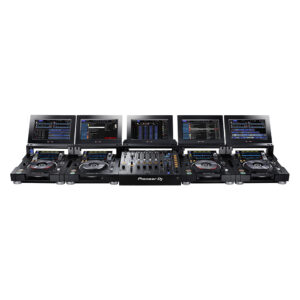
The CDJ-900NXS builds on the success of its predecessor, the CDJ-900, plus it’s packed with new technology including a full colour LCD screen, Beat Divide, four-deck Beat Sync and the ability to play sets from a smartphone.
The CDJ-900NXS boasts a high resolution screen, giving DJs a quick and instant view of the Wave Display and Wave Zoom and the ability to view and edit rekordbox beatgrids.
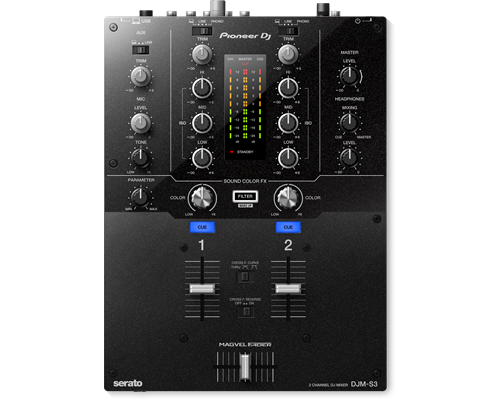
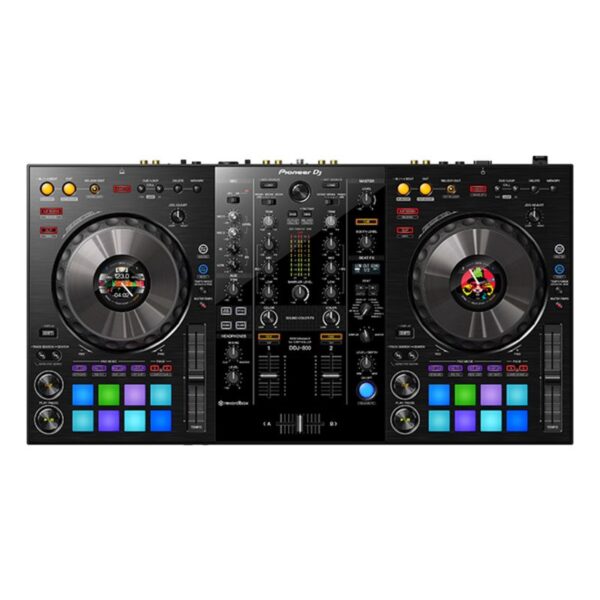
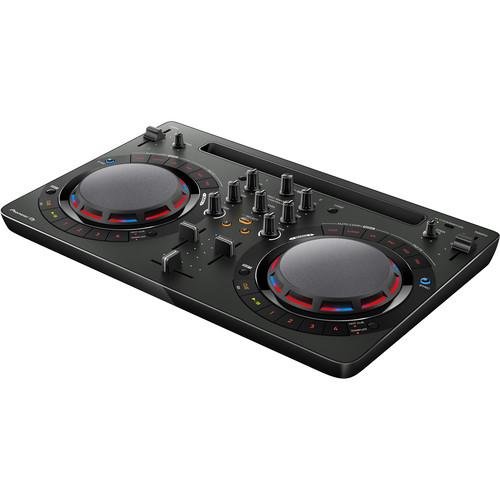
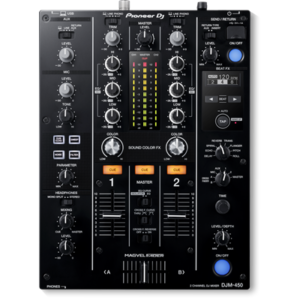
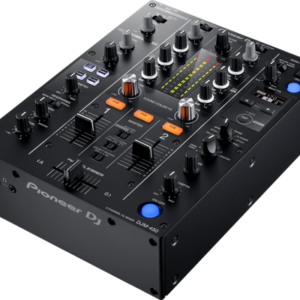
| Thanks to the built-in soundcard, this 2-channel mixer is Serato DJ enabled as soon as you unpack it. Featuring a highly durable Magvel crossfader, inherited from the DJM-900NXS2, the DJM-S3 delivers a smooth and accurate response. | The DDJ-800 2-channel DJ controller is a pro DJ setup that’s made to go wherever you do. This portable unit inherits the club-style layout and popular features of the DDJ-1000, including Color On Jog Displays, and packs it all into a lighter body. The result is a professional performance controller that you’ll have no trouble transporting between gigs at weddings, parties and anywhere else you play. | Take your first steps in the world of DJ-ing with the compact DDJ-WeGO4. Learn to mix seamlessly with tactile controls and jog wheels for scratching. And use the sampler, Hot Cues and Pad FX inherited from professional hardware to bring more creativity to your sets. Just plug in your laptop, tablet or smartphone and start to play. |
| Content |
CRAFT YOUR SOUND
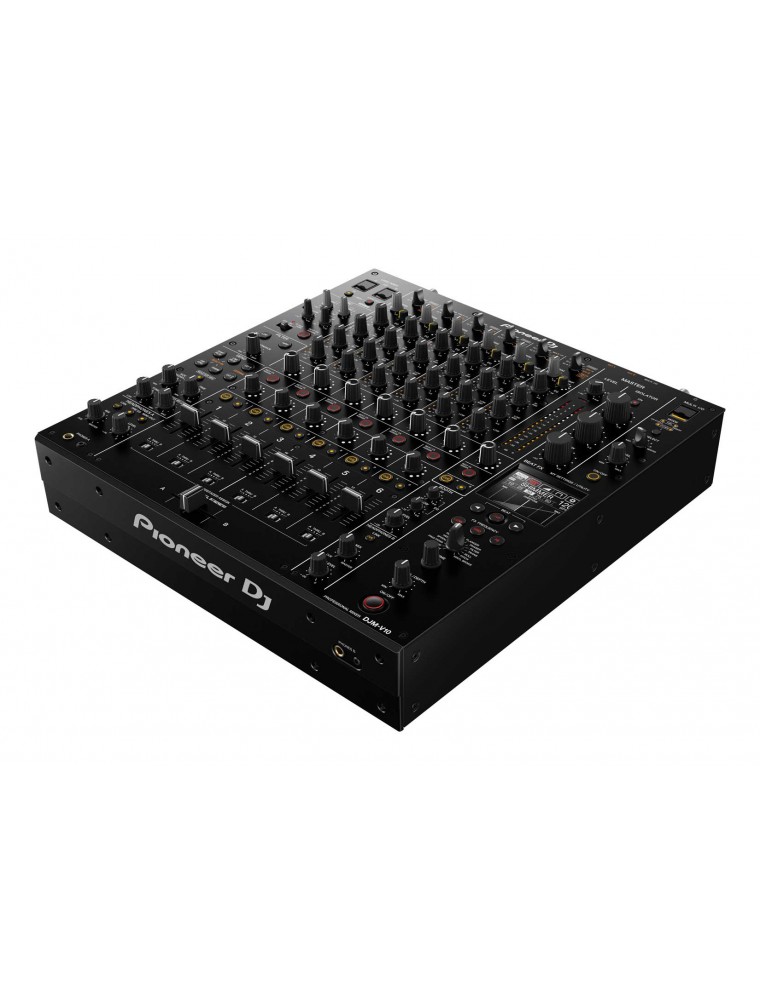
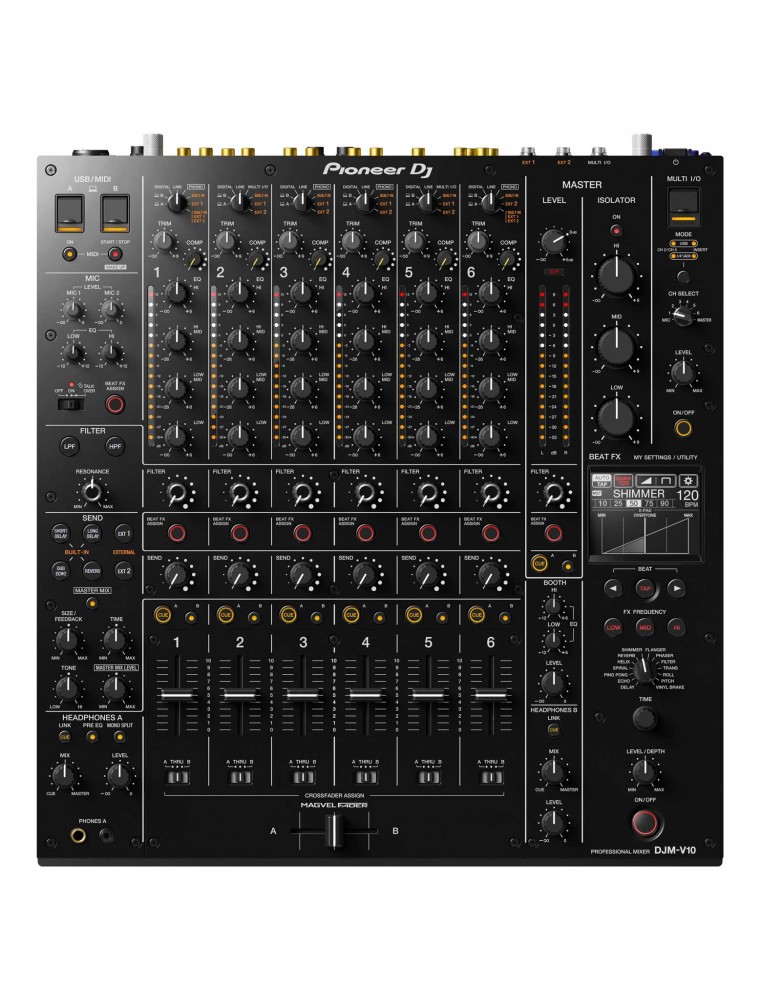
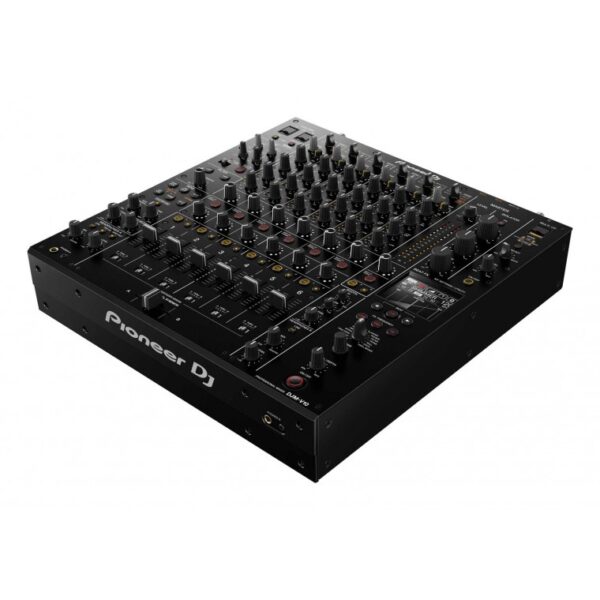
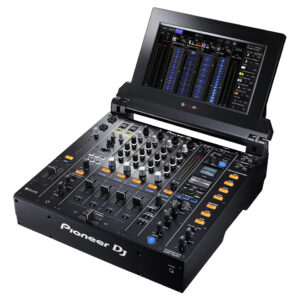
Introducing the 6-channel DJM-V10; a new breed of professional DJ mixer, built to enable DJs to craft new soundscapes from multiple audio sources.
NATURAL WARMTH
When we started developing the DJM-V10, we challenged ourselves to create a versatile sound that would bring out the best in all genres of music. The audio had to be delicately balanced, offering both warmth and clarity. While building numerous prototypes we tried out various components and performed test after test, making refinements every time until we achieved something special. Every detail in the music can be heard and, because the sound is deep and warm, you can listen for hours without getting ear fatigue – no matter what kind of music you play.
TAKING CONTROL
For the first time ever, we built in a 4-band EQ to enable you to independently control distinct elements of the music, e.g. kick drums and bass. We setup a club-style sound system for testing the audio as we built each frequency band from scratch, using a variety of music styles for reference. Listening to feedback from DJs, we carefully adjusted the curve of each band and created highs and lows that you can fully kill, and two sharpened mid ranges.
FREEDOM TO CREATE
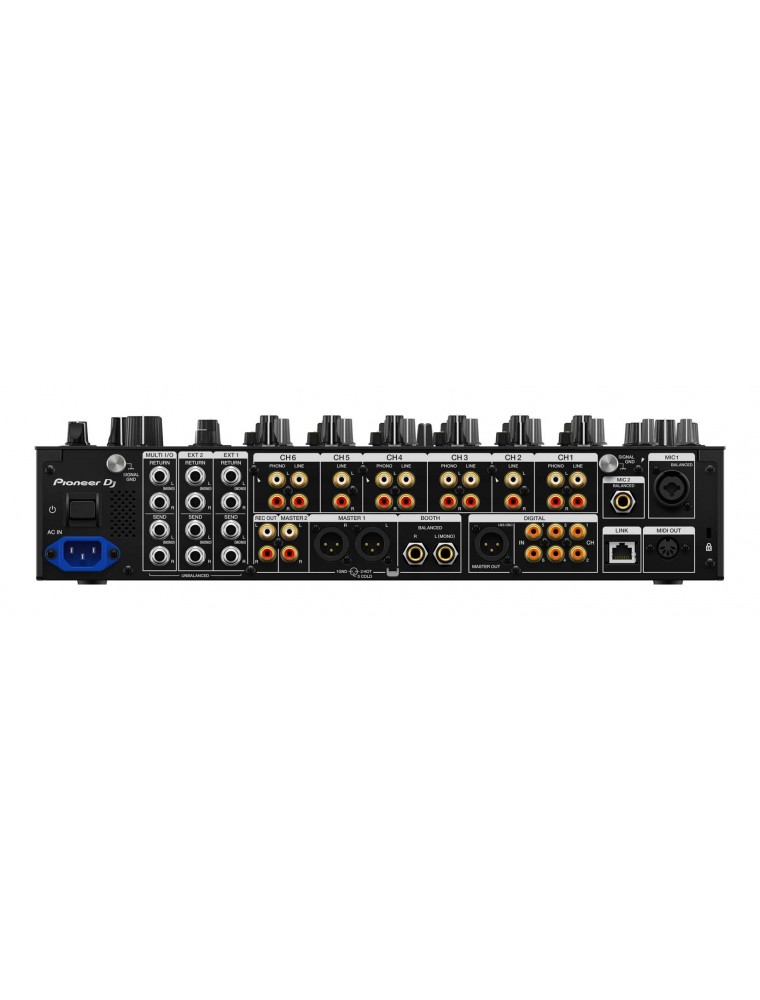
To help DJs assemble custom setups and get creative with external hardware during their sets, we built an expanded send/return section. The design is tailored to work seamlessly with instruments and guitar pedals as well as FX units. We also added built-in Send/Return FX which are perfect for making nuanced adjustments to the audio, so you can create sounds that naturally blend with the music. After much research and testing, we decided on a selection of FX that work well for live remixing, enhancing sounds from external equipment without overpowering them or feeling unnatural.
ENERGY ON THE
DANCEFLOOR
Once you’ve carefully sculpted your mix using the fader and 4-band EQ on each channel, you can drastically change or make fine adjustments to the whole sound using the new master isolator. During in-depth analysis we examined not only the finished sound when you settle on your final mix, but also how the sound changes as you tweak each range. The oversized dials express the dynamism of the feature, so you can grab them and hype up the crowd with dramatic changes to the music.
MADE TO FADE
We built a prototype channel fader, tested it, and went back to the drawing board more than 40 times. We wanted the finished part to be perfect and we believe the work paid off. The channel faders on the DJM-V10 feel just right in your fingertips; comfortable to grasp, nicely weighted, and smooth to move. You can make tiny adjustments to the sound by moving the faders in 1mm increments, or you can quickly flick them all the way from top to bottom, knowing their sturdy construction will stand up to the most energetic performance.
PURE CONCEPT,
SIMPLE DESIGN
The DJM-V10 is packed with professional features, but we wanted it to be easy to use. So, we adjusted the thickness of the printed lines by 0.1mm, and we grouped many of the controls into clear sections to make the features intuitive to use. Our aim was to create a “blank canvas” that gives you creative freedom by providing a variety of features in a clean, lean layout. Despite its simple look, we were obsessive about every tiny detail of the design because we wanted the mixer to embody the warm audio it produces. Finally, we achieved this by unifying its look with warm colors.
Elite sound quality
Six channels
4-band EQ
New filter with dedicated knob on each channel
Send/return section
3-band master isolator
Compressor knob on each channel
Dual headphones output and booth EQ
Support for external devices, apps, and services |
Pioneer DDJ 400
KEY FEATURES Of Pioneer DDJ 400
- TUTORIALS of Pioneer DDJ 400
You'll have access to rekordbox dj's Tutorial feature. Follow along via your computer screen to learn how to use the gear and master DJ techniques on Pioneer DDJ 400.
The DDJ-400's buttons and knobs are arranged in the same way as those on our professional NXS2 set-up. Develop your skills using an interface similar to that of our club-standard player, and enhance your mixes with Sound Color FX and Beat FX featuring curves taken from our DJM-900NXS2 mixer. You'll soon feel comfortable performing in DJ booths.
Apply professional FX that match the tempo of the track that’s currently playing by using the Beat FX feature. This will help you craft unique sets even if you’re just starting out.
You get a rekordbox dj licence key bundled with this controller. Simply activate your licence key for our DJ software, connect the controller and start DJing.
For flexibility you can choose to hear your mix through your computer’s internal speakers or connected desktop speakers. At the same time, you can use your headphones to cue independently of the master out.
With a built-in sound card, simply connect the controller to your computer using the provided USB cable to power up and begin playing.
Offer Note: Free Hercules Club LED Wristband
|
| Brand |
Pioneer |
| USB Storage Support |
No |
| MIDI Control |
|
| ProDJ Link |
|
| KUVO ready |
|
| Auto Standby |
|
| rekordbox |
|
| Included Accessories |
- Power cord
- CD-ROM (rekordbox
- driver software and operating instructions)
- Audio cable
- LAN cable
- Disc forced Eject Pin
- Read Before Use / Quick Start Guide
|
| Height |
105.5 mm |
| width |
320 mm |
| Depth |
401.8 mm |
| Dimensions (with fold-out display) |
When upper display part is upright at 90 degrees (W x D x H): 385 x 457.2 x 418 mm |
| Processor |
Wolfson DAC processor |
| Soundcard |
24 bit/48 kHz |
| Frequency Range |
4 - 20000 Hz |
| Signal-to-Noise Ratio |
115 dB (JEITA) |
| Audio Output Level |
2.0 Vrms (1 kHz, 0 dB) |
| Power Consumption |
33 W |
| Display |
Full-colour LCD screen |
| Playing Address |
|
| Wave Zoom Display |
|
| Beat Counter |
|
| Distortion |
< 0.003 % (JEITA) |
| Jog Dial size |
206 mm |
| Jog Dial type |
Touch sensitive |
| Jog Modes |
CDJ / Vinyl Mode |
| Active Loop |
|
| Auto Beat Loop |
|
| 4 Beat Loop |
|
| Reloop |
|
| Real Time Seamless Loop |
|
| Loop Adjust |
In / Out Adjust |
| Loop Cutter |
|
| Slip Mode |
|
| Beat Sync |
|
| Reverse |
|
| Pitch Bend |
|
| Fader Start / Back Cue start |
|
| Scratch Play / Cue |
|
| Quick Scratch |
After searching track |
| Relay Play |
|
| Frame Search |
1/150 s |
| My Settings |
|
| Vinyl Speed Adjust |
|
| Auto Cue |
|
| Manual Cue |
|
| Real Time Cue |
|
| Cue point sampler |
|
| Cue Loop Memory |
|
| Master Tempo |
|
| Tempo Control steps |
- 0.02 % at +/-6 %
- 0.05 % at +/- 10 % & 16 %
- 0.5 % at +/-100 % WIDE
|
| Needle Search / Needle Drop |
|
| BPM Counter |
|
| Audio Sources |
- iPhone/iPad/iPod touch
- Android phones/Android Tablets
- USB storage devices (flash memory/HDD
- etc.)
- Computers (Mac/Windows PC)
- Optical drive (CD
- CD-R/RW
- DVD±R/RW/R-DL)
|
| LAN |
1 (100Base-TX) |
| USB |
No |
| outputs |
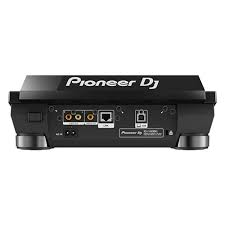
- 1 ANALOGUE (RCA)
- 1 CONTROL (Mini-jack)
- 1 S/PDIF Digital (RCA)
|
|
| Brand |
Pioneer |
| MIDIControl |
N/A |
| DVS Control |
Serato DVS |
| Included DJ Software |
No |
| Included Accessories |
- Power cord
- Operating instructions
- AC adaptor
- USB cable
|
| Software System Requirements |
Windows® 10, 8.1, 7 (latest service pack) mac OS Sierra, X 10.11, 10.10 (latest update) Processor: Intel® processor Core™ i7、 i5、i3 1.07 GHz Memory: 32-bit, 64-bit: 4 GB or more of RAM USB: Available USB 2.0 port Free HDD Space: 5GB Display resolution: 1280 x 720 |
| ProDJ Link |
|
| P-LOCK Fader Cap |
|
| rekordbox Link |
|
| Plug and Play |
|
| Auto Standby |
|
| Height |
108 mm |
| width |
230 mm |
| Depth |
320 mm |
| Weight |
3 kg |
| Dimensions (with fold-out display) |
No |
| Rack Mount |
|
| Frequency Range |
20 - 20000 Hz |
| Sampling Rate |
48 kHz |
| A/D, D/A Converter |
N/A |
| D/A Converter |
24 bit |
| A/D Converter |
24 bit |
| S/N Ratio Phono |
N/A |
| S/N Ratio Line |
94 dB |
| S/N Ratio Mic |
N/A |
| S/N Ratio USB |
No |
| Crosstalk Line |
N/A |
| Distortion |
< 0.005 % (LINE) |
| Headroom |
N/A |
| Power Consumption |
600 mA |
| Power Supply |
AC adaptor DC 12 V |
| Master Balance |
|
| Stereo/Mono Switch |
|
| Master Out Attenuator |
|
| EQ/ISO |
3 band |
| EQ/ISO Range |
-∞ ~ +6 dB |
| Level Meter Type |
N/A |
| Level Meter Size |
N/A |
| Reverse Channels |
|
| Peak Limiter |
|
| Channels |
2 |
| Sound Color FX |
Filter |
| Beat FX |
No |
| Serato DJ FX powered by iZotope |
|
| 3-Band Isolator |
|
| Auto BPM Counter |
|
| Beat Sampler |
|
| Direct Beat Select |
|
| Effect Level & Depth Volume |
|
| Effect Mix |
|
| Inloop Sampler |
|
| Live Sampler |
|
| MIDI Global Clock |
|
| Roll Sampler (Fwd) |
|
| Roll Sampler (Reverse) |
|
| Sidechain Remix Effects |
|
| Sound Processor |
No |
| Touch Panel |
|
| FX Frequency |
|
| X-PAD |
|
| rekordbox Quantize |
|
| Performance Modes |
No |
| Crossfader Type |
N/A |
| CURVE Assignable |
|
| Field Replaceable |
|
| Reverse Crossfader |
|
| Tension Adjustment |
|
| Fader Curve |
N/A |
| Mic Connection |
No |
| Mic EQ |
N/A |
| Mic EQ Range |
N/A |
| Talkover |
N/A |
| Talkover Attenuator |
|
| Assignable Controls |
No |
| MIDI Out (DIN) |
N/A |
| MIDI On/Off |
|
| MIDI Start/Stop |
|
| MIDI Clock |
|
| Connection |
N/A |
| Stereo Inputs |
N/A |
| Stereo Outputs |
N/A |
| Sample Rate |
N/A |
| inputs |
- 1 MIC (1/4 inch Jack)
- 2 PHONO (RCA)
- 3 LINE (RCA)
|
| Send/Return |
No |
| LAN |
No |
| USB |
1 USB B port |
| outputs |
- 2 HEADPHONE MONITOR (1/4 inch Jack
- mini-jack)
- 1 MASTER (RCA)
- 1 MASTER (XLR)
|
|
TAKE YOUR PERFORMANCE ANYWHERE
The DDJ-800 2-channel DJ controller is a pro DJ setup that’s made to go wherever you do. This portable unit inherits the club-style layout and popular features of the DDJ-1000, including Color On Jog Displays, and packs it all into a lighter body. The result is a professional performance controller that you’ll have no trouble transporting between gigs at weddings, parties and anywhere else you play.
Stop worrying about MCs walking in front of the speaker thanks to the compatible Feedback Reducer feature in rekordbox dj. The system will automatically bring down the ‘howling’ sound from the mic – extra handy when you have 2 microphones plugged in at once. Use the DDJ-800 to mix audio from external sources, and apply Sound Color FX, Beat FX, EQs and Trim to make all of your shows unique.
KEY FEATURES
-
Though it feels like our advanced DDJ-1000 DJ controller, the DDJ-800 is 1.3 kg lighter so you can comfortably transport it between events.
-
Keep your eyes on the deck and off your computer thanks to the customizable Color LCD On Jog Display located in the centre of each jog wheel. Reveal only the information you need, whether that’s BPM, waveform, playback position or Hot Cue and Loop points.
-
Enjoy peace of mind when you hand the mic to guest speakers and MCs. The Feedback Reducer feature in rekordbox dj will instantly detect and reduce the ‘howling’ sound of microphone feedback so you’ll remain in complete control of the audio.
-
Performing on the DDJ-800 feels like you’re using a professional NXS2 set-up. The controller’s buttons, knobs and faders are arranged in the same way as those on our club-standard CDJ and DJM gear.
-
Use the DDJ-800 as a mixer to control the volume of audio from an external device – even when you’re using it on its own – by adjusting the trims, channel faders and EQs. And, when connected to rekordbox dj, you can use Sound Color FX and Beat FX too.
|
JOIN THE WORLD OF MIXING Take your first steps in the world of DJ-ing with the compact DDJ-WeGO4. Learn to mix seamlessly with tactile controls and jog wheels for scratching. And use the sampler, Hot Cues and Pad FX inherited from professional hardware to bring more creativity to your sets. Just plug in your laptop, tablet or smartphone and start to play.
Ready to take things a step further? Simply use the bundled licence key for our rekordbox dj software to perform straight out of the box. Or use WeDJ, our DJ performance app for iPad, to mix tracks directly from your Itunes library.
KEY FEATURES EASY TO CONNECT Simply plug the DDJ-WeGO4 into your PC, Mac, tablet or smartphone with a USB cable, or connect to your iPad or iPhone with a Lightning cable and start mixing your music using the compatible DJ software or app of your choice.
SUPPORTS WEDJ This controller is compatible with WeDJ, our easy-to-use DJ performance app for iPad. When connected, the app’s intuitive display makes it a breeze to mix tracks from your music.
REKORDBOX DJ You get a free rekordbox dj licence key bundled with this controller. Simply activate your licence key for our DJ software, connect the controller and start DJing. SIMPLE LAYOUT, ADVANCED CONTROL A host of professional features – including Hot Cues, samplers, Pad FX and loops – are packed in a compact, lightweight design. Learn to DJ on the straightforward layout and step up easily to a pro-DJ setup, including CDJ multiplayers and DJM mixers.
PC MASTER OUT For flexibility you can choose to hear your mix through your computer’s internal speakers, connected desktop speakers, or play through a wireless speaker. At the same time, you can use your headphones to cue independently of the master out. Built-in soundcard No more hassle with external soundcards. Connect the DDJ-WeGO4 straight to your speakers or amplifier.
Customisable EQs Switch between 3-band EQ, 2-band EQ and filter mode in rekordbox dj or WeDJ for clear and balanced sounds.
Algoriddim djay Algoriddim djay 2 lets you prepare, perform and record mixes on-the-go. Simply connect the controller to your iPhone, iPod touch or iPad and mash up songs straight from iTunes or Spotify.
Become a Virtual DJ Virtual DJ lets you mix and match your tracks, set loops and cues, a |



Reviews
There are no reviews yet.