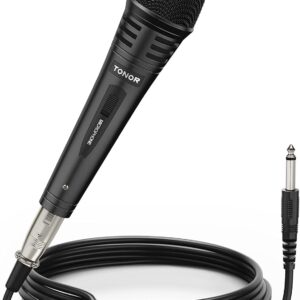
View cart “TONOR Dynamic Karaoke Microphone for Singing with 16.4ft XLR Cable, Metal Handheld Mic Compatible with Karaoke Machine/Speaker/Amp/Mixer for Karaoke Singing, Speech, Wedding and Outdoor Activity” has been added to your cart.
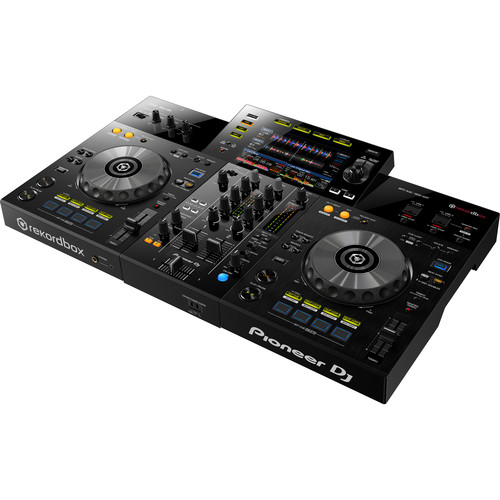
Pioneer XDJ RX3 2-channel performance all-in-one DJ system (Black)
A new Beat FX Bank gives artists the ability to save four effects of their choosing and activate them with a tap
The RX3’s X-Pad also integrates into the touch screen – another first for any all-in-one system – so you can add sound effects via finger swiping
A new Pad Status Display feature also lets artists view their Performance Pad mode in advance, so they know what to expect ahead of hitting a pad
The 3Band Waveform feature shows the volume of the high, mid, and low frequencies of files with separate colors
The Countdown Timer lets you set a timer to count down to a specific moment in your set
The full range of Beat FX and Sound Color FX options from the DJM-900NXS
Eight new effects – Vinyl Brake (Short / Long), Backspin (Short / Long), Echo Out, Build Up, Mute, and Ducking – are available for artists to use via the Performance Pads
DESCRIPTION
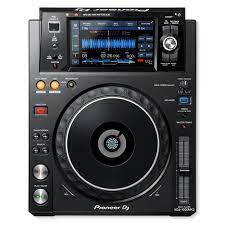
The XDJ-RX3 boasts flexibility and practicality while packing in a host of features that come straight from the club-standard CDJ-3000 multiplayer and DJM-900NXS2 mixer. With the brand-new 10.1-inch touch screen you can instinctively browse playlists, mix tracks and apply effects and the unit’s refined design brings a pro look to your setup.
The 2-channel piece of gear boasts a 10.1-inch touch screen, a new interface built for a smooth and quick flow of music navigation, rekordbox and Serato compatibility, an updated audio design, and an array of additional ways for artists to customize their experience on the decks.
SPECIFICATIONS
Width
28.7″ / 72.9cm
Depth
18.5″ / 46.99cm
Height
4.7″ / 11.94cm
Weight
20.5lb / 9.3kg
Reviews
There are no reviews yet.
Be the first to review “Pioneer XDJ RX3 2-channel performance all-in-one DJ system (Black)” Cancel reply
Pioneer XDJ RX3 2-channel performance all-in-one DJ system (Black)
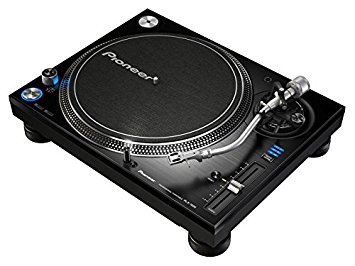
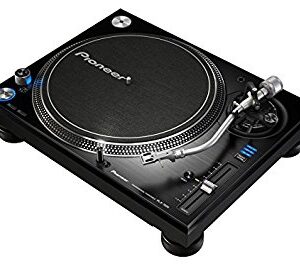
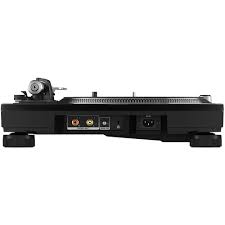
The PLX-1000 is precision engineered for the booth, drawing on 50 years’ experience of making high-end turntables. The result is a familiar layout with some next generation improvements, including a high-torque direct drive system, multi-pitch control, club-grade build and sound quality, and detachable power and audio cables. It’s solidly built for excellent vibration damping and ultra-precise, high-grade audio playback.
Simply add your choice of cartridge and stylus to the PLX-1000 (not included) and combine with your mixer for an ideal setup for turntablists. An ideal match for DJs is the handmade PC-X10 (sold separately).
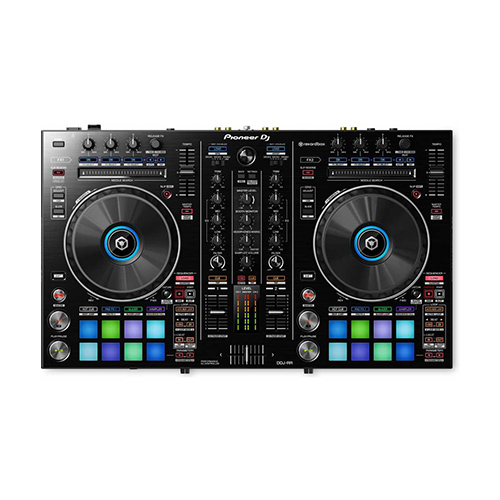
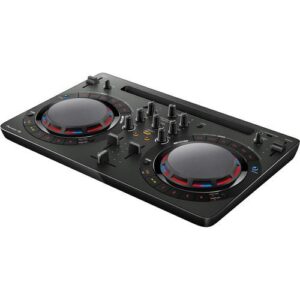
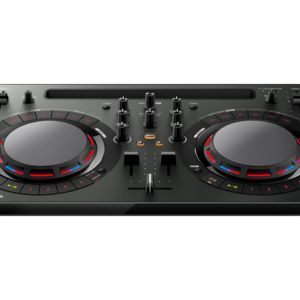
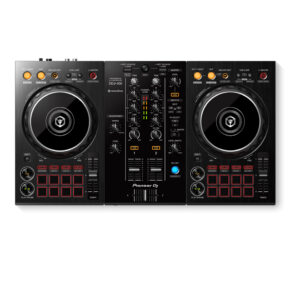
The DDJ-RR is the little brother of our professional controllers for rekordbox dj, the DDJ-RZ and DDJ-RX. It has a compact design and intuitive layout with large jog wheels, illuminated on-jog indicators and tactile Performance Pads.This 2-channel controller comes with dedicated controls for rekordbox dj, such as Slip Mode, Release FX, Sequence Load, and Deck Select so you can switch between all 4 rekordbox dj decks by the touch of a button.
Spin, Digitize, and DJ with the Same Deck
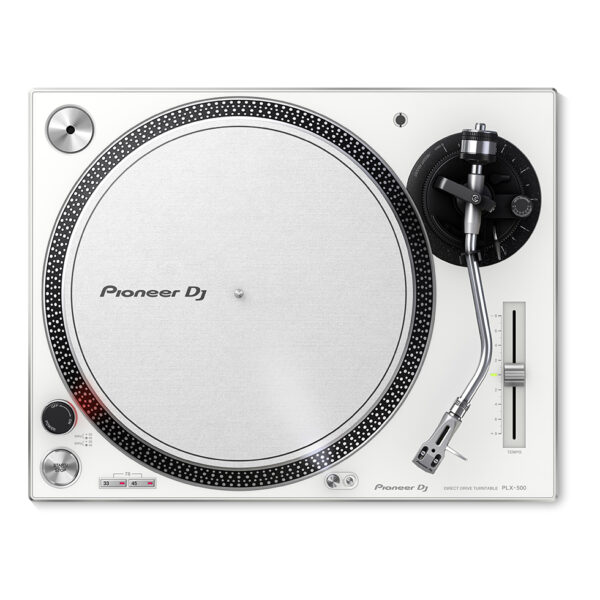
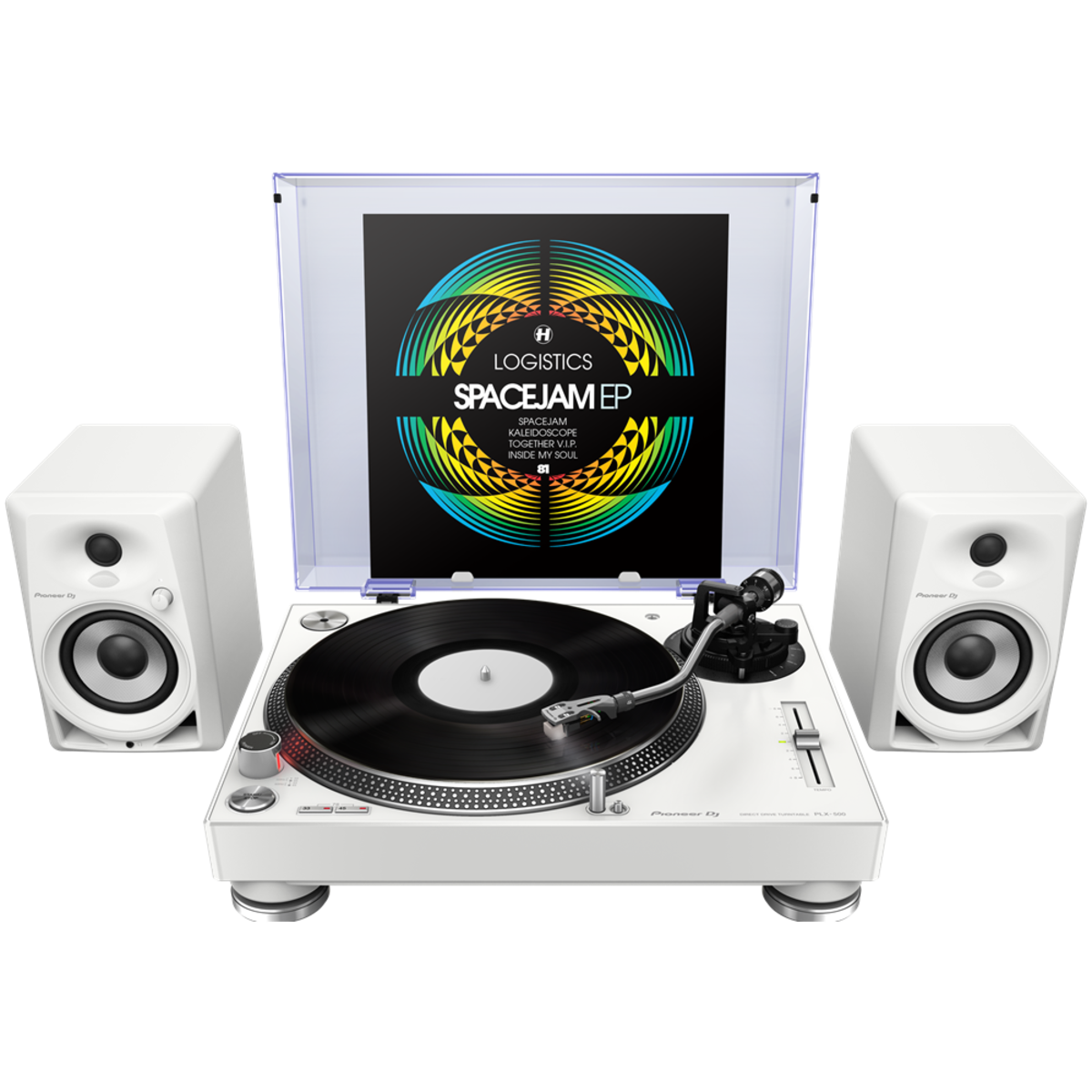
Get used to a great deck, and you'll want to use it everywhere. And with the PIONEER DJ PLX 500 W turntable, you can. Whether you're an analog enthusiast or a performer at heart, the PIONEER DJ PLX 500 W has features to take you from the living room to the booth. The keynote of this unit is its quality analog playback. This is thanks to a smooth and dependable direct-drive motor, short-excursion tone arm with headshell, cartridge, and stylus, and neutral onboard preamp. On top of that, a die-cast aluminum platter and switchable Phono (mixer)/Line (speaker) output make the PIONEER DJ PLX 500 W a winner for DJing. Performers will love parading their record sleeves on the dust cover's stand. And music lovers will enjoy digitizing their collection via USB while they jam.
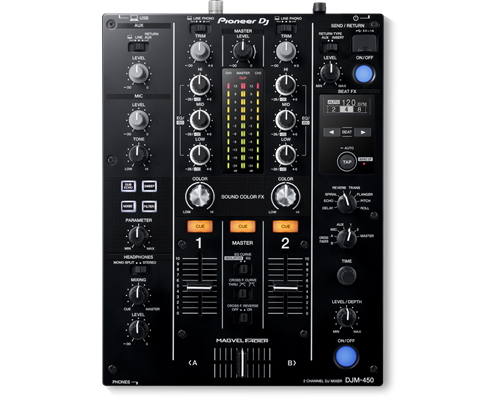
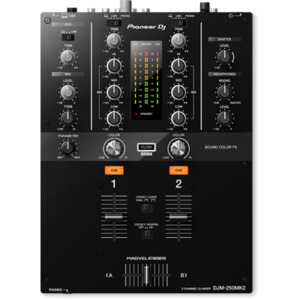
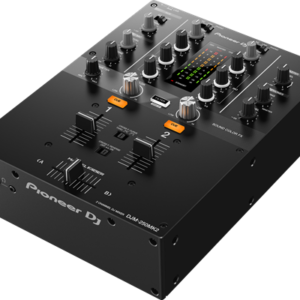
The DJM-450 also comes bundled with licence keys for rekordbox dj and rekordbox dvs, so you can DJ with tracks stored on your PC/Mac when using turntables and our control vinyl (available separately).
The XDJ-RX2 is an upgrade of the popular XDJ-RX, combined with features and traits from the flagship NXS2 series. The 2-deck, 2-channel all-in-one system delivers a professional DJ experience whether you connect it to rekordbox dj via your laptop or music stored on a USB device.The XDJ-RX2 boasts a large, 7-inch touch screen with QWERTY search, plus features inherited from the CDJ-2000NXS2 and DJM-9000NXS2, including rotary selector, track filter, short cuts, Sound Colour FX and Beat FX. The 8 large, multi-coloured Performance Pads give you smooth control over Hot Cues, Beat Loop, Slip Loop and Beat Jump. Take your performance to the next level as you enjoy the ease and portability offered by an all-in-one solution.
Content
KEY FEATURES
10.1-inch touch screen
A new Beat FX Bank gives artists the ability to save four effects of their choosing and activate them with a tap
The RX3’s X-Pad also integrates into the touch screen – another first for any all-in-one system – so you can add sound effects via finger swiping
A new Pad Status Display feature also lets artists view their Performance Pad mode in advance, so they know what to expect ahead of hitting a pad
The 3Band Waveform feature shows the volume of the high, mid, and low frequencies of files with separate colors
The Countdown Timer lets you set a timer to count down to a specific moment in your set
The full range of Beat FX and Sound Color FX options from the DJM-900NXS
Eight new effects – Vinyl Brake (Short / Long), Backspin (Short / Long), Echo Out, Build Up, Mute, and Ducking – are available for artists to use via the Performance Pads
DESCRIPTION
The XDJ-RX3 boasts flexibility and practicality while packing in a host of features that come straight from the club-standard CDJ-3000 multiplayer and DJM-900NXS2 mixer. With the brand-new 10.1-inch touch screen you can instinctively browse playlists, mix tracks and apply effects and the unit's refined design brings a pro look to your setup.
The 2-channel piece of gear boasts a 10.1-inch touch screen, a new interface built for a smooth and quick flow of music navigation, rekordbox and Serato compatibility, an updated audio design, and an array of additional ways for artists to customize their experience on the decks.
SPECIFICATIONS
Width
28.7" / 72.9cm
Depth
18.5" / 46.99cm
Height
4.7" / 11.94cm
Weight
20.5lb / 9.3kg
Title
Value
Included Accessories
Audio cable
Turntable sheet
Slip mat and sheet
Dust cover
Head shell
Balance
sub and shell weights
Ground wire
Weight
14.6 kg
Drive Method
Quartz lock, servo-type, direct drive
Platter
Aluminium, die-casting diameter: 332 mm
Motor
3-phase, brushless DC motor
Braking System
Electronic brake
Rotation Adjustment Range
±8, ±16, ±50 %
Rotation Speed
33⅓-45 rpm
Wow and Flutter
< 0.01 % (Measured by obtaining signal from built-in frequency generator of motor assembly.)
Signal-to-Noise Ratio
70 dB
Starting Torque
> 4.5 kgf・cm
Start Time
Within 0.3 sec (at 33⅓ rpm)
Arm Type
Universal type S-shape tone arm Gimbal-supported type bearing structure Static balance type
Overhang
15 mm
Effective Length
230 mm
Tracking Error
Within 3°
Height Adjustment Range
6 mm
Proper Cartridge Weight
3.5-13 g
Stylus Pressure Variable Range
0-4 g (1 scale 0.1 g)
Brand
Pioneer
Height
159 mm
width
453 mm
USB
No
inputs
No
outputs
1 ANALOGUE (RCA)
Depth
353 mm
The Pioneer DJ DDJ-RR feels slightly lighter than the DDJ-SR, though both have metal faceplates. It’s got a new black colour scheme that’s consistent with other DDJ-R series controllers. The rest of the enclosure is hard plastic, as is the case with most Pioneer DJ gear.
It ships with a power brick which increases the brightness of the lights, but you can power it with just a USB cable. You can also use it as a standalone mixer for connecting line / phono level devices to it like CDJs and turntables if you want to spin with actual CDs and vinyl.
There are two Needle Search touchstrips here and controls for Rekordbox DJ’s sequencer, which we’ll get to in a minute. The pads are also backlit RGB now, as is the case with more recent controllers.
JogwheelsThe most notable change in the DDJ-RR are the jogwheels: they’re slightly larger than the ones on the DDJ-SR, and have a spiffy (if muted) black colour. I’m digging the look, especially when you plug it in and the formerly red lights are now a mix of blue and yellow.
The centre ring has an LED that lights up in different colours depending on what you’ve got it set to, for example when you’re controlling deck one or two the ring’s blue, and when you’re controlling decks three or four it turns light blue.
I love the jogwheels on the DDJ-RR, I think these are close to perfect as far as controller jogs go, plus they integrate so tightly with Rekordbox DJ (version 4.12 at the time of this writing) that you won’t skip a beat. Kudos to Pioneer DJ for versioning Rekordbox DJ quickly too as a lot of the bugs that plagued earlier versions of the software have been squashed.
Needle Search
The DDJ-RR comes with a touchstrip for Needle Search, which lets you jump around a track directly from the controller itself: in the past you had to hold the Shift button and spin the jog to quickly move around a track, or you could bring your mouse pointer to the point that you want to jump to. It’s a minor tweak, but a welcome one especially for those who would prefer to keep their hands on the controller.
Rekordbox DJ
Just like the rest of Pioneer DJ’s DDJ-R series, the DDJ-RR works specifically with Rekordbox DJ. While mappings for Traktor and Virtual DJ 8 will probably crop up, the DDJ-RR is meant to work tightly with Rekordbox DJ, and the good news is that it works well with it. I’m particularly impressed with the Pad Effects that let you do momentary FX by using the performance pads in the Pad FX 1 setting. Rekordbox DJ has got much more stable since its first outing, and I’ve done a few gigs with it without issue.
There are also controls here for the Rekordbox DJ Sequencer, which let you record, save, and playback audio patterns that you perform via the Sampler. Once stored, you can trigger these Sampler patterns using the Sequence Call feature of the performance pads.
Rekordbox DVS
Another big addition that isn’t readily apparent here is Rekordbox DVS: both channels can be switched to control any of Rekordbox DJ’s four decks or two lines/phono sources, meaning you can hook up a pair of CDJs or turntables for timecode control.This is an important consideration for many who want to take the DVS route but found the DDJ-RX too big (let’s not even talk about the DDJ-RZ). With the DDJ-RR, you’ve got a considerably smaller, decently specified controller that you can spin timecode on at home. You can even take it to the gig and plug the venue’s CDJs / turntables if that’s what you want to do. Again, flexibility is a core strength of the DDJ-RR, and probably its biggest advantage in the market right now.
The mixer
The DDJ-RR can also function as a standalone two-channel mixer with hardware EQs and filters, useful for DJing with actual CDs and vinyl without the need for a computer.
The crossfader is loose and capable of quick cuts but it doesn’t feel as sturdy as the DDJ-SR, and this is probably my only gripe with this unit. The same goes for the channel faders – there’s just something that feels “cheap” about them, but they’re still quite good. Pioneer DJ has also removed the crossfader curve knob and reverse switch from the front of the unit, so if you want to make those adjustments you’ll have to go to the settings menu.
PIONEER DJ PLX 500 W
Get used to a great deck, and you'll want to use it everywhere. And with the PIONEER DJ PLX 500 W turntable, you can. Whether you're an analog enthusiast or a performer at heart, the PIONEER DJ PLX 500 W has features to take you from the living room to the booth. The keynote of this unit is its quality analog playback. This is thanks to a smooth and dependable direct-drive motor, short-excursion tone arm with headshell, cartridge, and stylus, and neutral onboard preamp. On top of that, a die-cast aluminum platter and switchable Phono (mixer)/Line (speaker) output make the PIONEER DJ PLX 500 W a winner for DJing. Performers will love parading their record sleeves on the dust cover's stand. And music lovers will enjoy digitizing their collection via USB while they jam.
https://youtu.be/_n5sfhBpr6k
Includes everything you need to get started
Taking a page from the PLX-1000's book, the Pioneer DJ PLX-500 includes all you need to start enjoying and working your vinyl collection. A dust cover to keep your environment clean. A slipmat for spinning. A quality headshell and cartridge for uncolored playback. And a USB cable and free download of rekordbox software to digitize and manage your records. These accessories are just part of the reason Sweetwater recommends the PLX-500 to first-time performers and analog enthusiasts both.
Pioneer DJ PLX-500 Direct Drive Turntable Features:
Built for spinning, digitizing, and DJing
Quality analog playback:
Smooth, dependable direct-drive motor
Built-in preamplifier
Short path from the stylus to the output
Includes headshell with cartridge and stylus
Switchable Phono/Line output:
Phono out connects to a mixer
Line out connects directly to speakers
USB output digitizes your vinyl while you enjoy
Dust cover with stand shows off your latest release or what's on deck
Includes all you need to get started: slipmat, balance weights, stereo audio cables, USB cord, and rekordbox digital download
Built-in, switchable 3-band equaliser: -26 dB ~ +6 dB / 3-band isolator: -∞ ~ +6 dB
Level Meter Type
No
Level Meter Size
No
Reverse Channels
Peak Limiter
Channels
2
Sound Color FX
Dub Echo
Filter
Noise
Sweep
Beat FX
Delay
Echo
Pitch
Spiral
Reverb
Roll
Trans
Flanger
Serato DJ FX powered by iZotope
3-Band Isolator
Auto BPM Counter
Beat Sampler
Direct Beat Select
Effect Level & Depth Volume
Effect Mix
Inloop Sampler
Live Sampler
MIDI Global Clock
Roll Sampler (Fwd)
Roll Sampler (Reverse)
Sidechain Remix Effects
Sound Processor
No
Touch Panel
FX Frequency
X-PAD
rekordbox Quantize
Performance Modes
No
Crossfader Type
Magvel Fader
CURVE Assignable
Field Replaceable
Reverse Crossfader
Tension Adjustment
Fader Curve
N/A
Mic Connection
1/4-inch TRS Jack
Mic EQ
N/A
Mic EQ Range
N/A
Talkover
N/A
Talkover Attenuator
Assignable Controls
No
MIDI Out (DIN)
N/A
MIDI On/Off
MIDI Start/Stop
MIDI Clock
Connection
N/A
Stereo Inputs
N/A
Stereo Outputs
N/A
Sample Rate
N/A
inputs
1 MIC (1/4 inch Jack)
2 PHONO (RCA)
3 LINE (RCA)
Send/Return
No
LAN
N/A
USB
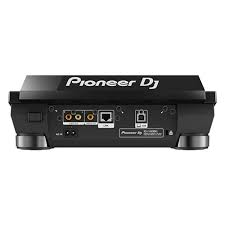
1 USB A port
1 USB B port
outputs
2 HEADPHONE MONITOR (1/4 inch Jack
mini-jack)
1 MASTER (RCA)
1 MASTER (XLR)
INHERIT THE BOOTH
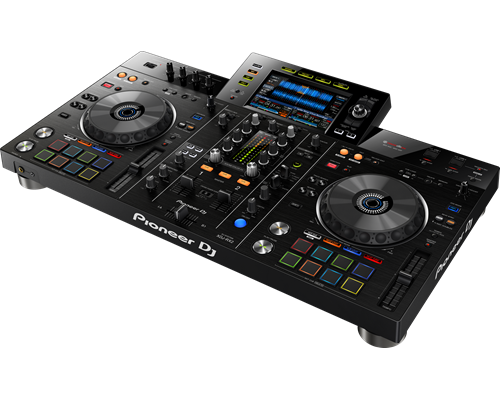
The XDJ-RX2 is an upgrade of the popular XDJ-RX, combined with features and traits from the flagship NXS2 series. The 2-deck, 2-channel all-in-one system delivers a professional DJ experience whether you connect it to rekordbox dj via your laptop or music stored on a USB device.The XDJ-RX2 boasts a large, 7-inch touch screen with QWERTY search, plus features inherited from the CDJ-2000NXS2 and DJM-9000NXS2, including rotary selector, track filter, short cuts, Sound Colour FX and Beat FX. The 8 large, multi-coloured Performance Pads give you smooth control over Hot Cues, Beat Loop, Slip Loop and Beat Jump. Take your performance to the next level as you enjoy the ease and portability offered by an all-in-one solution.
KEY FEATURES
LARGE TOUCH SCREEN
The 7-inch, full-colour touch screen gives you a quick visual reference during mixes, including Wave Zoom for detail on track peaks and breakdowns. Browse with the QWERTY keyboard, large rotary selector, Needle Search, Track Filter and Short Cut features.
PRO DJ FEATURES
Perform precise, smooth mixes with EQs and channel faders that feature curves equivalent to those on the DJM-900NXS2 professional club mixer. Also inherited are the Sound Colour FX and Beat FX giving you scope for creative flair.
MULTI-COLOURED PERFORMANCE PADS
Unleash your creativity with 8 large, multi-coloured tactile Performance Pads on each deck for instant access to professional performance features such as Hot Cues, Beat Loop, Slip Loop and Beat Jump (singular or continuous).
LINK EXPORT FOR REKORDBOX
With the USB connection (Link Export), you can connect your laptop directly to the XDJ-RX2 and import your tracks to rekordbox. Play your prepared tracks without needing to export them to a USB device.
REKORDBOX DJ
You get a rekordbox dj licence key bundled with the XDJ-RX2. Simply activate your licence key for our DJ software, connect the device and start DJing.


 Pioneer DJ PLX-500 Direct Drive Turntable Features:


Reviews
There are no reviews yet.