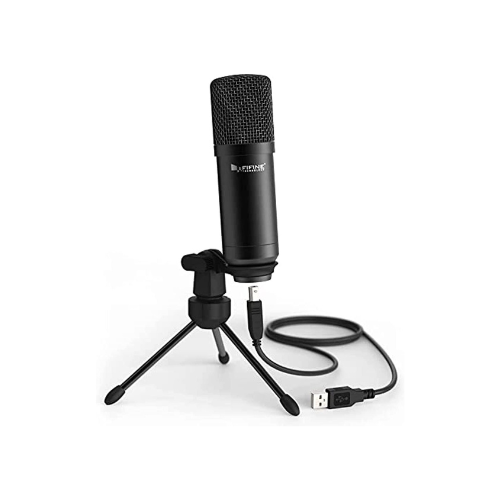
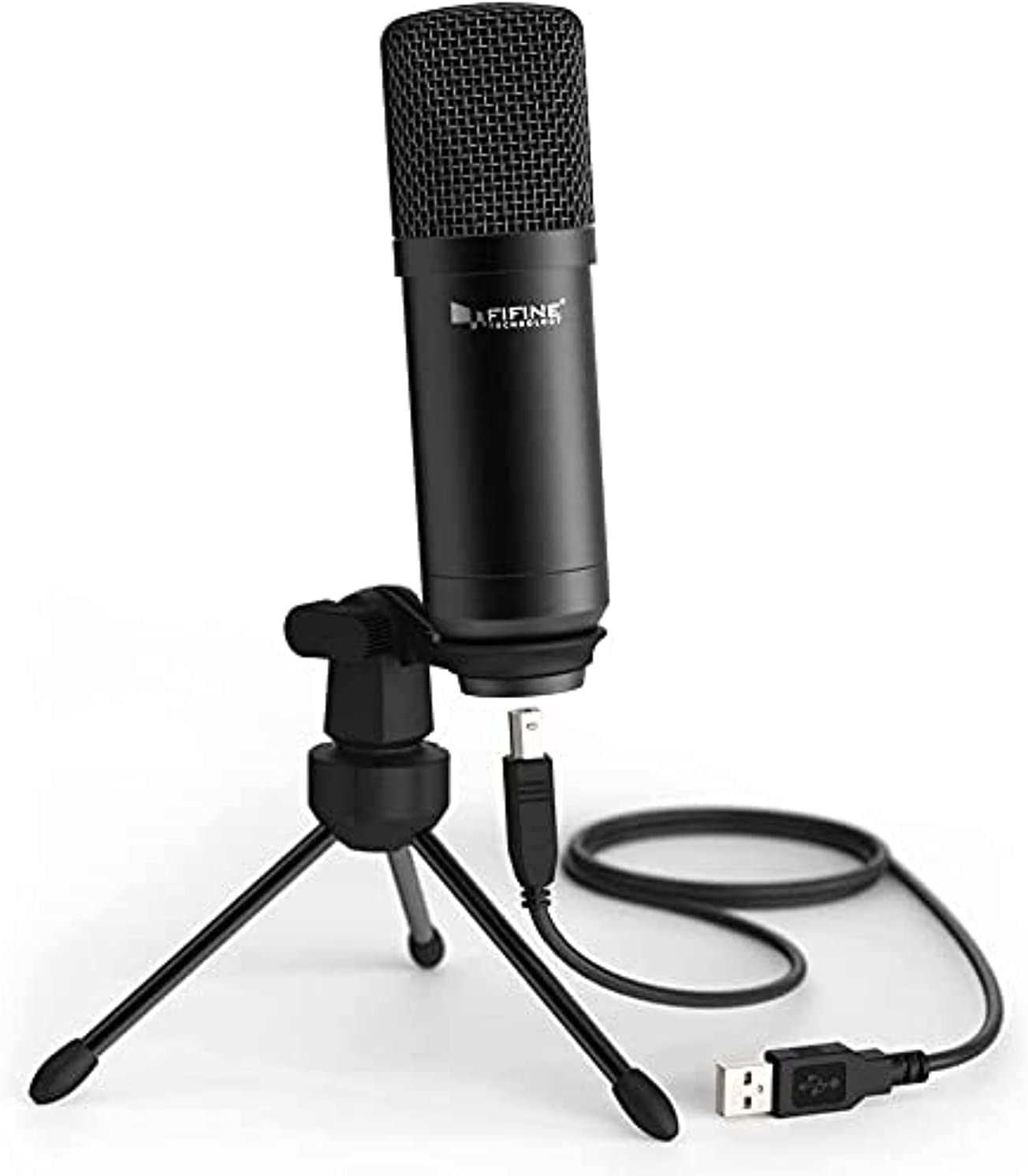
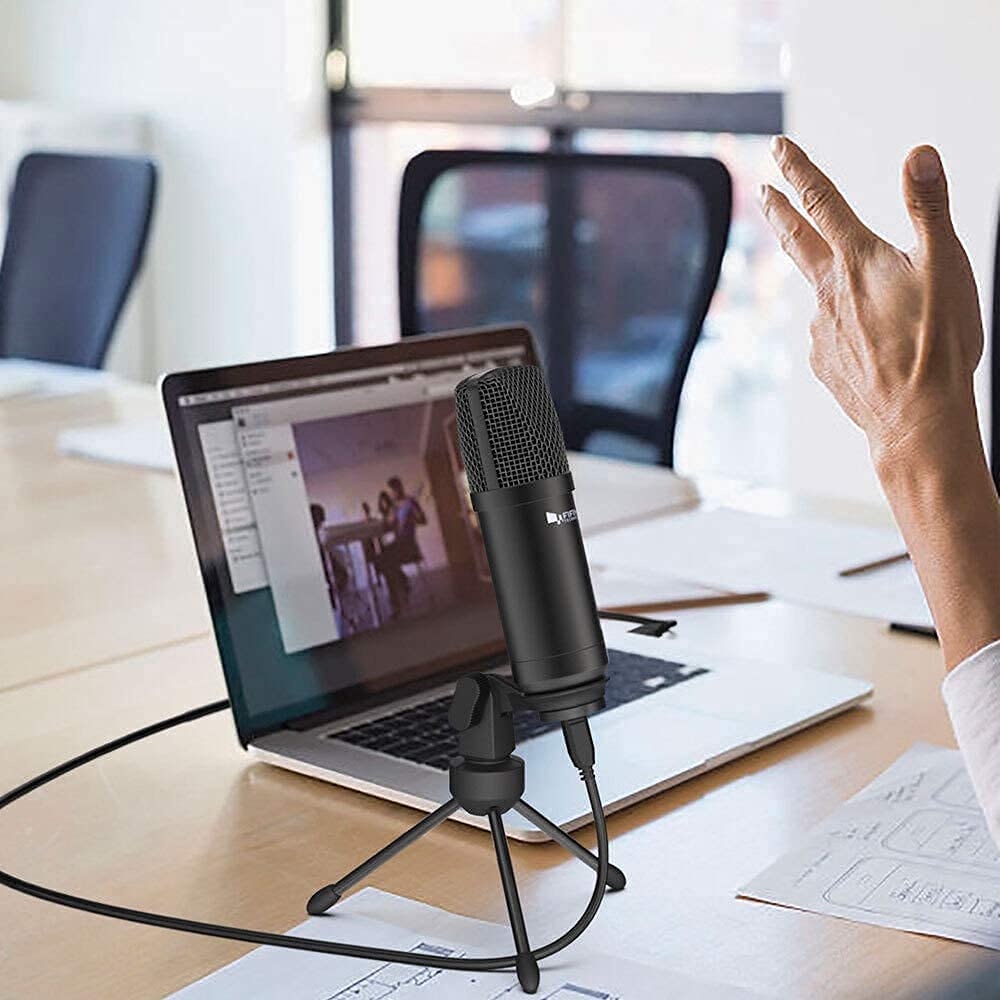
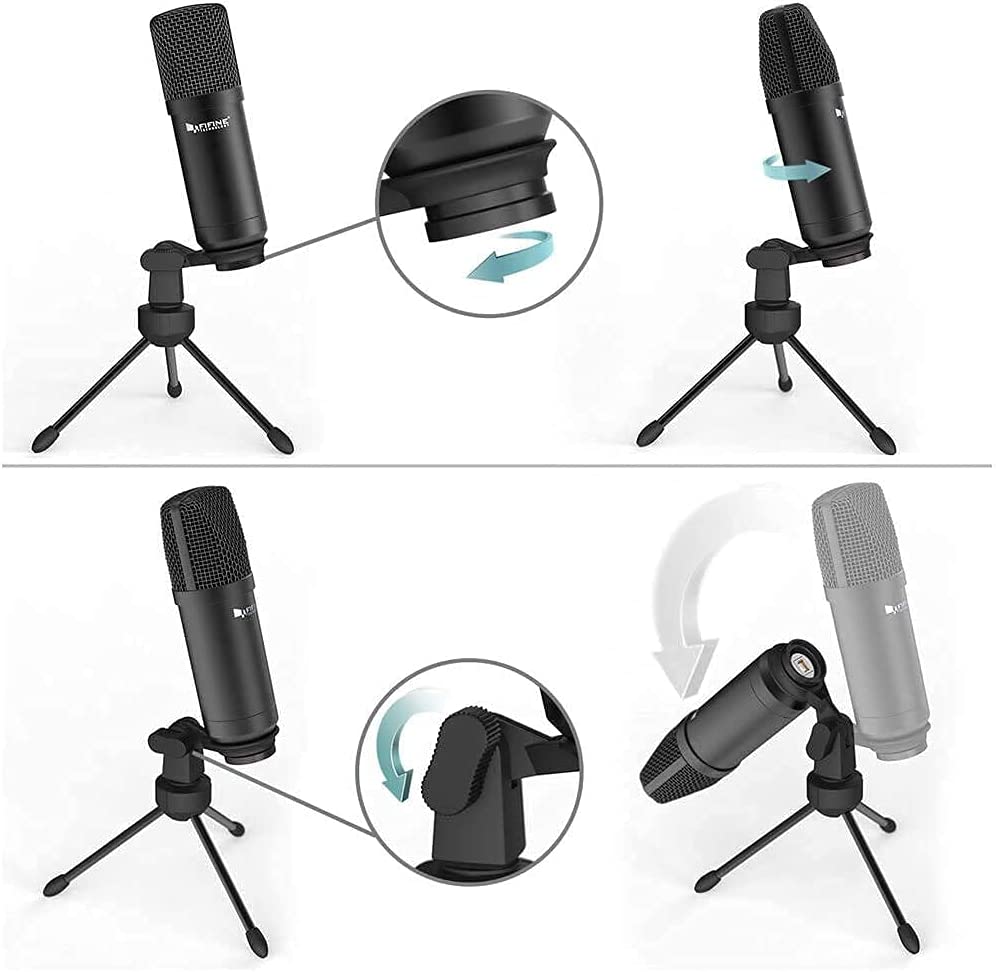
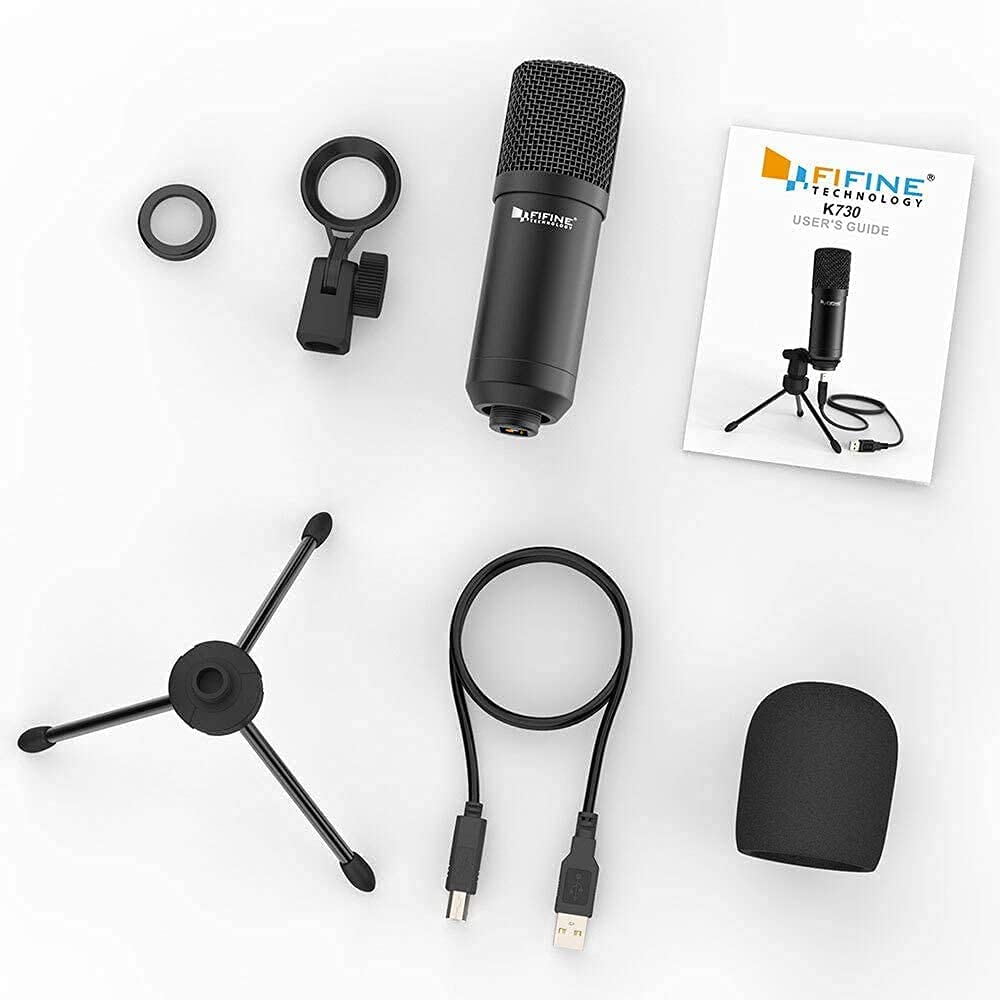
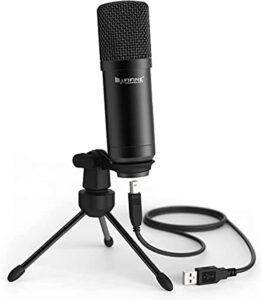
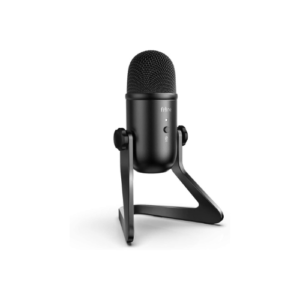
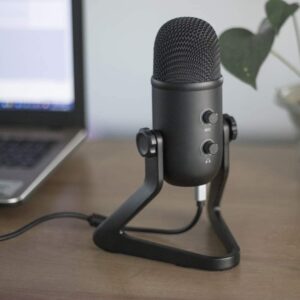
FIFINE USB Condenser Microphone for Windows PC, Laptop, MAC, PS4
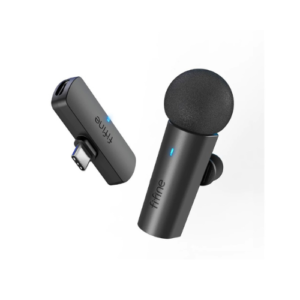
FIFINE Wireless Lavalier Lapel Microphone System for Phones/Tablets, 2.4GHz Cordless Condenser Omnidirectional Clip-on Mic, USB C Receiver, for Video, Interview, Vlog, YouTube, Recording-M6
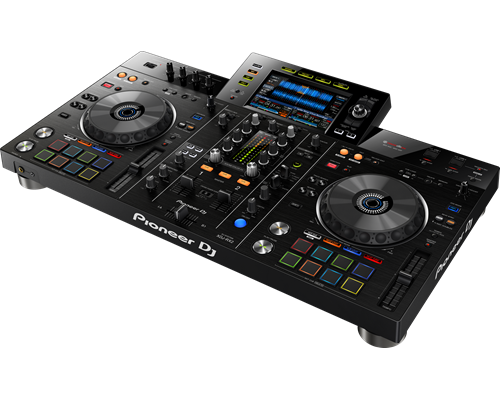
The XDJ-RX2 is an upgrade of the popular XDJ-RX, combined with features and traits from the flagship NXS2 series. The 2-deck, 2-channel all-in-one system delivers a professional DJ experience whether you connect it to rekordbox dj via your laptop or music stored on a USB device.The XDJ-RX2 boasts a large, 7-inch touch screen with QWERTY search, plus features inherited from the CDJ-2000NXS2 and DJM-9000NXS2, including rotary selector, track filter, short cuts, Sound Colour FX and Beat FX. The 8 large, multi-coloured Performance Pads give you smooth control over Hot Cues, Beat Loop, Slip Loop and Beat Jump. Take your performance to the next level as you enjoy the ease and portability offered by an all-in-one solution.
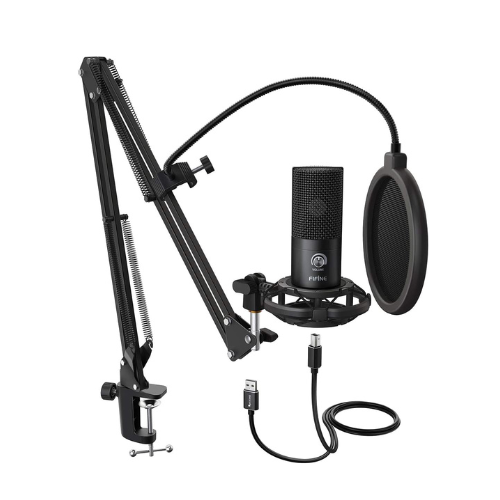
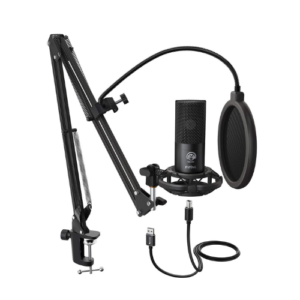
FIFINE Studio Condenser USB Microphone Computer PC Microphone Kit with Adjustable Scissor Arm Stand Shock Mount for Instruments Voice Overs Recording Podcasting YouTube Karaoke Gaming Streaming
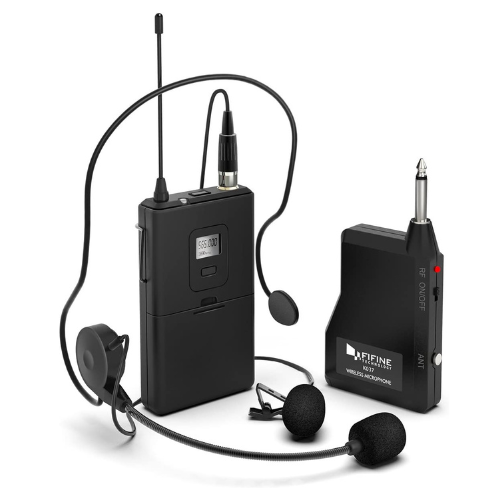
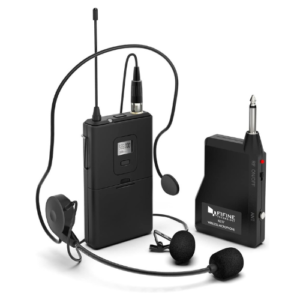
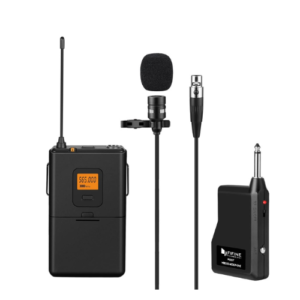
FIFINE Wireless Microphone System,Fifine Wireless Microphone set with Headset/Lavalier Lapel Mics, Beltpack Transmitter/Receiver,Ideal for Teaching, Preaching and Public Speaking Applications.(K037B)
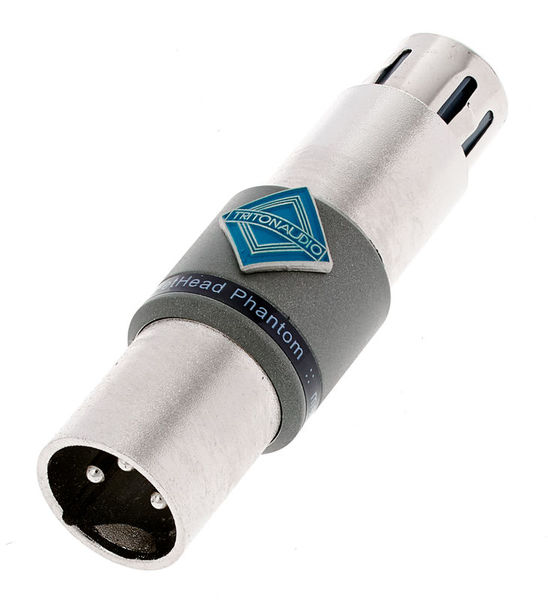
FetHead Phantom is an ultra-low noise, high-quality, in-line microphone preamplifier. It provides improved sound for condenser microphones. Small, compact, but powerful, Fethead Phantom utilizes tried and true FET technology to deliver up to 18dB of clean boost. No more cranking your mic preamp and adding unwanted noise to get your microphone to an acceptable volume. Boost your microphone!
Content
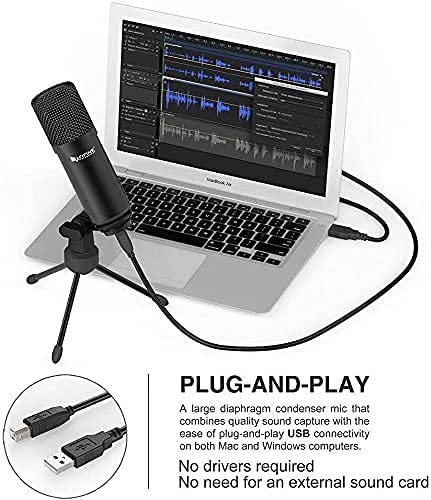
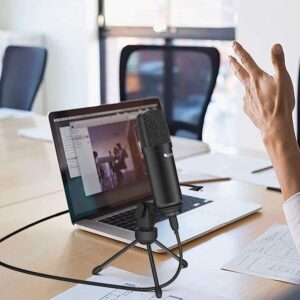
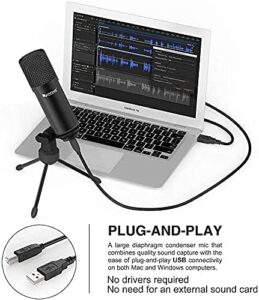
Fool-proof USB installation: plug-and-play USB Microphone on Mac, Windows and PS4.
Compact size will not block your face during streaming. Get rid of bulky plastic headset.
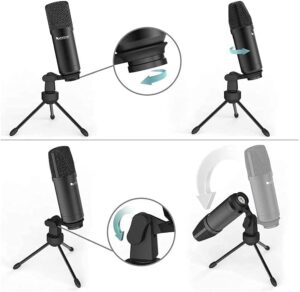
All-metal body enhances professional feeling and even protects the mic from drop damage.
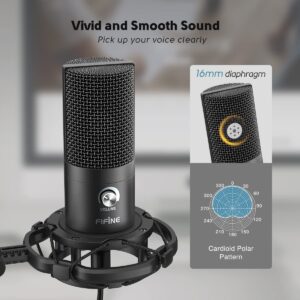
Cardioid pattern reduces irritating fan or keyboard noise for crystal clear communication.
Your computer's perfect partner: Improve the Sound of Your Audio Projects.
https://youtu.be/1p06oGPc6Mg
FIFINE Wireless Lavalier Lapel Microphone System for Phones/Tablets, 2.4GHz Cordless Condenser Omnidirectional Clip-on Mic, USB C Receiver, for Video, Interview, Vlog, YouTube, Recording-M6
The level of the smartphone camera rockets up, but the internal microphone bears no relation in that good way. Thus, relying too much on the internal microphone results in massively degraded audio and heavily restricted scenarios.
To make better use of the high-performance cameras and tackle those drawbacks, you should take serious consideration of coupling with a full-featured wireless lav mic.
Because of the direction and the sensitivity of a built-in microphone, its audio quality is nowhere near the external ones’. You will get much less distortion and most importantly less noticeable hollowness and echo.
And you can run a more creative live on TikTok or Facebook by leaving your device on the desk and shooting from a distance.
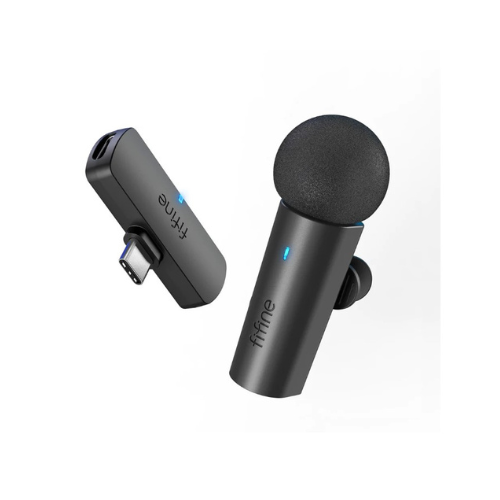
FIFINE M6 wireless lavalier microphone expectedly makes up for the shortfalls of the smartphone internal mic, and it does more than that.
There is not a single bit of complexity was added to the setup. To capture audio into your phone, you do not have to have a mixer, either to worry about making the system work, it just works. Such simplicity is what the M6 presents you with. Small and inconspicuous receiver, convenience and minimalism of a transmitter plus microphone system.
Just connect the USB-C receiver to your Android smartphone, turn on the transmitter and they will automatically pair in a second. For not spoiling the straightforward setup with any adapter, it is better to use the system exclusively on USB-C mobiles, tablets, laptops or PCs. That means the action cameras, portable vlog cameras, DSLR cameras that have a USB-C jack are not compatible.
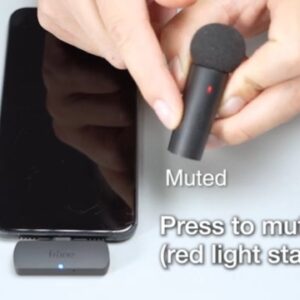
Launch an app for going live on YouTube/Instagram/TikTok, video conferencing, or audio recording, and you’re good to go. The LED light at the bottom of the receiver gives you a clear idea of the connection status.
INHERIT THE BOOTH
The XDJ-RX2 is an upgrade of the popular XDJ-RX, combined with features and traits from the flagship NXS2 series. The 2-deck, 2-channel all-in-one system delivers a professional DJ experience whether you connect it to rekordbox dj via your laptop or music stored on a USB device.The XDJ-RX2 boasts a large, 7-inch touch screen with QWERTY search, plus features inherited from the CDJ-2000NXS2 and DJM-9000NXS2, including rotary selector, track filter, short cuts, Sound Colour FX and Beat FX. The 8 large, multi-coloured Performance Pads give you smooth control over Hot Cues, Beat Loop, Slip Loop and Beat Jump. Take your performance to the next level as you enjoy the ease and portability offered by an all-in-one solution.
KEY FEATURES
LARGE TOUCH SCREEN
The 7-inch, full-colour touch screen gives you a quick visual reference during mixes, including Wave Zoom for detail on track peaks and breakdowns. Browse with the QWERTY keyboard, large rotary selector, Needle Search, Track Filter and Short Cut features.
PRO DJ FEATURES
Perform precise, smooth mixes with EQs and channel faders that feature curves equivalent to those on the DJM-900NXS2 professional club mixer. Also inherited are the Sound Colour FX and Beat FX giving you scope for creative flair.
MULTI-COLOURED PERFORMANCE PADS
Unleash your creativity with 8 large, multi-coloured tactile Performance Pads on each deck for instant access to professional performance features such as Hot Cues, Beat Loop, Slip Loop and Beat Jump (singular or continuous).
LINK EXPORT FOR REKORDBOX
With the USB connection (Link Export), you can connect your laptop directly to the XDJ-RX2 and import your tracks to rekordbox. Play your prepared tracks without needing to export them to a USB device.
REKORDBOX DJ
You get a rekordbox dj licence key bundled with the XDJ-RX2. Simply activate your licence key for our DJ software, connect the device and start DJing.
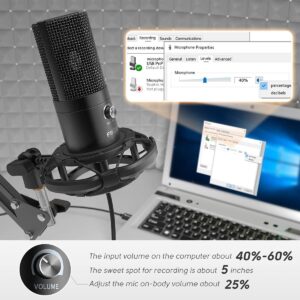
【USB Output】Enables simple setup. USB Microphone Kit provide a direct convenient plug-and-play connection to Mac and Windows computers without any additional hardware for recording vocals, podcasts and Skype. It's never been easier to get high-quality sound for your voice and computer-based audio recordings.(◆◆Incompatible with Xbox and Phones◆◆)
【Excellent Sound Quality】With rugged construction for durable performance, the vocal microphone offers a wide frequency response and handles high SPLs with ease.Ideal for project/home-studio applications.The cardioid condenser capsule offers crystal-clear audio for communicating, creating and recording.Comes ready to go with a desktop mic stand and 2.5M USB cable,you're guaranteed to get great-sounding results.
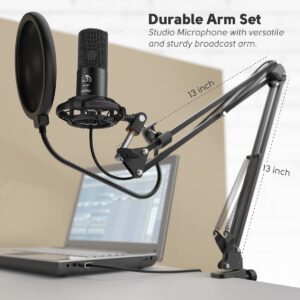
【Durable Arm Set】Studio USB Microphone with versatile and sturdy broadcast suspension boom scissor arm gives you great tools for capturing your voice in a podcast or voiceover.The Double Pop Filter provides two layers of dissipation, removes the rush of air caused by vocal plosives,minimizing the popping sounds that can compromise your recording is great for studio as well as home use.
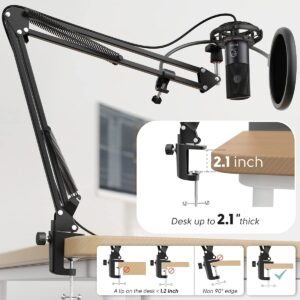
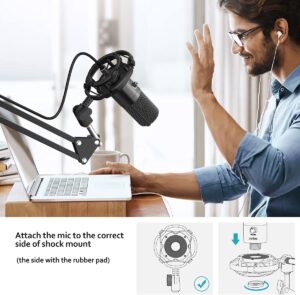
【Easy to Attach】The streaming microphone adjustable boom studio scissor Arm Stand features a heavy-duty combo mount that consists of a sturdy C-clamp and a detachable desktop mount.With 13" fixed horizontal arm and offers a 30" reach.The low-profile,table-hugging design allows on-air talent to perform without facial obstruction to record podcasts or make dubbing sounds for videos, use voice chat in online games or doing business on Skype.
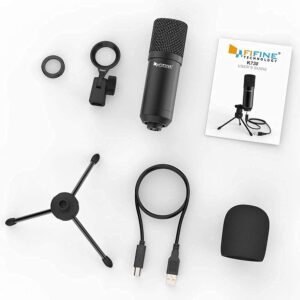
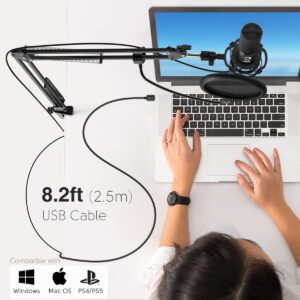
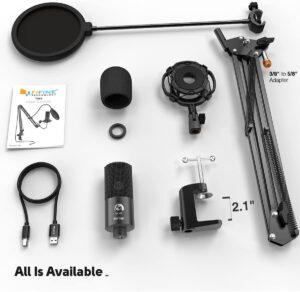
【The Accessory Package Includes】The scissor arm stand is made out of all steel construction, sturdy and durable, a studio-grade shock mount,a double pop filter, premium 8.2' USB cable,a bonus tripod stand, a microphone for podcast recording, a user manual.
FIFINE Wireless Microphone System,Fifine Wireless Microphone set with Headset/Lavalier Lapel Mics, Beltpack Transmitter/Receiver,Ideal for Teaching, Preaching and Public Speaking Applications.(K037B)
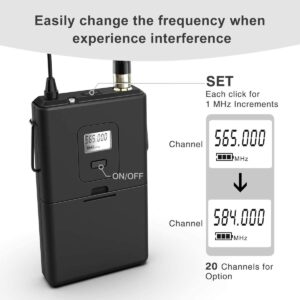
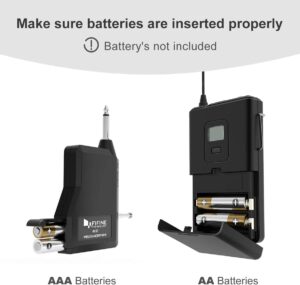
UHF Frequencies--The wireless lapel microphone system has 20 frequencies selection for seamless, interference-free operation.An easy-to-read LCD information display provides constant monitoring of system operation, Receiver battery condition indicators with low-battery warnings.
Convenient and easy to use-- No static,no drop out with use at a distance of 40-65 feet.With unique paired ID synchronization for each wireless transmitter and receiver make setup easy.Setting up a wireless mic is as simple as plugging in a wired microphone.
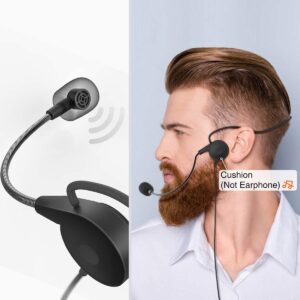
Wireless Headset & Lavalier--Headset microphone fits securely for active speakers and vocal performers.Lavalier microphone with included tie clip offers low visibility and hands-free use.optimized for Houses of Worship in a church preaching,YouTube videos,and classroom and presentation applications.
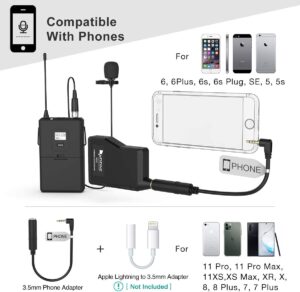
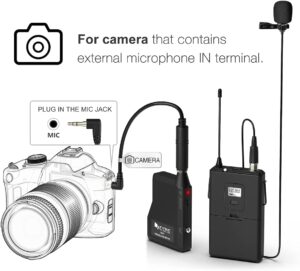
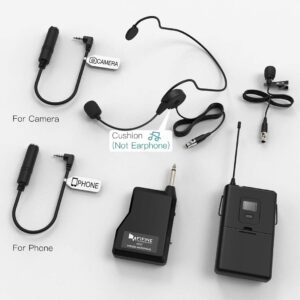
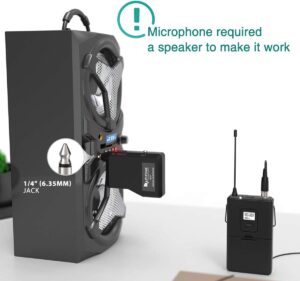
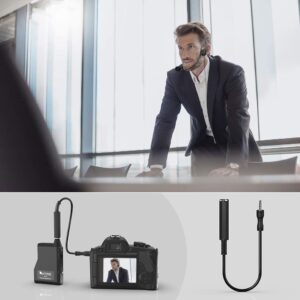
Versatile and Compatible Microphone-Work with mixers, pa speakers, electric guitar amplifiers and sound boards with 1/4'' interface to output the sound, ideal for teaching lectures,conference speech, visiting guide.With included 1/4" to 1/8" adapter-cable, suit for camera equipped 3.5mm mic jack recording.
What You Get--Wireless microphone set included headset microphone and Clip-on Lavalier Microphone Body pack Transmitter, Receiver with 1/4'' Plug,Solid metal collar clip and windscreen reduces plosives, wind, and breath sounds.Female 1/4" to 1/8" TRS adapter converter cord (for camera). 1/4" to 1/8" TRRS adapter cable (for smartphone).
Preamp for condenser microphones
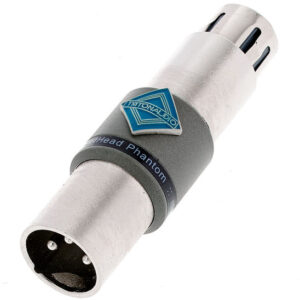
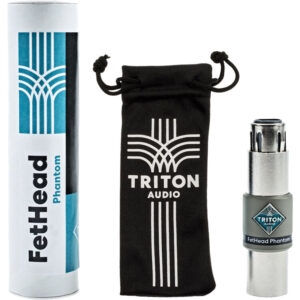
FetHead Phantom is an ultra-low noise, high quality, in-line microphone preamplifier. It provides improved sound for condenser microphones. Small, compact, but powerful, Fethead Phantom utilizes tried and true FET technology to deliver up to 18dB of clean boost. No more cranking your mic preamp and adding unwanted noise to get your microphone to an acceptable volume. Boost your microphone!
Which microphones benefit
FetHead Phantom is specially designed for condenser microphones. It works very well with all condenser microphones. FetHead Phantom is also an indispensable tool for mobile recording and a real upgrade for camera microphone preamps, because it lowers the noise floor.
Operation
Your Fethead Phantom will latch straight onto any XLR equipped microphone, or anywhere else in the signal path between microphone and preamp/mixer. The electronics are housed in a robust metal chassis with a balanced female XLR input and a balanced male XLR output, rugged enough for use at home, in the studio or on tour.
Phantom power distribution
FetHead's Phantom circuit uses 48V phantom power but also passes it on from its input to the microphone. Your condenser mic is powered with the same phantom power.
Specifications:






Reviews
There are no reviews yet.