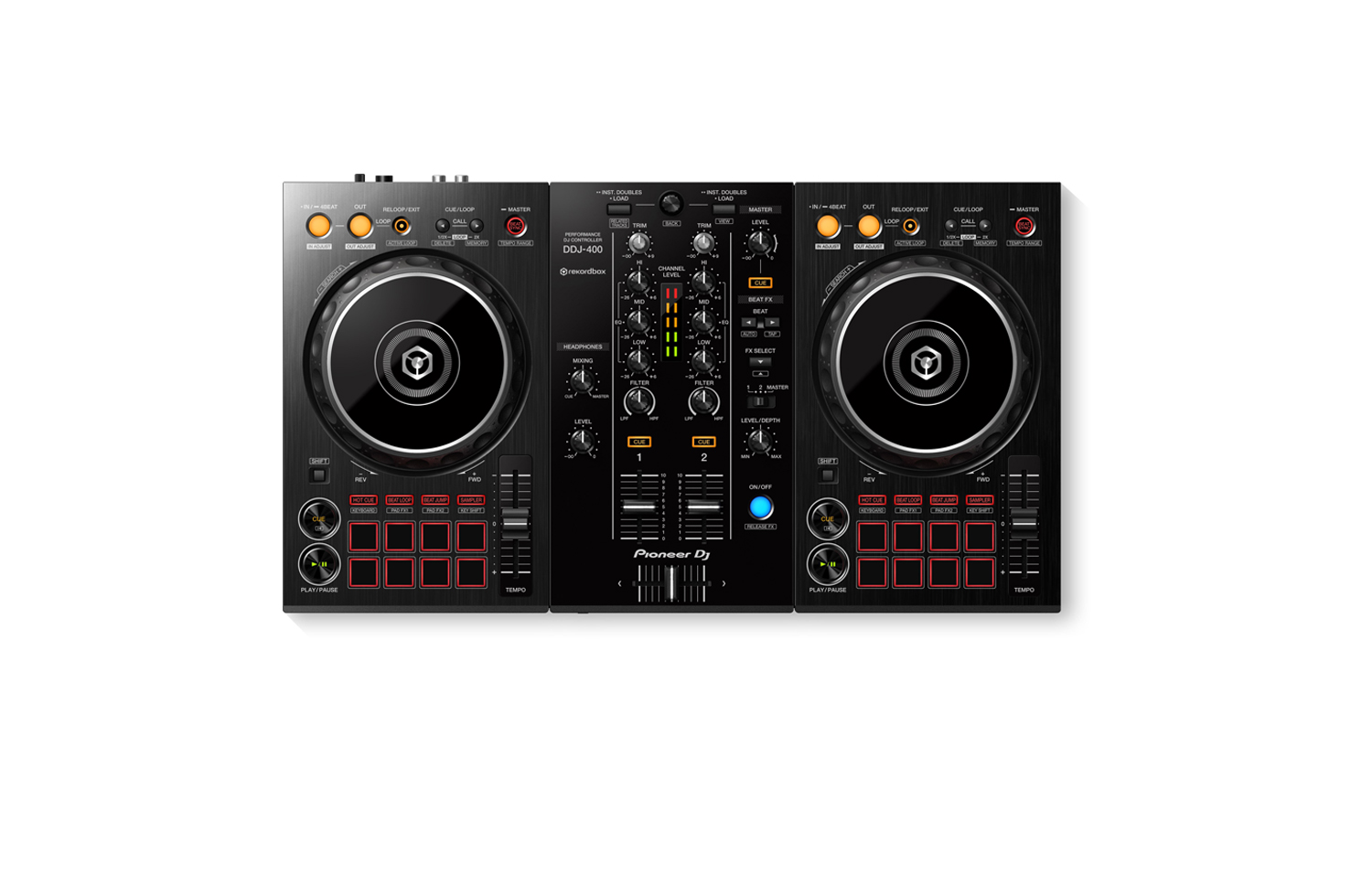
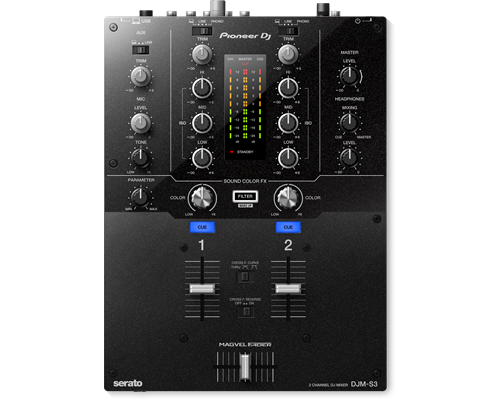
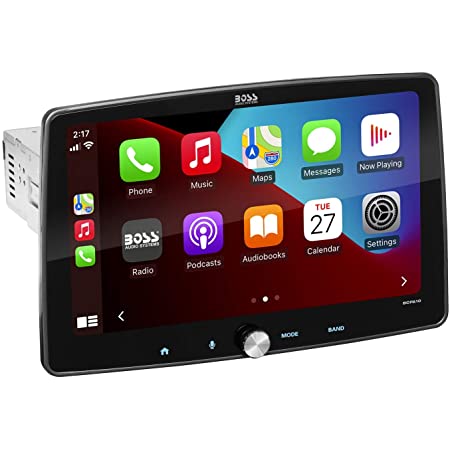
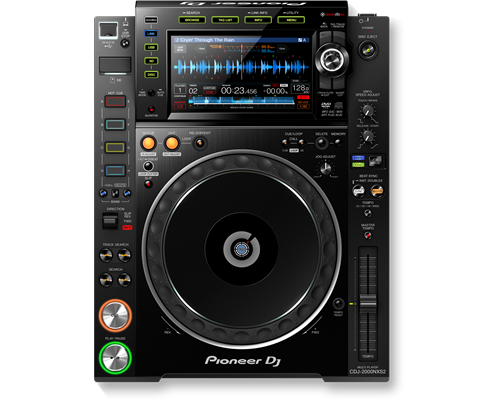
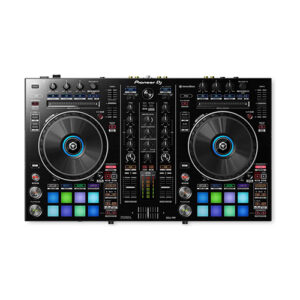
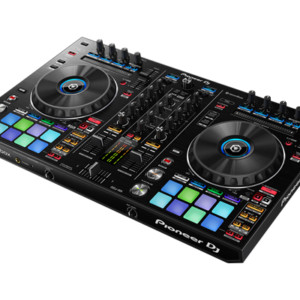
| Description | With the Pioneer DDJ-400, you'll learn the intricacies of the profession as a starting DJ. Thanks to the internal sound card, you don't need to connect an audio interface. This means that you can connect the DJ controller directly to your speakers. Thanks to the velocity-sensitive and multifunctional drum pads, you can get the most out of the included Rekordbox software. Use the drum pads to activate the sampler, and personalize your set by adding sound clips. You can also use the drum pads to easily jump to a hot cue. | Thanks to the built-in soundcard, this 2-channel mixer is Serato DJ enabled as soon as you unpack it. Featuring a highly durable Magvel crossfader, inherited from the DJM-900NXS2, the DJM-S3 delivers a smooth and accurate response. | BOSS Audio Systems BCPA10 - Single Din Chassis with Detachable 10.1 Inch Capacitive Touchscreen, Apple CarPlay, Android Auto, Bluetooth, No DVD, RGB Illumination, High Resolution FLAC Audio | The CDJ-2000NXS2 inherits all the best features from its predecessor – the CDJ-2000NXS – and takes a giant leap forward. We’ve added a larger, multicolour touch screen with a Qwerty keyboard and search filters to help you select tracks faster. 2 banks of 4 Hot Cues give you more creative freedom, while a 96 kHz/24-bit sound card and support for FLAC/Apple Lossless Audio (ALAC) means you can play with higher resolution formats. | Create a more versatile sound by turning the knob to overlay your track with Noise, Drop, Laser or Siren. Modulate using the dial to add texture as well as tension to your tracks. |
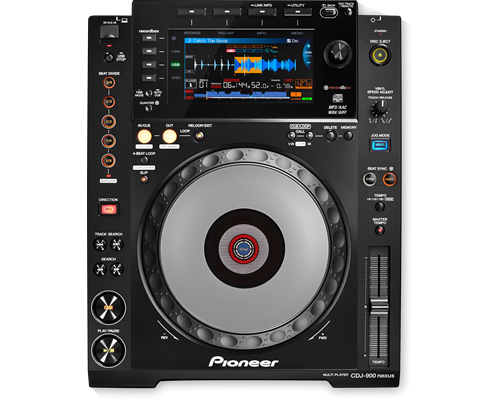
The CDJ-900NXS builds on the success of its predecessor, the CDJ-900, plus it’s packed with new technology including a full colour LCD screen, Beat Divide, four-deck Beat Sync and the ability to play sets from a smartphone.
The CDJ-900NXS boasts a high resolution screen, giving DJs a quick and instant view of the Wave Display and Wave Zoom and the ability to view and edit rekordbox beatgrids.
|
| Content |
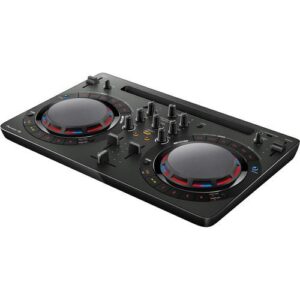
Pioneer DDJ 400
KEY FEATURES Of Pioneer DDJ 400
- TUTORIALS of Pioneer DDJ 400
You'll have access to rekordbox dj's Tutorial feature. Follow along via your computer screen to learn how to use the gear and master DJ techniques on Pioneer DDJ 400.
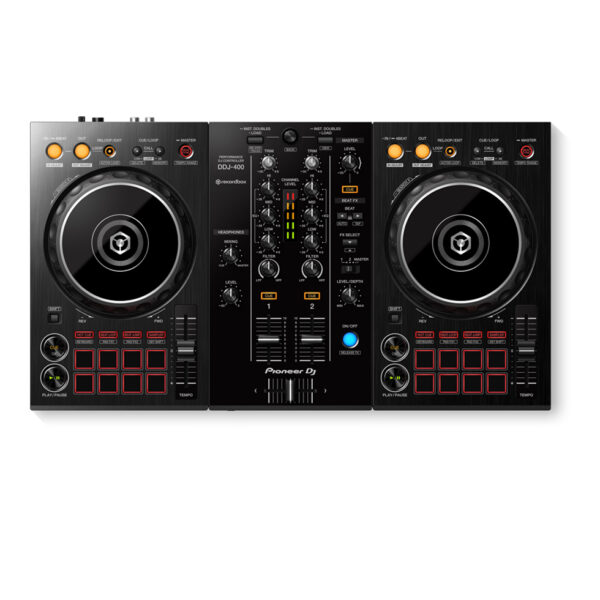
The DDJ-400's buttons and knobs are arranged in the same way as those on our professional NXS2 set-up. Develop your skills using an interface similar to that of our club-standard player, and enhance your mixes with Sound Color FX and Beat FX featuring curves taken from our DJM-900NXS2 mixer. You'll soon feel comfortable performing in DJ booths.
Apply professional FX that match the tempo of the track that’s currently playing by using the Beat FX feature. This will help you craft unique sets even if you’re just starting out.
You get a rekordbox dj licence key bundled with this controller. Simply activate your licence key for our DJ software, connect the controller and start DJing.
For flexibility you can choose to hear your mix through your computer’s internal speakers or connected desktop speakers. At the same time, you can use your headphones to cue independently of the master out.
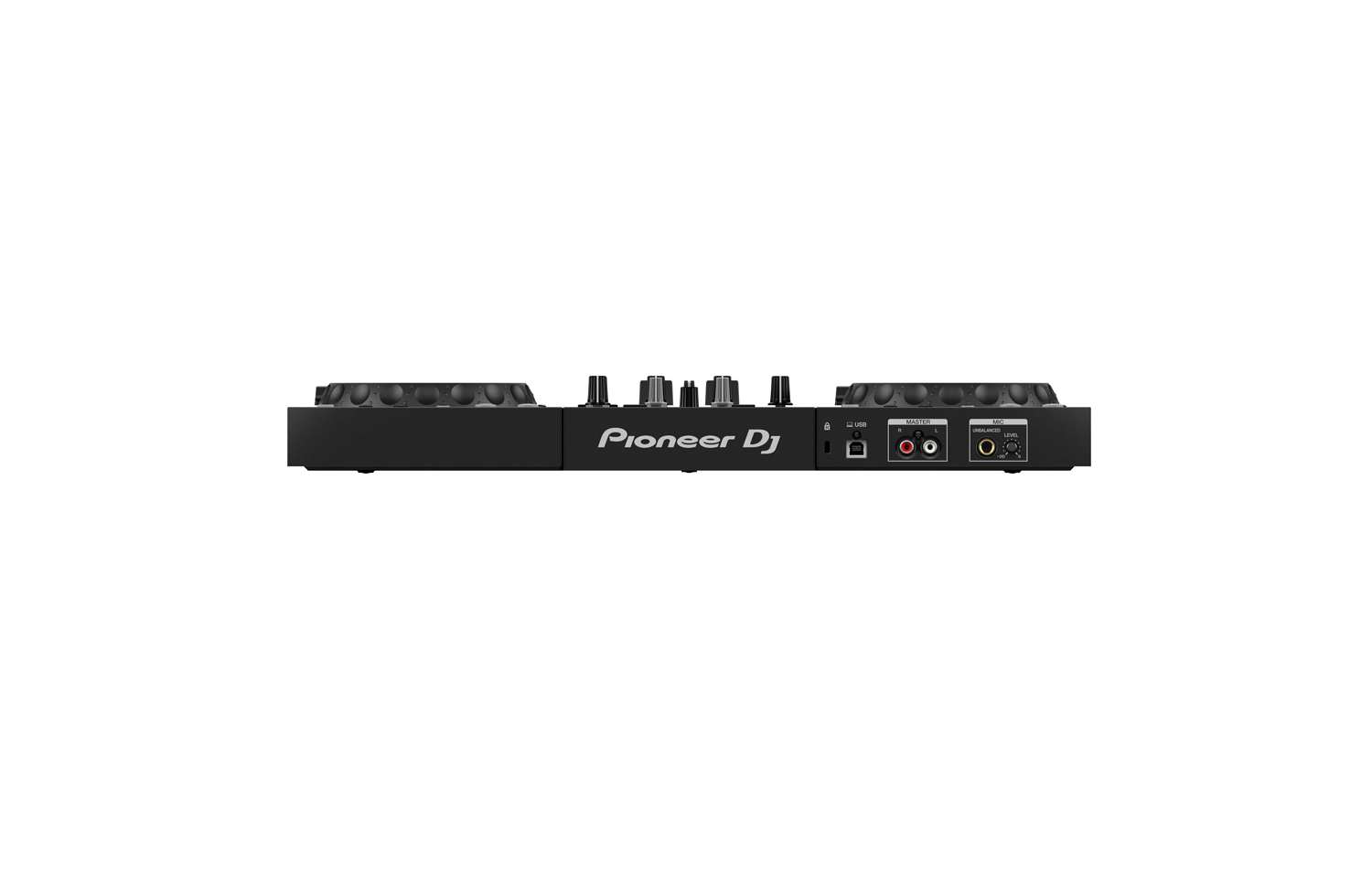
With a built-in sound card, simply connect the controller to your computer using the provided USB cable to power up and begin playing.
Offer Note: Free Hercules Club LED Wristband
|
| Brand |
Pioneer |
| MIDIControl |
N/A |
| DVS Control |
Serato DVS |
| Included DJ Software |
No |
| Included Accessories |
- Power cord
- Operating instructions
- AC adaptor
- USB cable
|
| Software System Requirements |
Windows® 10, 8.1, 7 (latest service pack) mac OS Sierra, X 10.11, 10.10 (latest update) Processor: Intel® processor Core™ i7、 i5、i3 1.07 GHz Memory: 32-bit, 64-bit: 4 GB or more of RAM USB: Available USB 2.0 port Free HDD Space: 5GB Display resolution: 1280 x 720 |
| ProDJ Link |
|
| P-LOCK Fader Cap |
|
| rekordbox Link |
|
| Plug and Play |
|
| Auto Standby |
|
| Height |
108 mm |
| width |
230 mm |
| Depth |
320 mm |
| Weight |
3 kg |
| Dimensions (with fold-out display) |
No |
| Rack Mount |
|
| Frequency Range |
20 - 20000 Hz |
| Sampling Rate |
48 kHz |
| A/D, D/A Converter |
N/A |
| D/A Converter |
24 bit |
| A/D Converter |
24 bit |
| S/N Ratio Phono |
N/A |
| S/N Ratio Line |
94 dB |
| S/N Ratio Mic |
N/A |
| S/N Ratio USB |
No |
| Crosstalk Line |
N/A |
| Distortion |
< 0.005 % (LINE) |
| Headroom |
N/A |
| Power Consumption |
600 mA |
| Power Supply |
AC adaptor DC 12 V |
| Master Balance |
|
| Stereo/Mono Switch |
|
| Master Out Attenuator |
|
| EQ/ISO |
3 band |
| EQ/ISO Range |
-∞ ~ +6 dB |
| Level Meter Type |
N/A |
| Level Meter Size |
N/A |
| Reverse Channels |
|
| Peak Limiter |
|
| Channels |
2 |
| Sound Color FX |
Filter |
| Beat FX |
No |
| Serato DJ FX powered by iZotope |
|
| 3-Band Isolator |
|
| Auto BPM Counter |
|
| Beat Sampler |
|
| Direct Beat Select |
|
| Effect Level & Depth Volume |
|
| Effect Mix |
|
| Inloop Sampler |
|
| Live Sampler |
|
| MIDI Global Clock |
|
| Roll Sampler (Fwd) |
|
| Roll Sampler (Reverse) |
|
| Sidechain Remix Effects |
|
| Sound Processor |
No |
| Touch Panel |
|
| FX Frequency |
|
| X-PAD |
|
| rekordbox Quantize |
|
| Performance Modes |
No |
| Crossfader Type |
N/A |
| CURVE Assignable |
|
| Field Replaceable |
|
| Reverse Crossfader |
|
| Tension Adjustment |
|
| Fader Curve |
N/A |
| Mic Connection |
No |
| Mic EQ |
N/A |
| Mic EQ Range |
N/A |
| Talkover |
N/A |
| Talkover Attenuator |
|
| Assignable Controls |
No |
| MIDI Out (DIN) |
N/A |
| MIDI On/Off |
|
| MIDI Start/Stop |
|
| MIDI Clock |
|
| Connection |
N/A |
| Stereo Inputs |
N/A |
| Stereo Outputs |
N/A |
| Sample Rate |
N/A |
| inputs |
- 1 MIC (1/4 inch Jack)
- 2 PHONO (RCA)
- 3 LINE (RCA)
|
| Send/Return |
No |
| LAN |
No |
| USB |
1 USB B port |
| outputs |
- 2 HEADPHONE MONITOR (1/4 inch Jack
- mini-jack)
- 1 MASTER (RCA)
- 1 MASTER (XLR)
|
|
- Apple CarPlay - Access icons on your iPhone by activating Siri voice controls or touchscreen. Available features include Phone, Music, Maps, Text messages, Radio, Podcasts, Audiobooks. Make your drive more interesting
- Messages - With Siri on your side, you can ask her to read you your messages, reply as well as send them. Siri lets you concentrate on what matters most. Driving
- Maps - Need gas? Hungry? Search along your route by asking Siri, and CarPlay will direct you every step of the way and tell you the speed limit too. Third-party navigation apps like Google Maps, Waze and Baidu are also available
- Bluetooth - Make calls hands-free with the help of Siri. Play music apps like Spotify or Pandora as well as iTunes and Apple Music Subscription. Siri will be your DJ
- Android Auto - Just say “Ok Google” to talk to the Google Assistant for help. Get real-time alerts on Google Maps and Waze. Make calls, check your messages, reply back, use music apps, all while keeping your hands on the steering wheel
- APPS - Rearrange how you want your apps to appear in CarPlay through the settings on your iPhone. Supported apps include WhatsApp, Radio Disney, Amazon, iHeartRadio, Podcasts, Google Play Music, CBS Radio and more
- Inputs – USB, USB charging, AV, front & rear camera, steering wheel interface (Sold separately. We recommend the Metra ASWC-1)
- Outputs - Front, rear & subwoofer pre-amp for speakers (front left / front right and rear left / rear right) and subwoofer
|
| Brand |
Pioneer |
| USB Storage Support |
|
| MIDI Control |
|
| ProDJ Link |
|
| KUVO ready |
|
| Auto Standby |
|
| rekordbox |
|
| Included Accessories |
No |
| Height |
No |
| width |
No |
| Depth |
No |
| Dimensions (with fold-out display) |
- When upper display part is closed (W x D x H): 385 x 451 x 178 mm
- When upper display part is upright at 90 degrees (W x D x H): 385 x 457.2 x 418 mm
- When upper display part is fully open (W x D x H): 385 x 693.9 x 203.1 mm
|
| Processor |
ESS Technologies DAC (ES9018) |
| Soundcard |
24 bit/96 kHz |
| Frequency Range |
4 - 40000 Hz |
| Signal-to-Noise Ratio |
115 dB |
| Audio Output Level |
2.0 Vrms (1 kHz, 0 dB) |
| Power Consumption |
51 W |
| Display |
7-inch built-in & 13-inch fold-out full-colour LCD touch screen |
| Playing Address |
|
| Wave Zoom Display |
|
| Beat Counter |
|
| Distortion |
< 0.0018 % |
| Jog Dial size |
206 mm |
| Jog Dial type |
No |
| Jog Modes |
No |
| Active Loop |
|
| Auto Beat Loop |
|
| 4 Beat Loop |
|
| Reloop |
|
| Real Time Seamless Loop |
|
| Loop Adjust |
No |
| Loop Cutter |
|
| Slip Mode |
|
| Beat Sync |
|
| Reverse |
|
| Pitch Bend |
|
| Fader Start / Back Cue start |
|
| Scratch Play / Cue |
|
| Quick Scratch |
No |
| Relay Play |
|
| Frame Search |
No |
| My Settings |
|
| Vinyl Speed Adjust |
|
| Auto Cue |
|
| Manual Cue |
|
| Real Time Cue |
|
| Cue point sampler |
|
| Cue Loop Memory |
|
| Master Tempo |
|
| Tempo Control steps |
No |
| Needle Search / Needle Drop |
|
| BPM Counter |
|
| Audio Sources |
- iPhone/iPad/iPod touch
- Android phones/Android Tablets
- USB storage devices (flash memory/HDD
- etc.)
- Computers (Mac/Windows PC)
- Optical drive (CD
- CD-R/RW
- DVD±R/RW/R-DL)
|
| LAN |
1 (100Base-TX) |
| USB |
No |
| outputs |
No |
| https://youtu.be/ZFUTN47Jyms
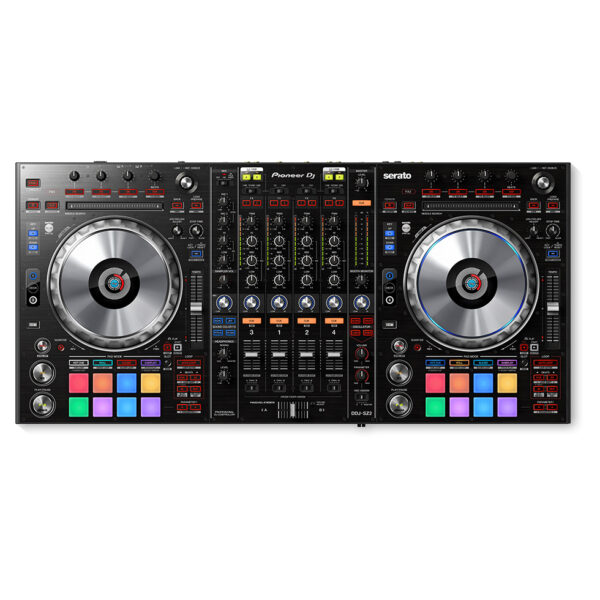
Pioneer DDJ SZ2 DJ Controller builds on the strong foundations of its predecessor, The flagship DDJ-SZ controller. This upgrade to flagship Serato DJ Pro controller allows you to get hands on with the latest additions to Serato DJ Pro, including key shift, key sync, pitch play and Serato Flip. We’ve improved the jog wheel latency to make scratching more responsive and precise and the multi-coloured performance pads give you instant feedback on playing status and pad modes.
The DDJ-SZ2 DJ Controller comes bundled with the latest version of Serato DJ Pro, the Pitch n’ Time and Serato Flip expansion packs are also included so you can use the new features straight out the box.
Play with your keys and pitch, adjusting them while mixing with 3 new Serato DJ Pro functions embedded in your controller. Key shift, key sync and pitch play give you the power to play it by ear. Pioneer DDJ SZ2 DJ Controller Instantly trigger Hot Cues, Roll, Slicer, Sampler, Cue Loop, Saved Loop, Slicer Loop and Pitch Play. The multi-coloured backlit LEDs give a visual reference to which modes are in play, and will reflect cue points you’ve pre-set in Serato DJ Pro.
Pitch Play grants you the freedom to hit your cues across a range of different keys. Use the Performance Pads to assign your Hot Cues and broaden the scope of your creativity at the touch of a button.
|
| Brand |
Pioneer |
| USB Storage Support |
No |
| MIDI Control |
|
| ProDJ Link |
|
| KUVO ready |
|
| Auto Standby |
|
| rekordbox |
|
| Included Accessories |
- Power cord
- CD-ROM (rekordbox
- driver software and operating instructions)
- Audio cable
- LAN cable
- Disc forced Eject Pin
- Read Before Use / Quick Start Guide
|
| Height |
105.5 mm |
| width |
320 mm |
| Depth |
401.8 mm |
| Dimensions (with fold-out display) |
When upper display part is upright at 90 degrees (W x D x H): 385 x 457.2 x 418 mm |
| Processor |
Wolfson DAC processor |
| Soundcard |
24 bit/48 kHz |
| Frequency Range |
4 - 20000 Hz |
| Signal-to-Noise Ratio |
115 dB (JEITA) |
| Audio Output Level |
2.0 Vrms (1 kHz, 0 dB) |
| Power Consumption |
33 W |
| Display |
Full-colour LCD screen |
| Playing Address |
|
| Wave Zoom Display |
|
| Beat Counter |
|
| Distortion |
< 0.003 % (JEITA) |
| Jog Dial size |
206 mm |
| Jog Dial type |
Touch sensitive |
| Jog Modes |
CDJ / Vinyl Mode |
| Active Loop |
|
| Auto Beat Loop |
|
| 4 Beat Loop |
|
| Reloop |
|
| Real Time Seamless Loop |
|
| Loop Adjust |
In / Out Adjust |
| Loop Cutter |
|
| Slip Mode |
|
| Beat Sync |
|
| Reverse |
|
| Pitch Bend |
|
| Fader Start / Back Cue start |
|
| Scratch Play / Cue |
|
| Quick Scratch |
After searching track |
| Relay Play |
|
| Frame Search |
1/150 s |
| My Settings |
|
| Vinyl Speed Adjust |
|
| Auto Cue |
|
| Manual Cue |
|
| Real Time Cue |
|
| Cue point sampler |
|
| Cue Loop Memory |
|
| Master Tempo |
|
| Tempo Control steps |
- 0.02 % at +/-6 %
- 0.05 % at +/- 10 % & 16 %
- 0.5 % at +/-100 % WIDE
|
| Needle Search / Needle Drop |
|
| BPM Counter |
|
| Audio Sources |
- iPhone/iPad/iPod touch
- Android phones/Android Tablets
- USB storage devices (flash memory/HDD
- etc.)
- Computers (Mac/Windows PC)
- Optical drive (CD
- CD-R/RW
- DVD±R/RW/R-DL)
|
| LAN |
1 (100Base-TX) |
| USB |
No |
| outputs |
- 1 ANALOGUE (RCA)
- 1 CONTROL (Mini-jack)
- 1 S/PDIF Digital (RCA)
|
|


Reviews
There are no reviews yet.