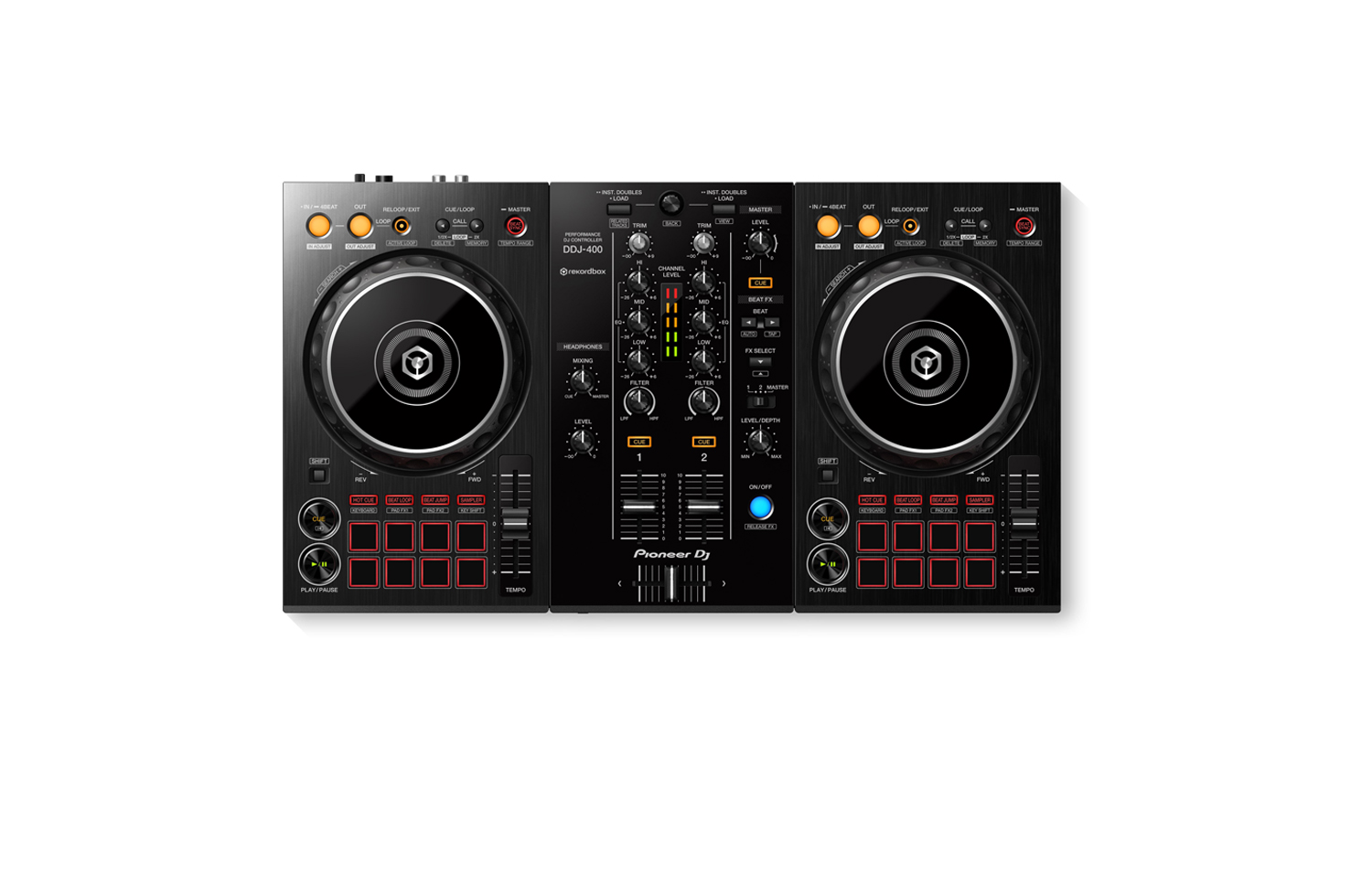
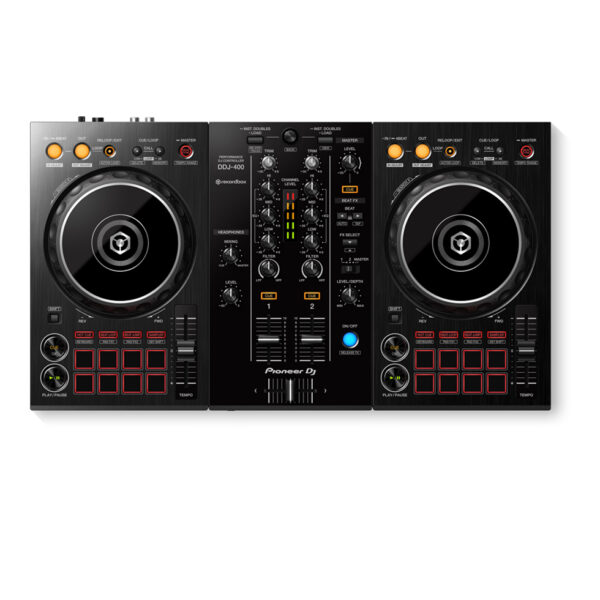
With the Pioneer DDJ-400, you’ll learn the intricacies of the profession as a starting DJ. Thanks to the internal sound card, you don’t need to connect an audio interface. This means that you can connect the DJ controller directly to your speakers. Thanks to the velocity-sensitive and multifunctional drum pads, you can get the most out of the included Rekordbox software. Use the drum pads to activate the sampler, and personalize your set by adding sound clips. You can also use the drum pads to easily jump to a hot cue.
You’ll have access to rekordbox dj’s Tutorial feature. Follow along via your computer screen to learn how to use the gear and master DJ techniques on Pioneer DDJ 400.
CLUB-STYLE LAYOUT
The DDJ-400’s buttons and knobs are arranged in the same way as those on our professional NXS2 set-up. Develop your skills using an interface similar to that of our club-standard player, and enhance your mixes with Sound Color FX and Beat FX featuring curves taken from our DJM-900NXS2 mixer. You’ll soon feel comfortable performing in DJ booths.
BEAT FX
Apply professional FX that match the tempo of the track that’s currently playing by using the Beat FX feature. This will help you craft unique sets even if you’re just starting out.
REKORDBOX DJ
You get a rekordbox dj licence key bundled with this controller. Simply activate your licence key for our DJ software, connect the controller and start DJing.
PC MASTER OUT
For flexibility you can choose to hear your mix through your computer’s internal speakers or connected desktop speakers. At the same time, you can use your headphones to cue independently of the master out.
PLUG AND PLAY
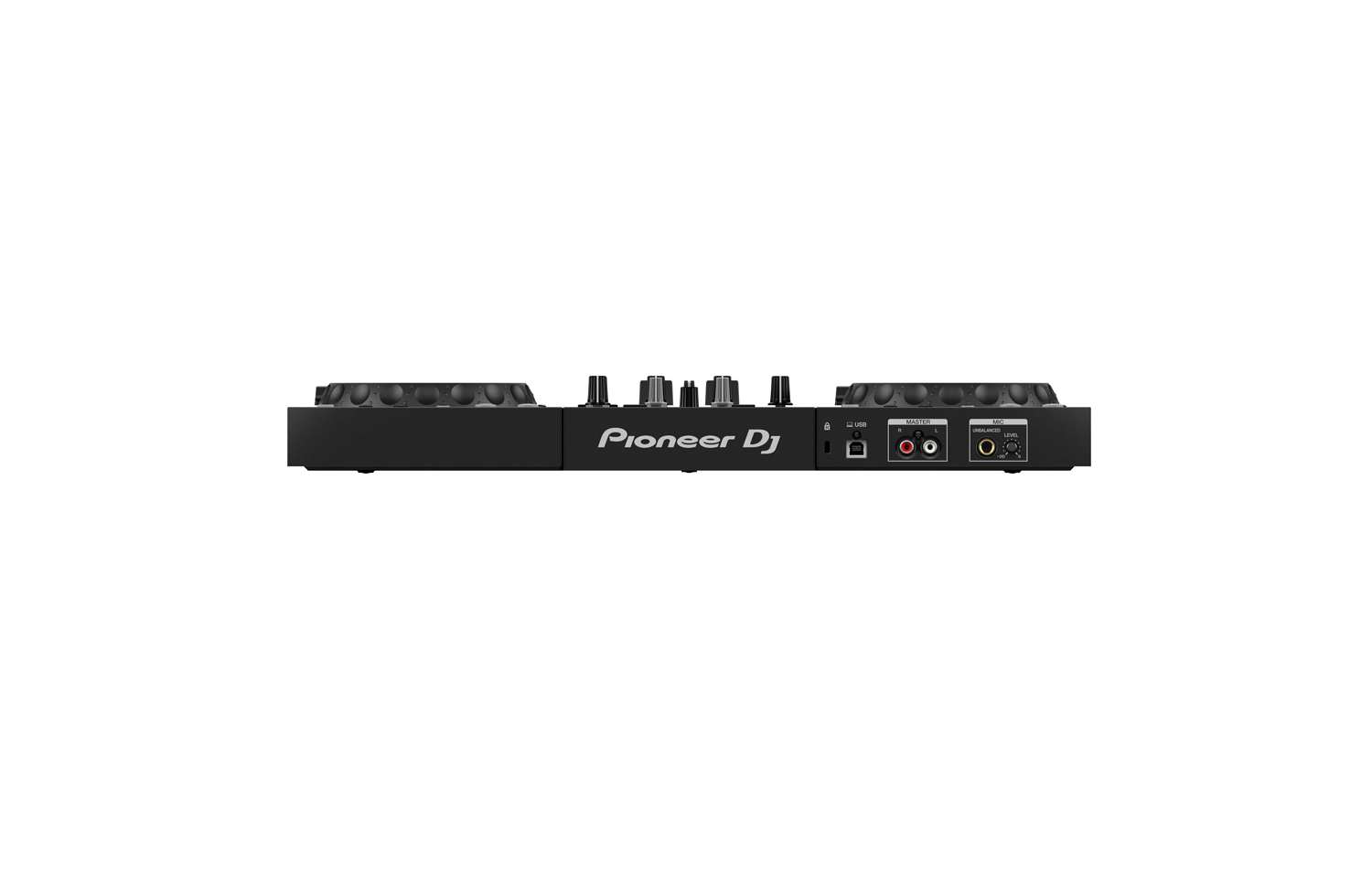
With a built-in sound card, simply connect the controller to your computer using the provided USB cable to power up and begin playing.
Offer Note: Free Hercules Club LED Wristband
Reviews
There are no reviews yet.
Be the first to review “Pioneer DJ DDJ-400 2-channel DJ controller for rekordbox dj” Cancel reply
With the Pioneer DDJ-400, you'll learn the intricacies of the profession as a starting DJ. Thanks to the internal sound card, you don't need to connect an audio interface. This means that you can connect the DJ controller directly to your speakers. Thanks to the velocity-sensitive and multifunctional drum pads, you can get the most out of the included Rekordbox software. Use the drum pads to activate the sampler, and personalize your set by adding sound clips. You can also use the drum pads to easily jump to a hot cue.
Spin, Digitize, and DJ with the Same Deck
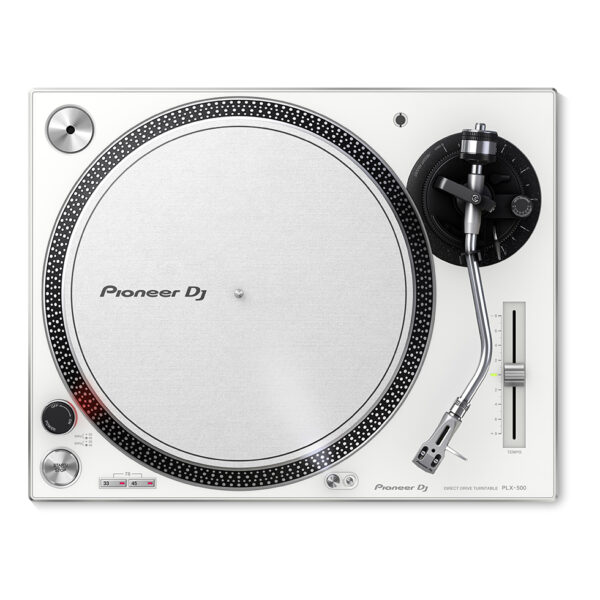
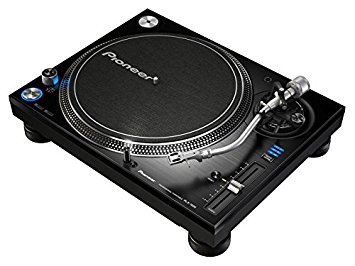
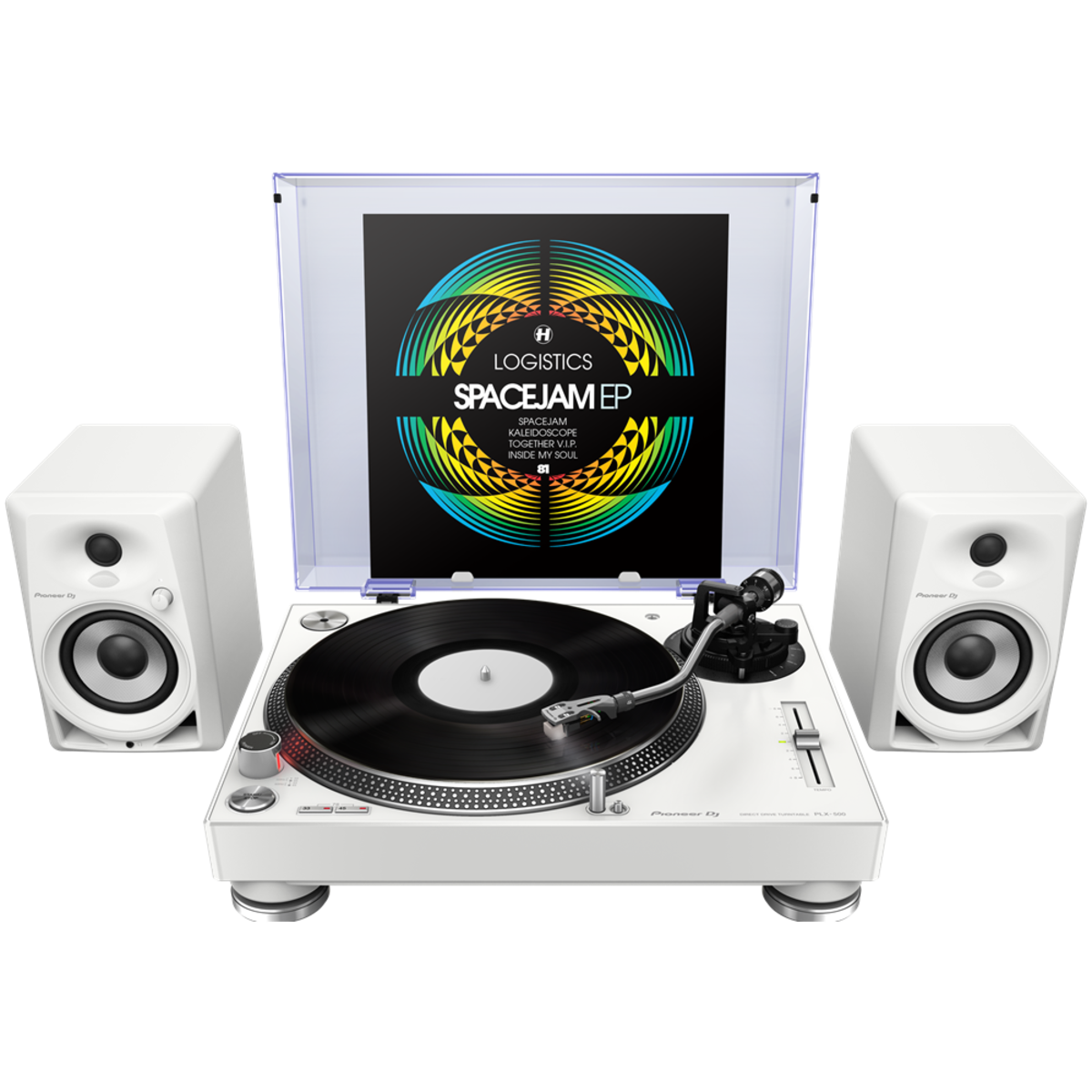
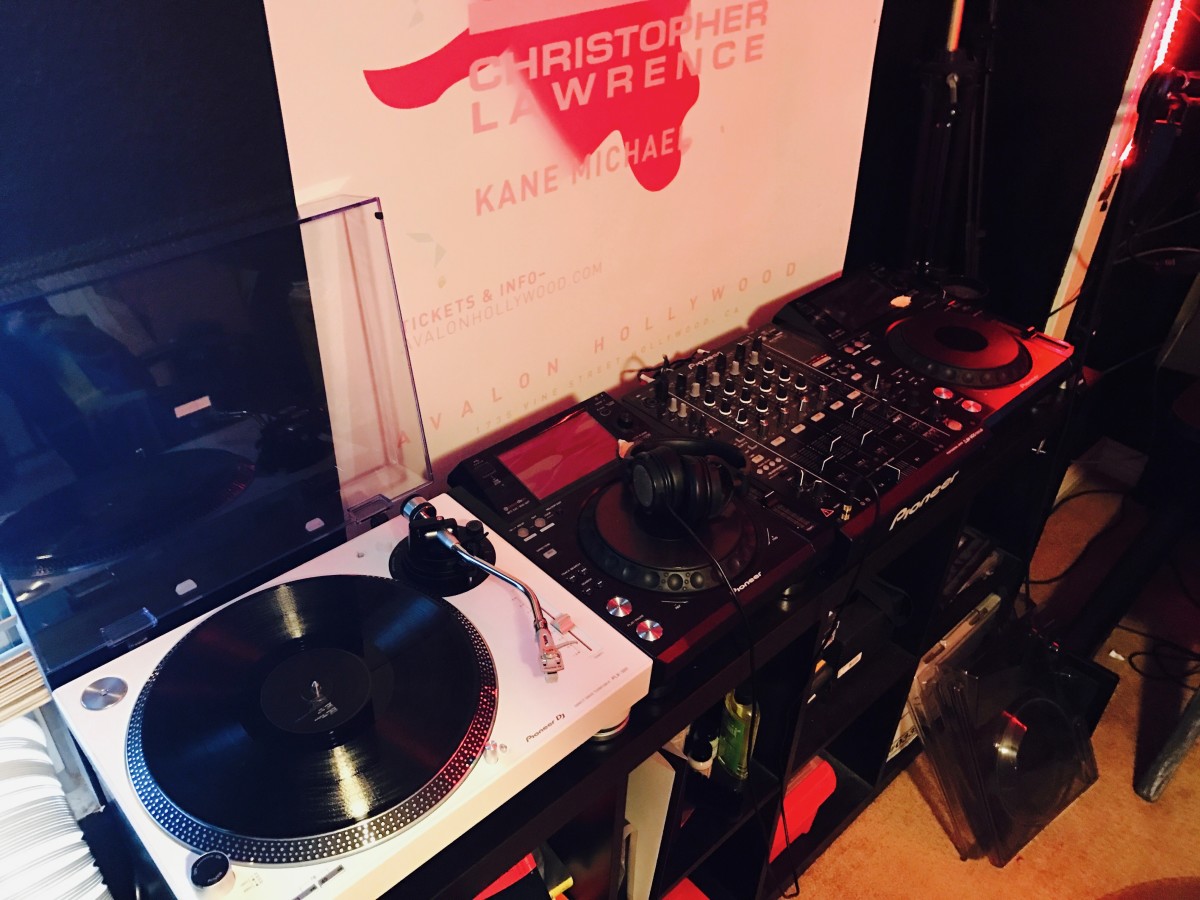
Get used to a great deck, and you'll want to use it everywhere. And with the PIONEER DJ PLX 500 W turntable, you can. Whether you're an analog enthusiast or a performer at heart, the PIONEER DJ PLX 500 W has features to take you from the living room to the booth. The keynote of this unit is its quality analog playback. This is thanks to a smooth and dependable direct-drive motor, short-excursion tone arm with headshell, cartridge, and stylus, and neutral onboard preamp. On top of that, a die-cast aluminum platter and switchable Phono (mixer)/Line (speaker) output make the PIONEER DJ PLX 500 W a winner for DJing. Performers will love parading their record sleeves on the dust cover's stand. And music lovers will enjoy digitizing their collection via USB while they jam.
The PLX-1000 is precision engineered for the booth, drawing on 50 years’ experience of making high-end turntables. The result is a familiar layout with some next generation improvements, including a high-torque direct drive system, multi-pitch control, club-grade build and sound quality, and detachable power and audio cables. It’s solidly built for excellent vibration damping and ultra-precise, high-grade audio playback.
Simply add your choice of cartridge and stylus to the PLX-1000 (not included) and combine with your mixer for an ideal setup for turntablists. An ideal match for DJs is the handmade PC-X10 (sold separately).
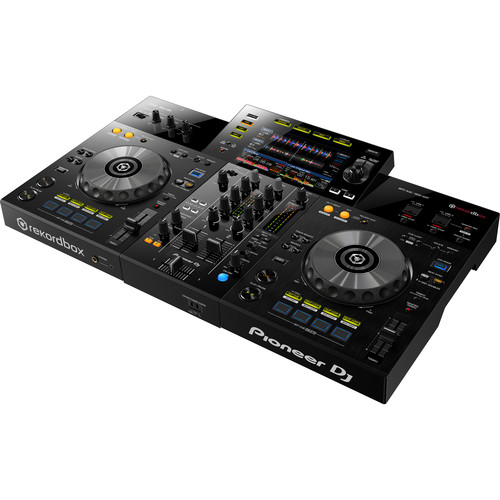
Pioneer XDJ RX3 2-channel performance all-in-one DJ system (Black)
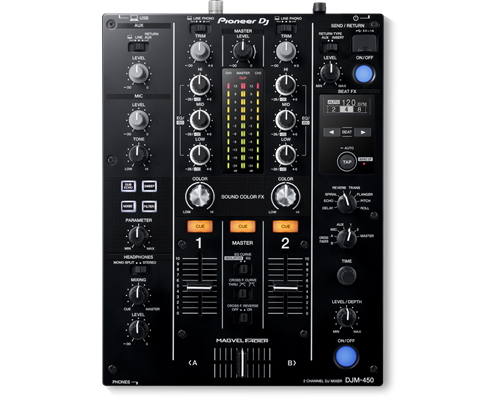
The DJM-450 also comes bundled with licence keys for rekordbox dj and rekordbox dvs, so you can DJ with tracks stored on your PC/Mac when using turntables and our control vinyl (available separately).
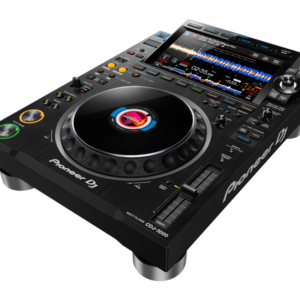
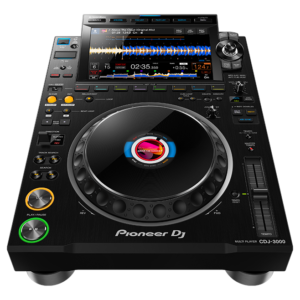
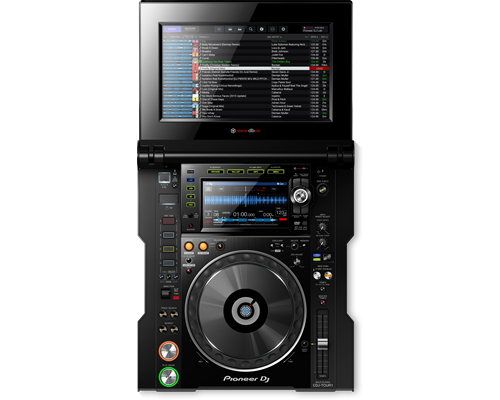
The CDJ-TOUR1 delivers the warm high-resolution sound you're used to, and adds pro-grade audio components to scale up for any size of event. And with the same familiar layout and features as the CDJ-2000NXS2, and a large fold-out touch screen you get effortless control when it matters most.
Content
Pioneer DDJ 400
KEY FEATURES Of Pioneer DDJ 400
TUTORIALS of Pioneer DDJ 400
You'll have access to rekordbox dj's Tutorial feature. Follow along via your computer screen to learn how to use the gear and master DJ techniques on Pioneer DDJ 400.
CLUB-STYLE LAYOUT
The DDJ-400's buttons and knobs are arranged in the same way as those on our professional NXS2 set-up. Develop your skills using an interface similar to that of our club-standard player, and enhance your mixes with Sound Color FX and Beat FX featuring curves taken from our DJM-900NXS2 mixer. You'll soon feel comfortable performing in DJ booths.
BEAT FX
Apply professional FX that match the tempo of the track that’s currently playing by using the Beat FX feature. This will help you craft unique sets even if you’re just starting out.
REKORDBOX DJ
You get a rekordbox dj licence key bundled with this controller. Simply activate your licence key for our DJ software, connect the controller and start DJing.
PC MASTER OUT
For flexibility you can choose to hear your mix through your computer’s internal speakers or connected desktop speakers. At the same time, you can use your headphones to cue independently of the master out.
PLUG AND PLAY
With a built-in sound card, simply connect the controller to your computer using the provided USB cable to power up and begin playing.
Offer Note: Free Hercules Club LED Wristband
PIONEER DJ PLX 500 W
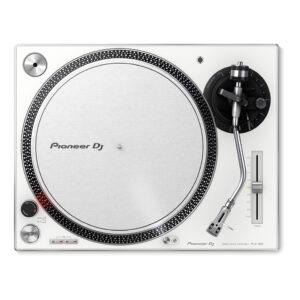
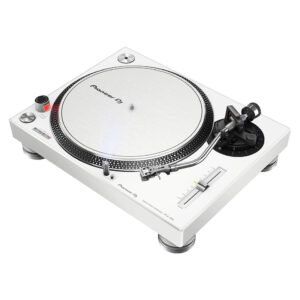
Get used to a great deck, and you'll want to use it everywhere. And with the PIONEER DJ PLX 500 W turntable, you can. Whether you're an analog enthusiast or a performer at heart, the PIONEER DJ PLX 500 W has features to take you from the living room to the booth. The keynote of this unit is its quality analog playback. This is thanks to a smooth and dependable direct-drive motor, short-excursion tone arm with headshell, cartridge, and stylus, and neutral onboard preamp. On top of that, a die-cast aluminum platter and switchable Phono (mixer)/Line (speaker) output make the PIONEER DJ PLX 500 W a winner for DJing. Performers will love parading their record sleeves on the dust cover's stand. And music lovers will enjoy digitizing their collection via USB while they jam.
https://youtu.be/_n5sfhBpr6k
Includes everything you need to get started
Taking a page from the PLX-1000's book, the Pioneer DJ PLX-500 includes all you need to start enjoying and working your vinyl collection. A dust cover to keep your environment clean. A slipmat for spinning. A quality headshell and cartridge for uncolored playback. And a USB cable and free download of rekordbox software to digitize and manage your records. These accessories are just part of the reason Sweetwater recommends the PLX-500 to first-time performers and analog enthusiasts both.
Pioneer DJ PLX-500 Direct Drive Turntable Features:
Built for spinning, digitizing, and DJing
Quality analog playback:
Smooth, dependable direct-drive motor
Built-in preamplifier
Short path from the stylus to the output
Includes headshell with cartridge and stylus
Switchable Phono/Line output:
Phono out connects to a mixer
Line out connects directly to speakers
USB output digitizes your vinyl while you enjoy
Dust cover with stand shows off your latest release or what's on deck
Includes all you need to get started: slipmat, balance weights, stereo audio cables, USB cord, and rekordbox digital download
< 0.01 % (Measured by obtaining signal from built-in frequency generator of motor assembly.)
Signal-to-Noise Ratio
70 dB
Starting Torque
> 4.5 kgf・cm
Start Time
Within 0.3 sec (at 33⅓ rpm)
Arm Type
Universal type S-shape tone arm Gimbal-supported type bearing structure Static balance type
Overhang
15 mm
Effective Length
230 mm
Tracking Error
Within 3°
Height Adjustment Range
6 mm
Proper Cartridge Weight
3.5-13 g
Stylus Pressure Variable Range
0-4 g (1 scale 0.1 g)
Brand
Pioneer
Height
159 mm
width
453 mm
USB
No
inputs
No
outputs
1 ANALOGUE (RCA)
Depth
353 mm
KEY FEATURES
10.1-inch touch screen
A new Beat FX Bank gives artists the ability to save four effects of their choosing and activate them with a tap
The RX3’s X-Pad also integrates into the touch screen – another first for any all-in-one system – so you can add sound effects via finger swiping
A new Pad Status Display feature also lets artists view their Performance Pad mode in advance, so they know what to expect ahead of hitting a pad
The 3Band Waveform feature shows the volume of the high, mid, and low frequencies of files with separate colors
The Countdown Timer lets you set a timer to count down to a specific moment in your set
The full range of Beat FX and Sound Color FX options from the DJM-900NXS
Eight new effects – Vinyl Brake (Short / Long), Backspin (Short / Long), Echo Out, Build Up, Mute, and Ducking – are available for artists to use via the Performance Pads
DESCRIPTION
The XDJ-RX3 boasts flexibility and practicality while packing in a host of features that come straight from the club-standard CDJ-3000 multiplayer and DJM-900NXS2 mixer. With the brand-new 10.1-inch touch screen you can instinctively browse playlists, mix tracks and apply effects and the unit's refined design brings a pro look to your setup.
The 2-channel piece of gear boasts a 10.1-inch touch screen, a new interface built for a smooth and quick flow of music navigation, rekordbox and Serato compatibility, an updated audio design, and an array of additional ways for artists to customize their experience on the decks.
SPECIFICATIONS
Width
28.7" / 72.9cm
Depth
18.5" / 46.99cm
Height
4.7" / 11.94cm
Weight
20.5lb / 9.3kg
Brand
Pioneer
MIDIControl
N/A
DVS Control
rekordbox dvs
Included DJ Software
rekordbox dj , rekordbox dvs
Included Accessories
No
Software System Requirements
No
ProDJ Link
P-LOCK Fader Cap
rekordbox Link
Plug and Play
Auto Standby
Height
108 mm
width
230 mm
Depth
320 mm
Weight
N/A
Dimensions (with fold-out display)
No
Rack Mount
Frequency Range
20 - 20000 Hz
Sampling Rate
48 kHz
A/D, D/A Converter
N/A
D/A Converter
24 bit
A/D Converter
24 bit
S/N Ratio Phono
N/A
S/N Ratio Line
94 dB
S/N Ratio Mic
N/A
S/N Ratio USB
No
Crosstalk Line
No
Distortion
< 0.005 % (LINE)
Headroom
No
Power Consumption
N/A
Power Supply
N/A
Master Balance
Stereo/Mono Switch
Master Out Attenuator
EQ/ISO
3 band
EQ/ISO Range
Built-in, switchable 3-band equaliser: -26 dB ~ +6 dB / 3-band isolator: -∞ ~ +6 dB

 Pioneer DJ PLX-500 Direct Drive Turntable Features:


Reviews
There are no reviews yet.