Generate Light Shows for Your DJ Set Automatically
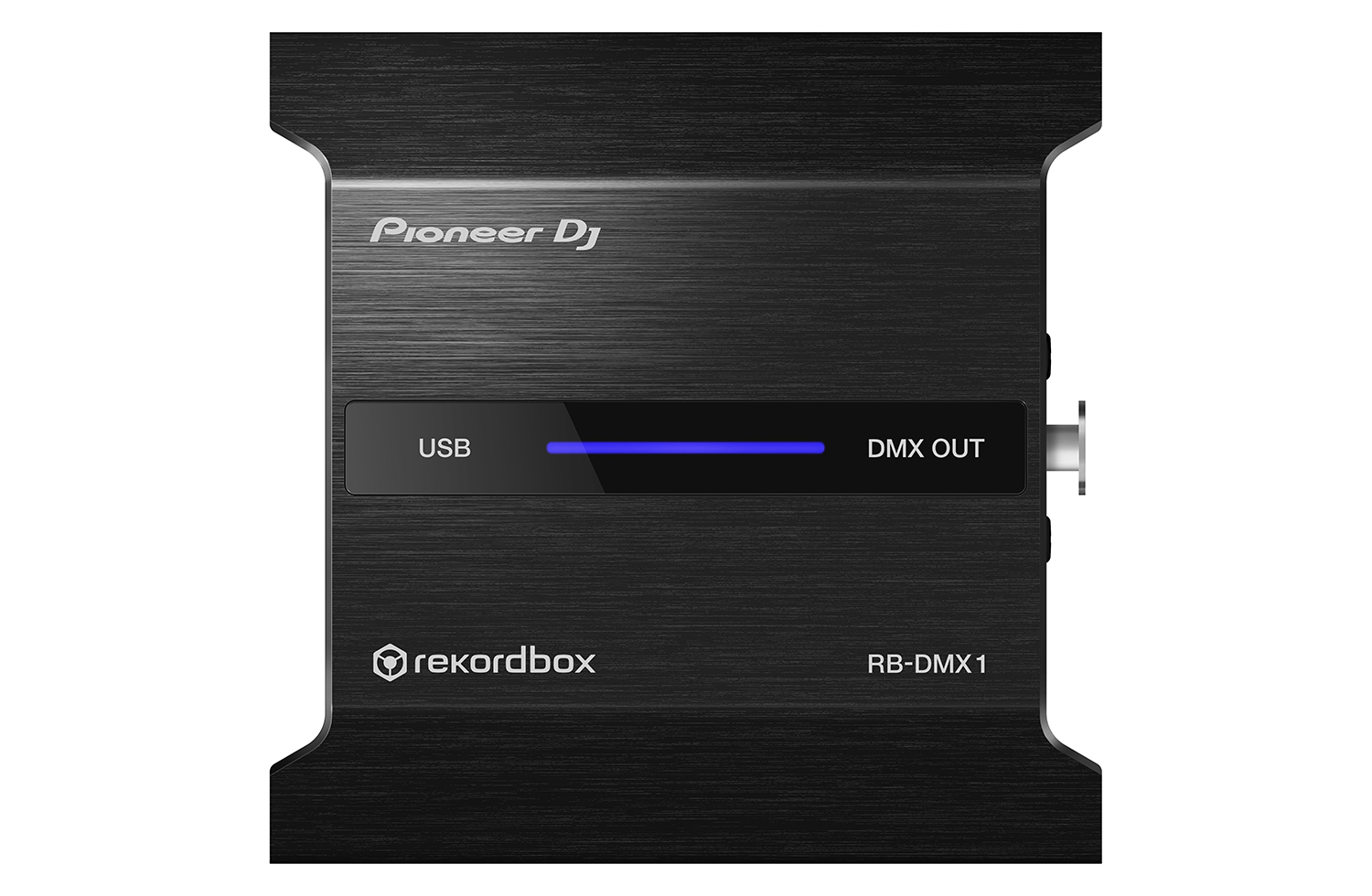
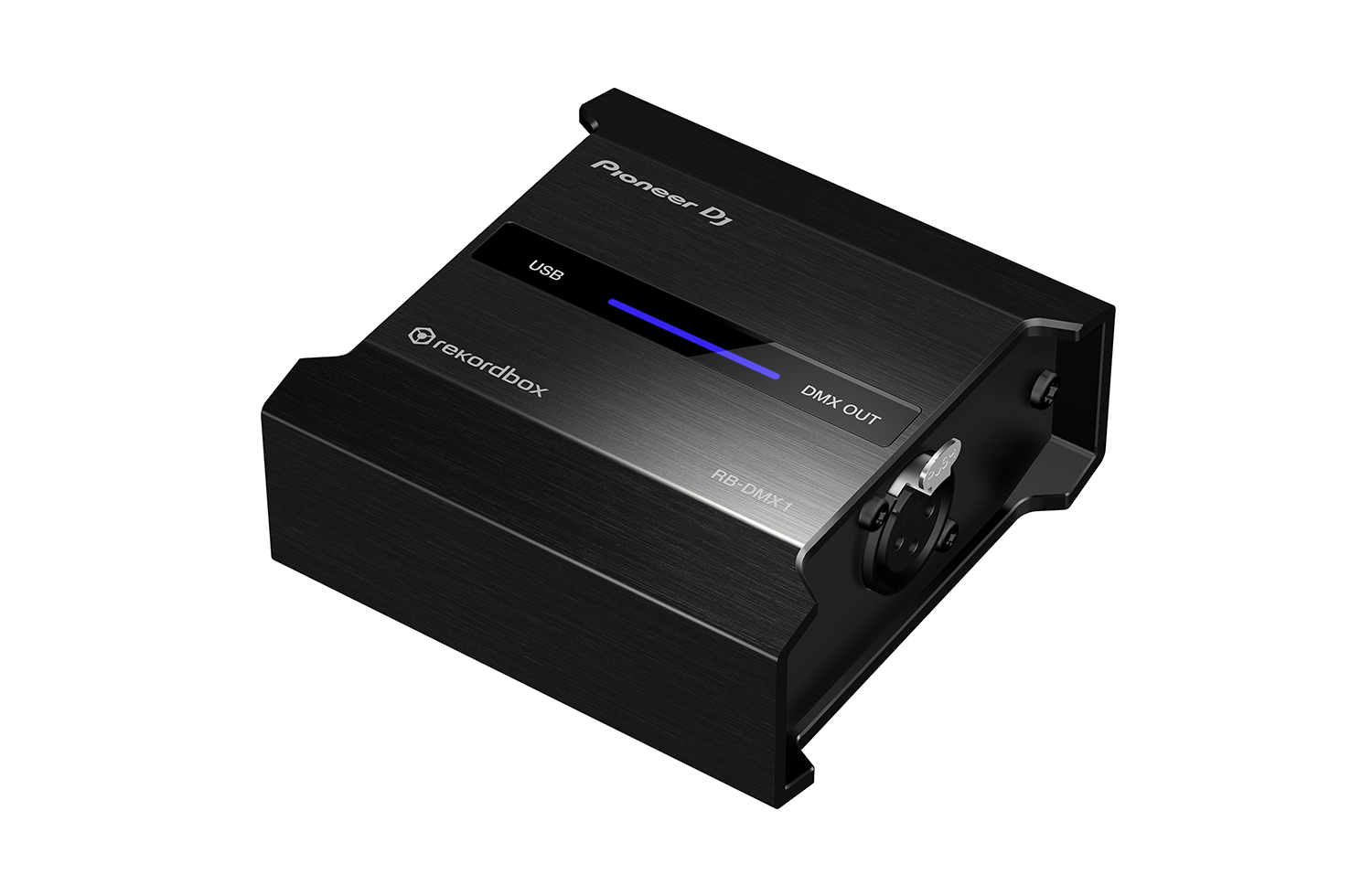
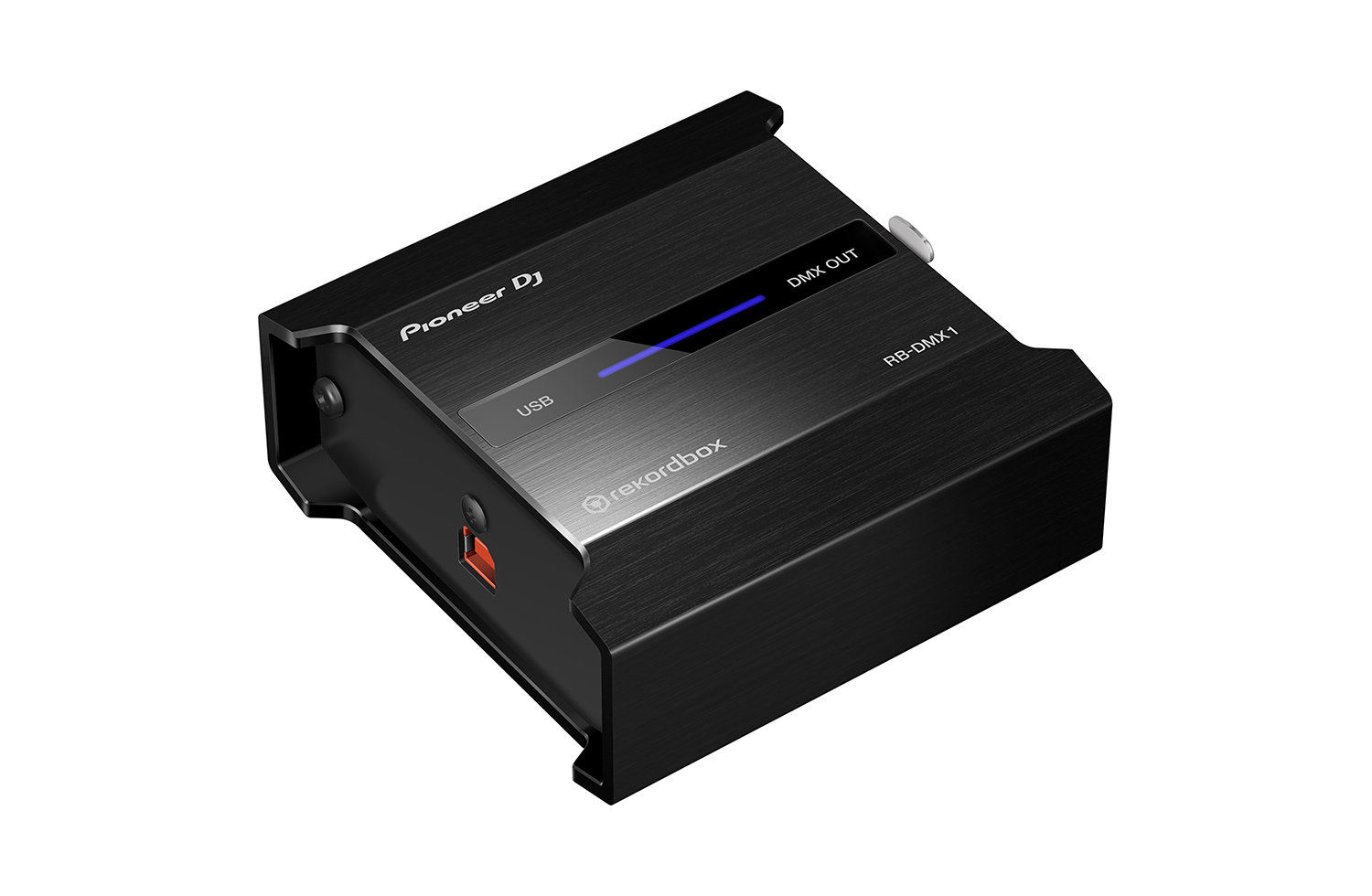
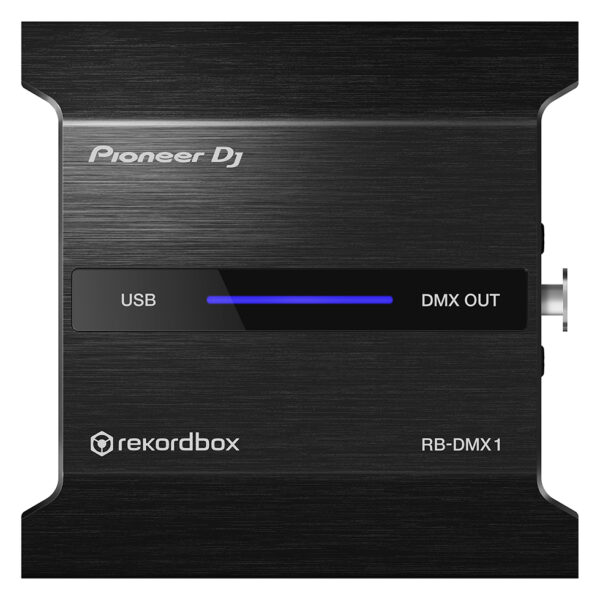
With the PIONEER DJ RB DMX1 converter and lighting controller, you’ll be able to use rekordbox DJ’s Lighting mode to automatically create light shows that sync with your music. Introduced in rekordbox DJ v5.2, Lighting mode makes setting up your lightshow an effortless automatic process, with the ability to quickly customize it to your preferences. Connect the PIONEER DJ RB DMX1 converter to your Mac or PC, add a set of DMX512-supported lighting fixtures, and Lighting mode will control your lights in sync with your music. In other words, you can eliminate hours of pre-show lighting setup with the PIONEER DJ RB DMX1 converter. Call your megs star technology Sales Engineer to learn more about how to add this to your DJ setup.
With the PIONEER DJ RB DMX1 converter and lighting controller, you’ll be able to use rekordbox DJ’s Lighting mode to automatically create light shows that sync with your music. Introduced in rekordbox DJ v5.2, Lighting mode makes setting up your lightshow an effortless automatic process, with the ability to quickly customize it to your preferences. Connect the PIONEER DJ RB DMX1 converter to your Mac or PC, add a set of DMX512-supported lighting fixtures, and Lighting mode will control your lights in sync with your music. In other words, you can eliminate hours of pre-show lighting setup with the PIONEER DJ RB DMX1 converter. Call your megs star technology Sales Engineer to learn more about how to add this to your DJ setup.
Pioneer DJ RB-DMX1 DMX Converter/Lighting Controller Features:
DMX converter for use with rekordbox DJ software (license included)
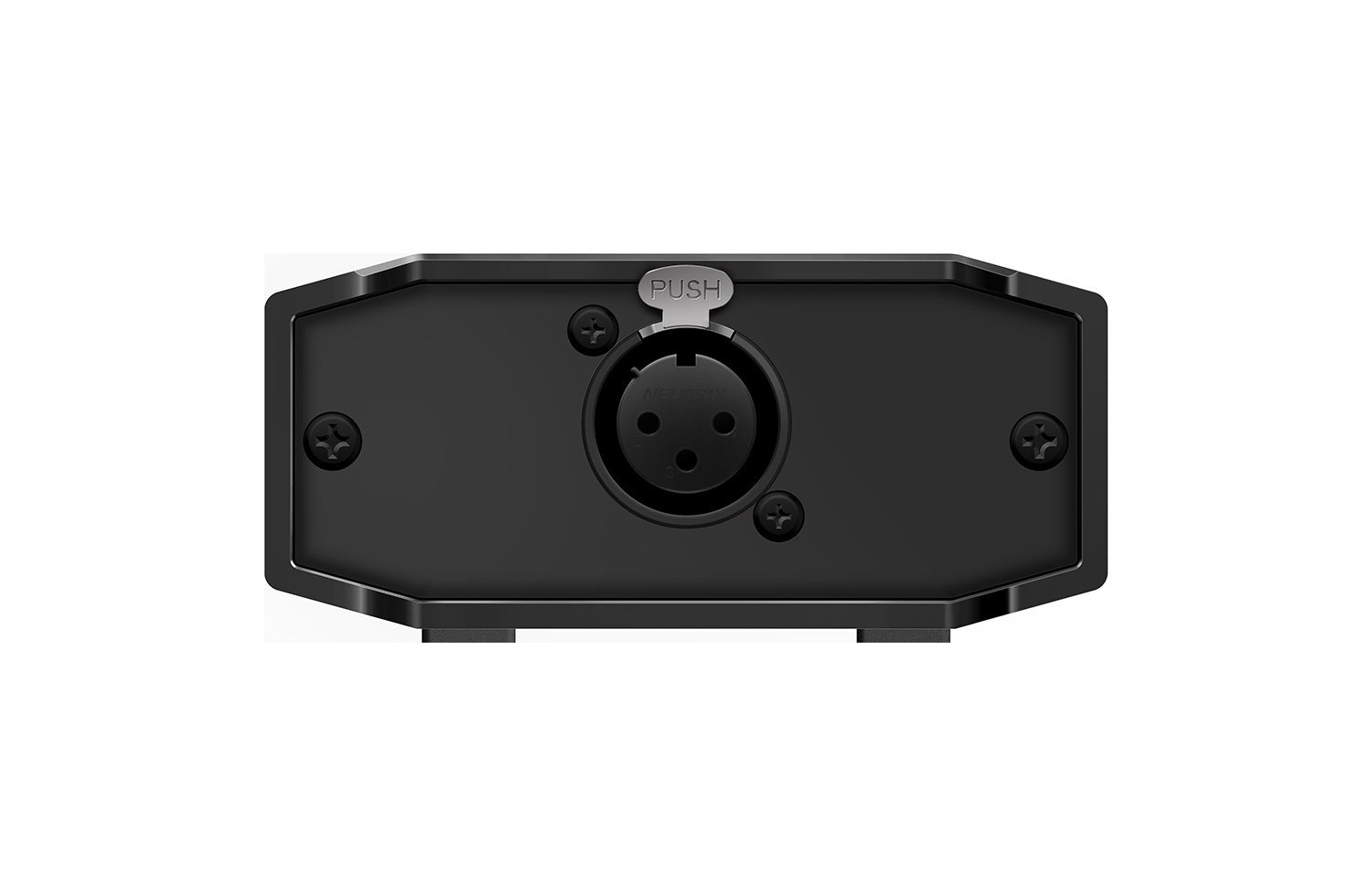
Converts rekordbox DJ’s Lighting mode data to DMX to control DMX512-supported lighting fixtures
Supports 1 universe (512 channels) of DMX control
Aluminum casing for durability
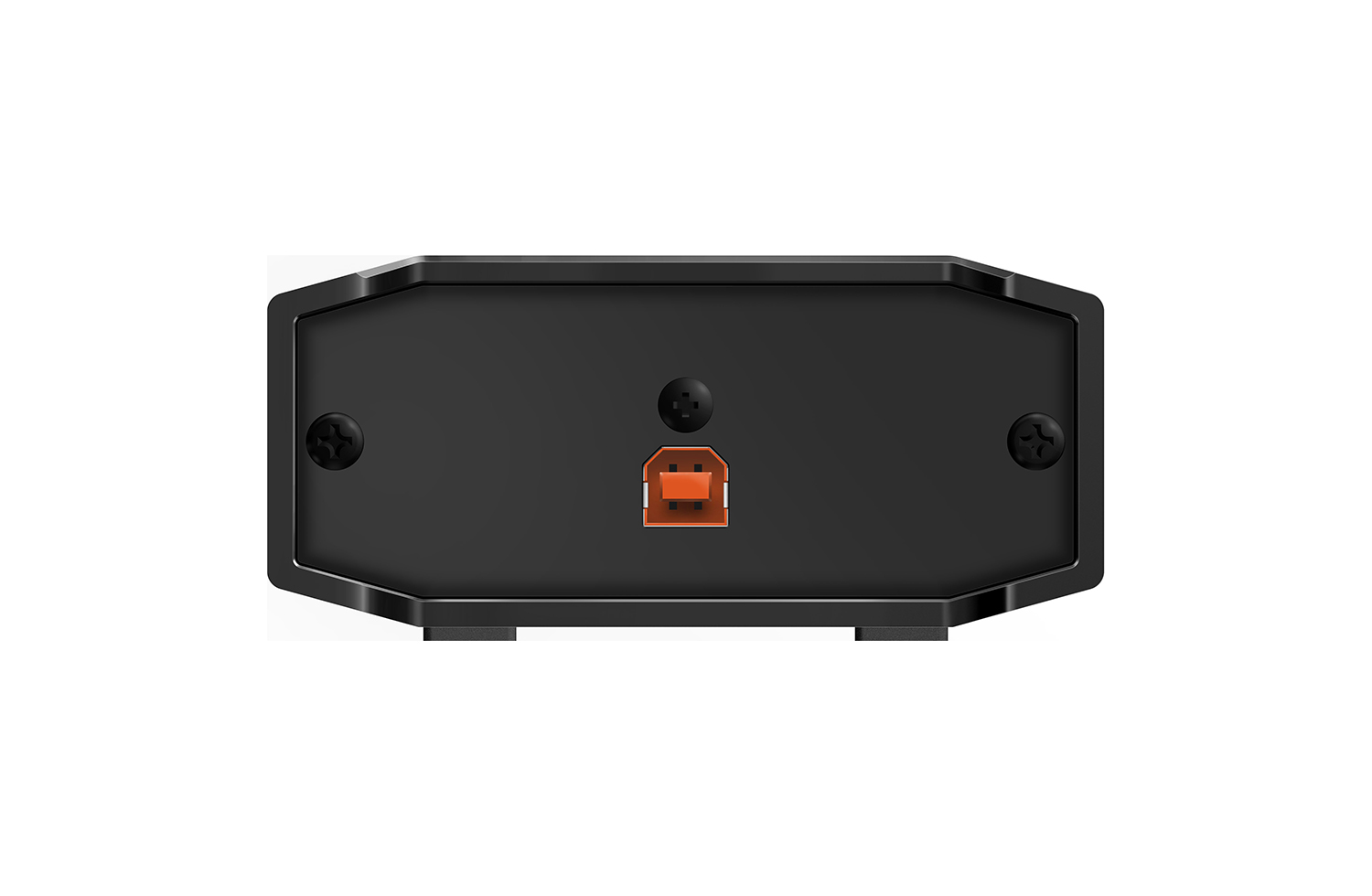
Connects to your Mac or PC via USB (cable included)
Generate Light Shows for Your DJ Set Automatically
With the PIONEER DJ RB DMX1 converter and lighting controller, you'll be able to use rekordbox DJ's Lighting mode to automatically create light shows that sync with your music. Introduced in rekordbox DJ v5.2, Lighting mode makes setting up your lightshow an effortless automatic process, with the ability to quickly customize it to your preferences. Connect the PIONEER DJ RB DMX1 converter to your Mac or PC, add a set of DMX512-supported lighting fixtures, and Lighting mode will control your lights in sync with your music. In other words, you can eliminate hours of pre-show lighting setup with the PIONEER DJ RB DMX1 converter. Call your megs star technology Sales Engineer to learn more about how to add this to your DJ setup.
Make the most of rekordbox dj’s enhanced new features with our dedicated 4-channel DJ controller. Featuring the professional layout inherited from the flagship NXS2 models, it’s the portable, compact solution for performing at parties and events. The DDJ-1000 features all-new high definition LCD screens on each jog wheel, allowing you to keep your eyes intuitively on the deck.Fluidly select tracks you didn’t consider compatible thanks to rekordbox dj’s new Related Tracks feature. Bring creative flair to performances with 14 Beat FX – including four new versions – and instantly trigger Hot Cues, Loops and more with the 16 multicoloured Performance Pads.
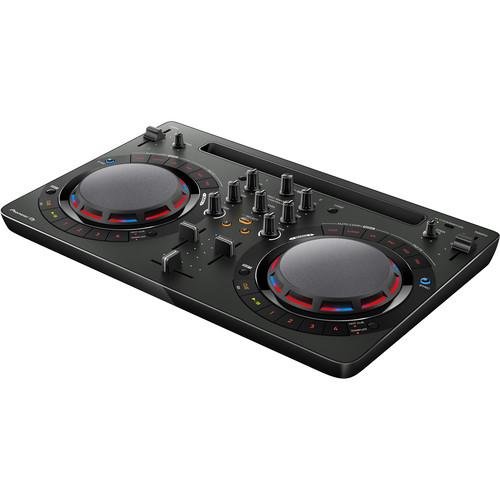
Take your first steps in the world of DJ-ing with the compact DDJ-WeGO4. Learn to mix seamlessly with tactile controls and jog wheels for scratching. And use the sampler, Hot Cues and Pad FX inherited from professional hardware to bring more creativity to your sets. Just plug in your laptop, tablet or smartphone and start to play.
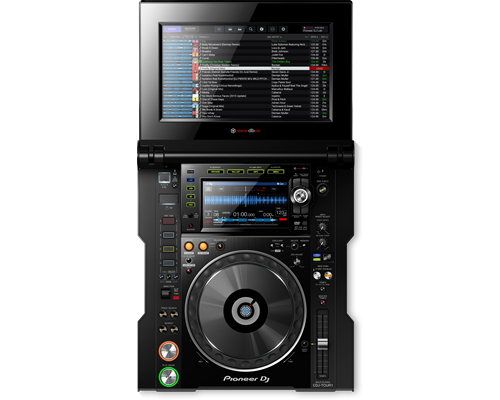
The CDJ-TOUR1 delivers the warm high-resolution sound you're used to, and adds pro-grade audio components to scale up for any size of event. And with the same familiar layout and features as the CDJ-2000NXS2, and a large fold-out touch screen you get effortless control when it matters most.
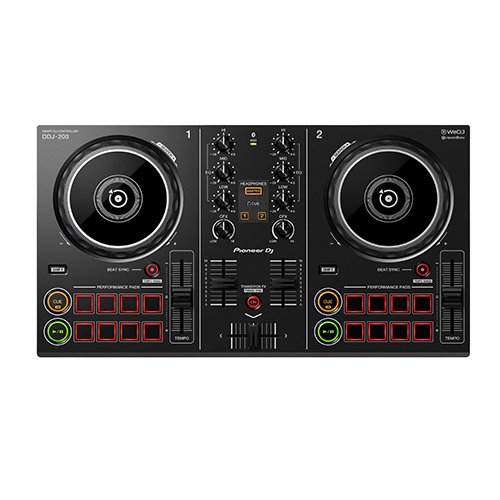
Start DJing with our easy-to-use DDJ-200 smart DJ controller. Lightweight and compact with a pro-style layout, it’ll help you learn to mix and, if you want to, develop DJing from a hobby into something more. Put your own twist on the music as you mix for friends at parties. Play tracks via your smartphone or PC/Mac using a variety of DJ apps and software including our dedicated, free app WeDJ for iPhone, as well as djay and edjing Mix. Depending on your device and the program you choose, you can mix music stored in your iTunes or rekordbox library, or stream songs from Beatport LINK, SoundCloud Go+, Deezer or even Spotify.
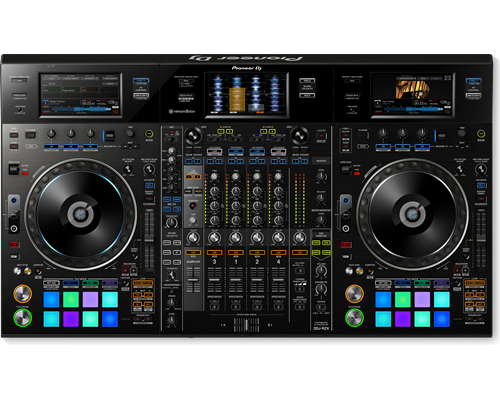
Visualise your sets with the DDJ-RZX controller for rekordbox video. Designed for DJs on the road, it comes with three 7-inch touch screens that let you close your laptop and get intuitive control over audio and video features in rekordbox dj and rekordbox video directly from the hardware.The DDJ-RZX inherits traits from the CDJ-2000NXS2 multiplayer and DJM mixer series including large jog wheels, multicoloured Performance Pads and high-quality sound. Plus an extensive FX unit lets you trigger Mic FX, Combo FX, Sampler Repeat and Release FX – as well as the studio-quality Sound Colour FX from the DJM-900NXS2.
Content
PIONEER DJ RB DMX1
With the PIONEER DJ RB DMX1 converter and lighting controller, you'll be able to use rekordbox DJ's Lighting mode to automatically create light shows that sync with your music. Introduced in rekordbox DJ v5.2, Lighting mode makes setting up your lightshow an effortless automatic process, with the ability to quickly customize it to your preferences. Connect the PIONEER DJ RB DMX1 converter to your Mac or PC, add a set of DMX512-supported lighting fixtures, and Lighting mode will control your lights in sync with your music. In other words, you can eliminate hours of pre-show lighting setup with the PIONEER DJ RB DMX1 converter. Call your megs star technology Sales Engineer to learn more about how to add this to your DJ setup.
https://youtu.be/2jJ-F2kbmHg
Pioneer DJ RB-DMX1 DMX Converter/Lighting Controller Features:
DMX converter for use with rekordbox DJ software (license included)
Converts rekordbox DJ's Lighting mode data to DMX to control DMX512-supported lighting fixtures
Supports 1 universe (512 channels) of DMX control
Aluminum casing for durability
Connects to your Mac or PC via USB (cable included)
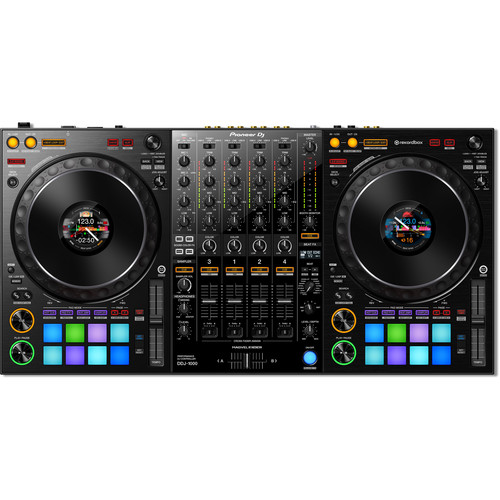
The Pioneer DJ DDJ-1000 controller is designed from the ground up to give you comprehensive control over rekordbox DJ software. It has everything you need to perform at events and parties, including two full-size jog wheels with On Jog Display, 14 Beat FX, and 16 multicolored performance pads. Using rekordbox DJ software's Related Tracks feature, you'll quickly be able to find tracks that flow well with the tune you're currently playing. Compact and portable, the Pioneer DJ DDJ-1000 controller combined with rekordbox DJ software is a sweet setup for mobile DJs.
Based on Pioneer's NXS2 systems
If you've ever gotten your hands on Pioneer DJ's CDJ-2000NXS2 or DJM-900NXS2 systems, you'll feel right at home with the DDJ-1000 controller. Its buttons and knobs are based on the same layout as the NXS2 systems — using the DDJ-1000 is the same as using an NXS2 setup to control music from an external USB drive.
Updated Magvel crossfader
DJs at Sweetwater love the feel of the Magvel crossfader, based on the Magvel Fader Pro from the DJM-S9 pro battle mixer. Pioneer DJ has updated the Magvel fader for the DDJ-1000, to offer even more durability and nuanced control. Also, the software processing for jog wheel and crossfader operation has been refined for greatly reduced latency, creating a faster and more intuitive feel than ever.
Multiple inputs/outputs for seamless DJ changeovers
DJs using rekordbox DJ software can hand off to each other faster and smoother with the DDJ-1000 controller. Two USB ports allow two DJs to connect their laptops simultaneously. Four analog inputs accommodate turntables, and there are two mic inputs as well. The DDJ-1000 can even operate as a standalone DJ mixer without connecting a laptop at all.
Pioneer DJ DDJ-1000 Controller Features:
DJ controller designed for comprehensive control over rekordbox DJ software (Mac/PC)
Based on Pioneer's NXS2 systems for a familiar layout and control scheme
LCD jog display shows you playback time, BPM, waveform, playback position and Hot Cue and Loop points
14 Beat FX for adding depth and excitement to your mixes
Improved Magvel fader for even more durability and lower latency
Two USB ports for seamless DJ handoffs
16 multicolor performance pads for triggering Hot Cues, Pad FX, Beat Jump, and much more
Lightweight and portable for mobile DJs
JOIN THE WORLD OF MIXING Take your first steps in the world of DJ-ing with the compact DDJ-WeGO4. Learn to mix seamlessly with tactile controls and jog wheels for scratching. And use the sampler, Hot Cues and Pad FX inherited from professional hardware to bring more creativity to your sets. Just plug in your laptop, tablet or smartphone and start to play. Ready to take things a step further? Simply use the bundled licence key for our rekordbox dj software to perform straight out of the box. Or use WeDJ, our DJ performance app for iPad, to mix tracks directly from your Itunes library. KEY FEATURES EASY TO CONNECT Simply plug the DDJ-WeGO4 into your PC, Mac, tablet or smartphone with a USB cable, or connect to your iPad or iPhone with a Lightning cable and start mixing your music using the compatible DJ software or app of your choice. SUPPORTS WEDJ This controller is compatible with WeDJ, our easy-to-use DJ performance app for iPad. When connected, the app’s intuitive display makes it a breeze to mix tracks from your music. REKORDBOX DJ You get a free rekordbox dj licence key bundled with this controller. Simply activate your licence key for our DJ software, connect the controller and start DJing. SIMPLE LAYOUT, ADVANCED CONTROL A host of professional features – including Hot Cues, samplers, Pad FX and loops – are packed in a compact, lightweight design. Learn to DJ on the straightforward layout and step up easily to a pro-DJ setup, including CDJ multiplayers and DJM mixers. PC MASTER OUT For flexibility you can choose to hear your mix through your computer’s internal speakers, connected desktop speakers, or play through a wireless speaker. At the same time, you can use your headphones to cue independently of the master out. Built-in soundcard No more hassle with external soundcards. Connect the DDJ-WeGO4 straight to your speakers or amplifier. Customisable EQs Switch between 3-band EQ, 2-band EQ and filter mode in rekordbox dj or WeDJ for clear and balanced sounds. Algoriddim djay Algoriddim djay 2 lets you prepare, perform and record mixes on-the-go. Simply connect the controller to your iPhone, iPod touch or iPad and mash up songs straight from iTunes or Spotify. Become a Virtual DJ Virtual DJ lets you mix and match your tracks, set loops and cues, a
Connect your smartphone, tablet, or PC/Mac to start mixing. A number of software programs and apps – including WeDJ, djay, edjing Mix and rekordbox dj – are compatible with selected devices. You’ll also have free use of all the features in WeDJ for iPhone that normally require in-app payments.
COMPATIBLE STREAMING SITES
Depending on your app and device combo, you can mix sounds via streaming services including Beatport LINK, SoundCloud Go+, Deezer, and even Spotify.
TUTORIAL & POP-HINT
Our updated WeDJ for iPhone app includes Tutorial and Pop-Hint features. They’ll help you learn how to operate the controller, discover the basics of DJing including common DJ terms, and have you mixing in no time.
TRANSITION FX
Just starting out behind the decks? Transition between tracks and make it sound professional with the Transition FX feature in WeDJ for iPhone. Choose from 11 effect styles and simply slide the crossfader to the other side to smoothly switch tunes.
COMPACT LIGHTWEIGHT BODY
The DDJ-200 is lightweight and portable. Leave the speakers at home and play sound from your smartphone, tablet, or PC/Mac’s audio outputs. No outlet handy? No problem. Power the controller via an external battery.
Switch tracks naturally
Our Phrase Sync feature will analyze and align the positions of 2 tracks. As a result, it will sound natural when you switch between tunes.
Split output
While everybody else hears the master sound through the speakers, you’ll be listening to and cueing the next track on your headphones. Simply plug in split cables to separate the audio.
rekordbox dj
Simply connect the DDJ-200 to your PC/Mac to enable rekordbox dj. You don’t need to enter a license key to use the software with the controller.
VISUAL CONTROL
Visualise your sets with the DDJ-RZX controller for rekordbox video. Designed for DJs on the road, it comes with three 7-inch touch screens that let you close your laptop and get intuitive control over audio and video features in rekordbox dj and rekordbox video directly from the hardware.The DDJ-RZX inherits traits from the CDJ-2000NXS2 multiplayer and DJM mixer series including large jog wheels, multicoloured Performance Pads and high-quality sound. Plus an extensive FX unit lets you trigger Mic FX, Combo FX, Sampler Repeat and Release FX – as well as the studio-quality Sound Colour FX from the DJM-900NXS2.
FAMILIAR LAYOUT
Mix audio and videos instinctively with features inherited from the CDJ and DJM series including large jog wheels and multicoloured tactile Performance Pads. The 4-channel controller has an independent sampler section for intuitive control of Beat Sync, quantize and trim on the sampler.
HIGH-QUALITY SOUND
Hear the true quality of your tracks thanks to AC inlets for reduced cable contact resistance and a high-performance 96 KHz/32 bit D/A converter made by Asahi Kasei. Plus a low-jitter clock IC and the 96 kHz/24 bit USB sound card ensure powerful, high-quality sound.
3 TOUCH DISPLAYS
Three 7-inch touch screens give you direct access to track info such as titles, BPM and key using deck display mode, and enlarged waveforms for each track, as well as loops and Hot Cues in mixer display mode. You can use the displays to preview/monitor video and image files, trigger Beat FX and Release FX, while Touch FX lets you add FX and adjust parameters by tracing on the x and y axes on the display. All without having to touch your laptop.
DEDICATED MIC SECTION
2 XLR combo input jacks give distortion-free Mic output even at loud volumes. The dedicated 3-band EQ and Mic FX – Echo, Reverb, Pitch or V-Tune – let you tune each voice to give your performance just that little extra.
ADVANCED FX
The DDJ-RZX is stacked with pro-DJ FX controls for rekordbox dj and external sound sources. You can apply Sound Color FX and Beat FX simultaneously, and trigger Release FX to reset them instantly to create a break. Plus you can add sub parameters to the Sound Color FX or use Sampler Repeat to change the length of a loop.
REKORDBOX VIDEO
You get a free licence key for rekordbox video bundled with this controller. Use it to load videos and image files to the decks from a laptop or stream live footage from a USB camera, then add text overlays and FX in real-time. You have the option to prepare your video sets in rekordbox or mix your visuals on the fly.








Reviews
There are no reviews yet.